The Activity tab lists what your campaign did for each person, newest first. Open a campaign, then click Activity.
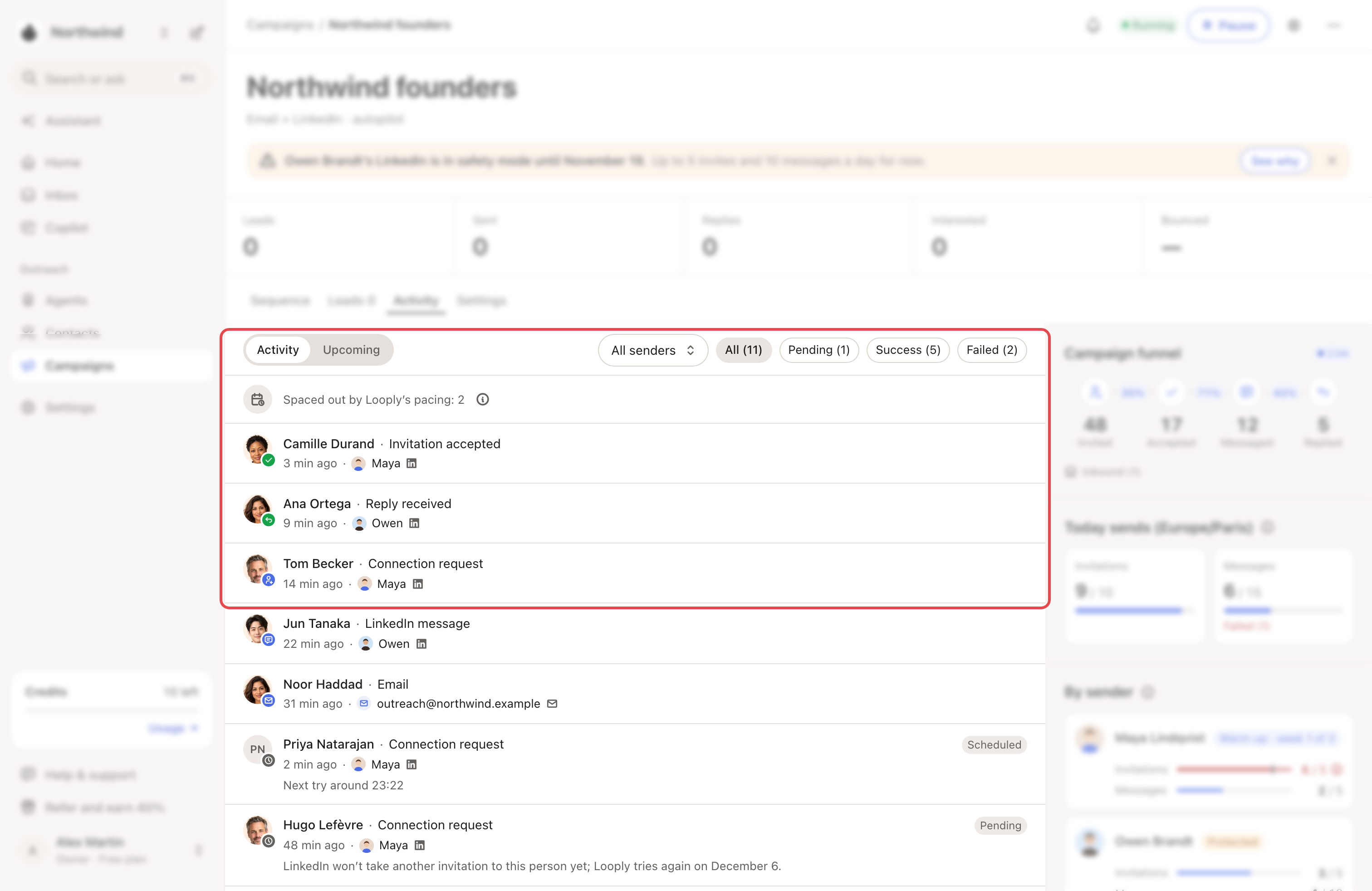
Each line
A line shows the person, what happened, when, and the account that handled it. The list keeps the 50 latest events. The badge on the photo gives the kind of event:
| Badge | Meaning |
|---|---|
| Blue | Looply sent a connection request, a LinkedIn message or an email. |
| Green | The person accepted your invitation or replied. |
| Grey | A wait, a skipped step or information. |
| Red | A send failed or expired, or an email bounced. |
A few events need explaining:
- Message received: they wrote to you before the campaign messaged them.
- Waiting for your review: the message waits in Copilot.
- Reply rule applied: your When they reply rule acted on their reply.
- Campaign paused: Looply paused the campaign, for example because a LinkedIn account must reconnect.
A tag such as Scheduled, Pending, Failed, Expired or Skipped means the step didn't simply go through. A failed, expired or held step has a sentence under the line that explains it, for example "The invitation wasn’t accepted in time." A scheduled send shows its next try. A skipped email shows no reason here. When its address is on your Blocklist, the person's line in Leads says so.
"Spaced out by Looply’s pacing: 3" counts LinkedIn actions that ran a few minutes late on purpose. That's normal.
Filter the list
- Click All, Pending, Success or Failed.
- With two senders or more, pick one in the menu beside them.
- Click Upcoming to see how many next actions are planned.
On Campaigns, "3 sends failed in the last 24 h · see Activity" opens Activity on Failed.
The column beside the list
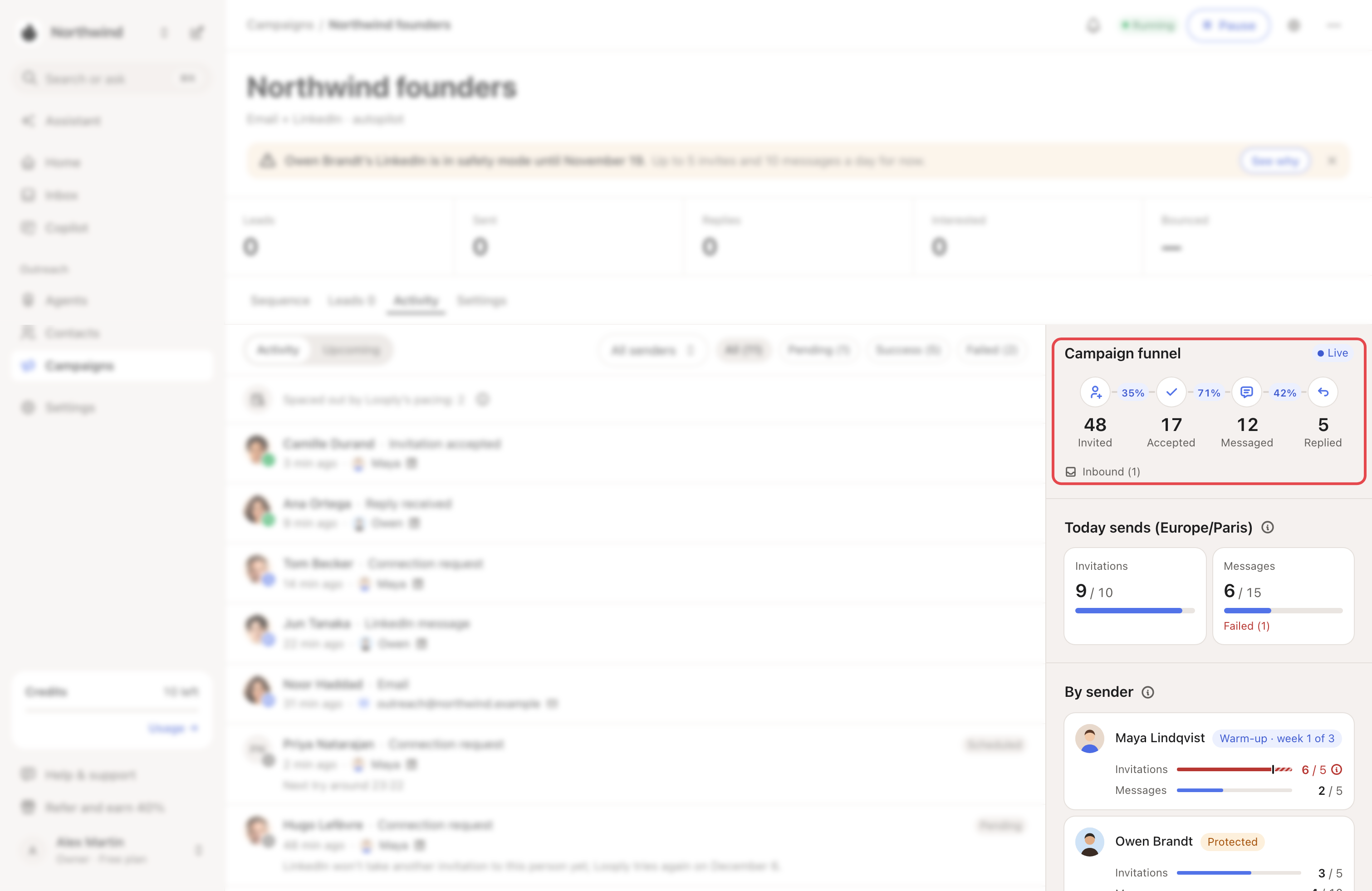
- Campaign funnel: Invited, Accepted, Messaged, Replied, with the share that moved on from the step before. Email-only campaigns show Messaged and Replied.
- Today sends: what this campaign sent today, against what it may send from its LinkedIn accounts.
- By sender: each account's day across all its campaigns, against its own limit. Tags show Warm-up · week 1 of 3 or Protected.
A red count went over a limit: it was "Sent before today’s limit changed".
→ Learn more: Warm-up and daily limits
Where each person stands
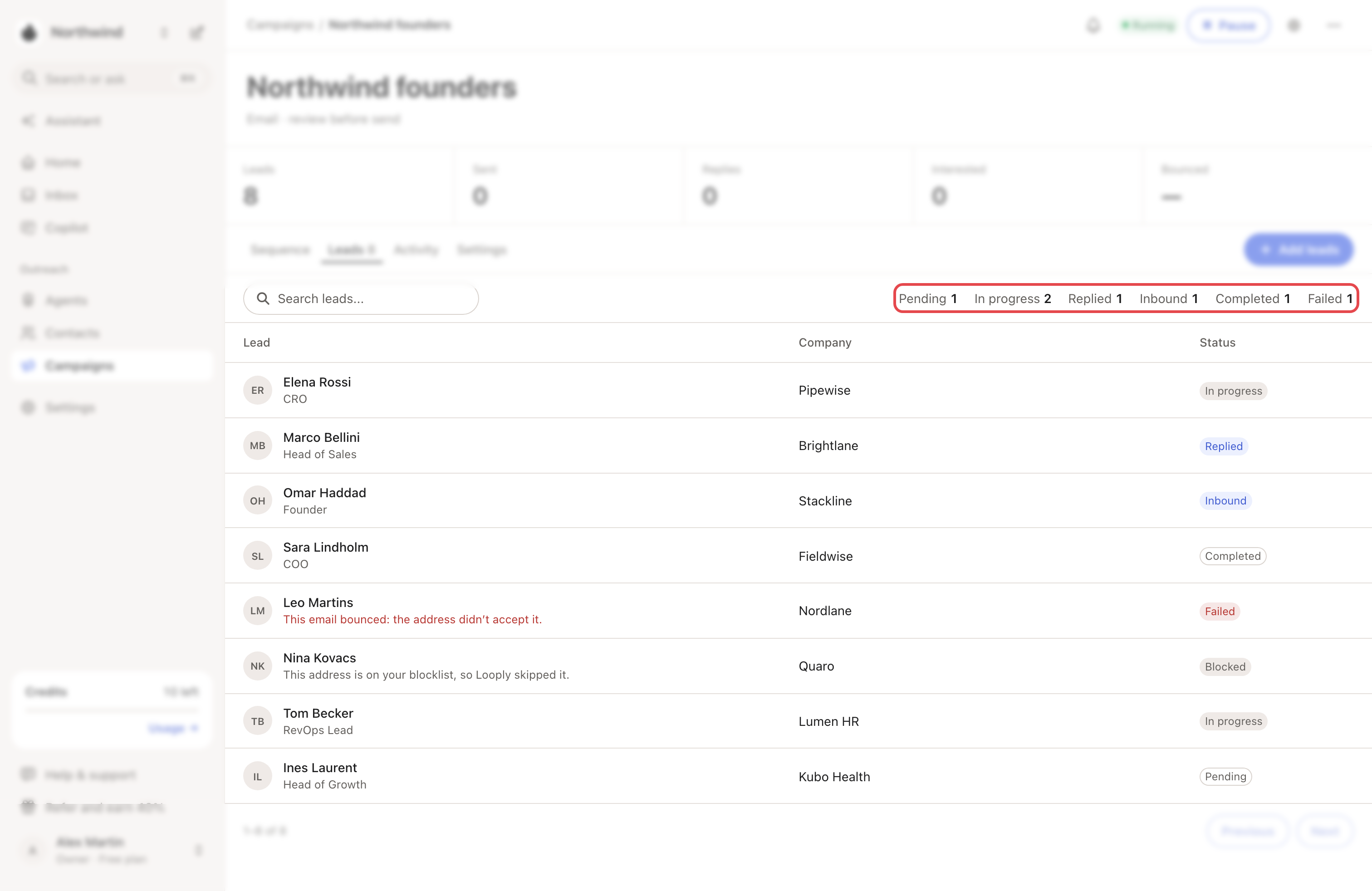
The Leads tab gives each person a status:
| Status | Meaning |
|---|---|
| Pending | Not started yet. |
| In progress | Part-way through the steps. |
| Replied | Answered a campaign message. Their sequence stopped. |
| Inbound | Wrote to you before the campaign messaged them. |
| Completed | Reached the end of the sequence. |
| Failed | A step failed for good. A red line says why. |
| Paused | Looply stopped this person, for example because the campaign has no inbox to send from. |
| Expired | The invitation wasn't accepted in time. |
| Unsubscribed | They asked to stop, in a reply or with the unsubscribe link. Looply won't email them again. |
| Blocked | Their address or its domain is on your Blocklist. A line says "This address is on your blocklist, so Looply skipped it." |
A booked meeting shows Meeting booked: see Mark a meeting booked.
Related articles: My campaign isn't sending · Unsubscribes, bounces and who Looply won't email · Your Blocklist · Change a campaign that's already running