Looply stops emailing people who ask to stop or whose address bounces. It puts their address on your Blocklist, so no campaign emails them again.
When someone asks to stop
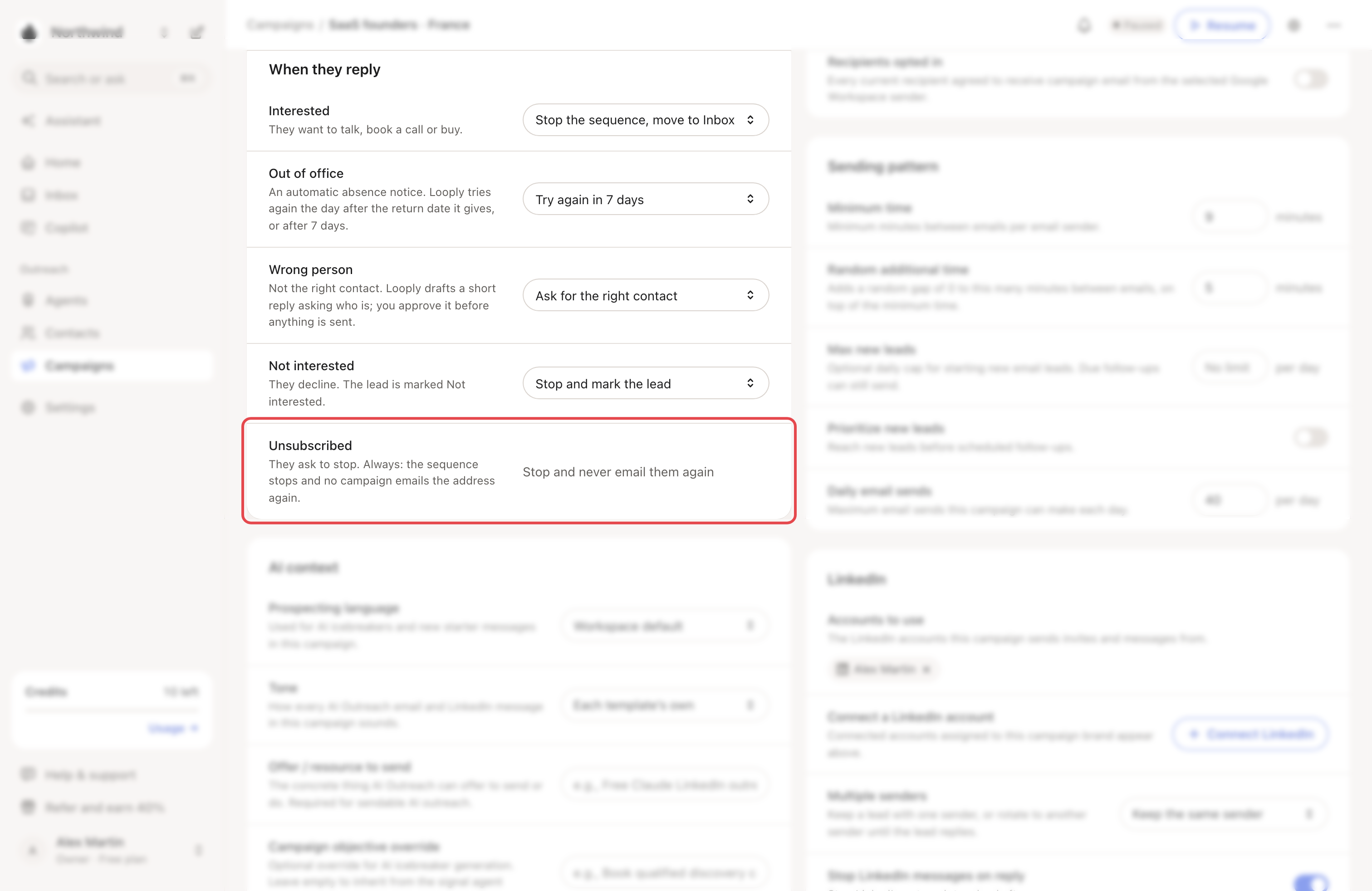
They reply asking to stop. Looply labels the reply Unsubscribed. The campaign's rule is always Stop and never email them again:
- their sequence stops;
- no campaign of any of your brands emails that address again;
- the person's other running leads with that address are paused.
Looply missed it? Open the email reply in the Inbox, click its label, then pick Unsubscribed under Change label.
They click unsubscribe in their email app. Each campaign email carries a standard one-click unsubscribe header. Email apps that support it can show an Unsubscribe button next to your name. After a click, the address is on your Blocklist and the person's running leads in all your campaigns are paused.
Looply doesn't add an unsubscribe line to the text of your emails. Write one in your steps if you want one, for example: "Not for you? Reply stop and I won't write again."
They decline. In the campaign's Settings tab, under When they reply, set Not interested to Stop and never email them again. The address is then blocked like an unsubscribe.
→ Learn more: When someone replies
When an email bounces
A hard bounce means the address doesn't exist or refuses your email. Looply reads the bounce notice that arrives in your inbox. It can take several hours.
Then Looply:
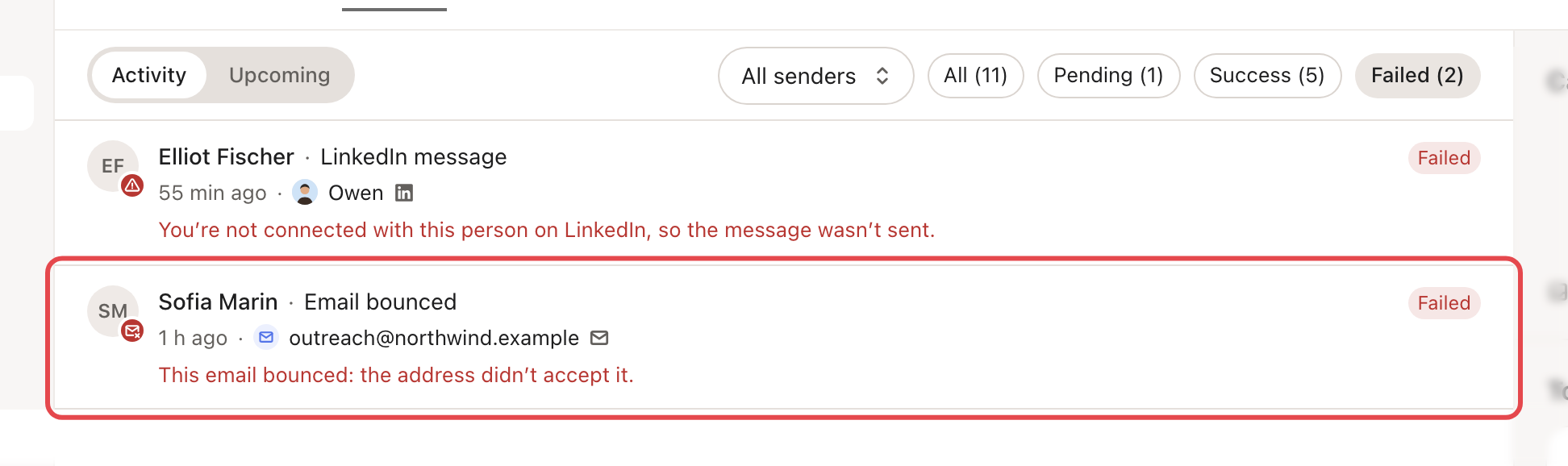
- stops the person's sequence: they show Failed in Leads, with "This email bounced: the address didn’t accept it.";
- adds Email bounced to the campaign's Activity;
- puts the address on your Blocklist, so your other campaigns skip it too.
A temporary bounce, such as a full mailbox, changes nothing. The campaign's Bounced figure shows the share of its emails that bounced.
Who Looply won't email
Everyone on your Blocklist, in every campaign of every brand:
| On the list because | Shown as |
|---|---|
| They replied asking to stop | Replied asking to stop |
| They replied not interested, under Stop and never email them again | Replied not interested |
| They used the unsubscribe button or link | Used the unsubscribe link |
| Their address bounced | Bounced |
| You or a teammate added them | Added by hand |
| Their company's domain is blocked | Domain |
When a campaign step reaches a blocked address, Looply skips the email. Activity shows it as Skipped. In Leads, the person shows Blocked, or Unsubscribed when they asked to stop, with a line saying why Looply skipped them, such as "This address is on your blocklist, so Looply skipped it." The rest of their sequence stops. A reply branch that reaches a blocked address ends the same way.
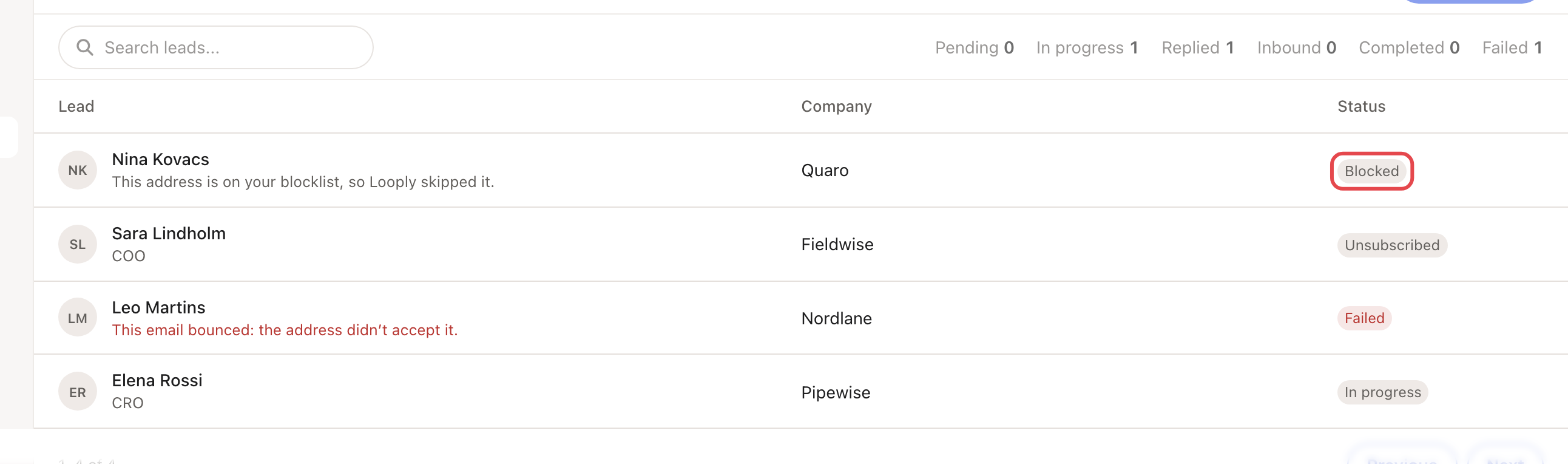
A blocked person also never starts again: if they are added to a campaign later, or a campaign is resumed, their lead stays Blocked (or Unsubscribed). That includes the campaign's LinkedIn steps.
People with no email address are skipped too. → Learn more: Find emails
Good to know
- Looply matches people by their email address. A contact with no email address can't be matched to the Blocklist, so a LinkedIn-only campaign can still reach them.
- To see, add, remove or export blocked people and domains, go to Settings → Blocklist. → Learn more: Your Blocklist
- Removing someone from the Blocklist doesn't restart the leads it stopped.
Related articles: Your Blocklist · Read your campaign's Activity tab · Email warm-up and daily limits