Booked a call with a lead? Mark the meeting booked. Looply stops their remaining campaign steps, so they don't get another follow-up.
Marking sends nothing to the person and adds nothing to your calendar. It only changes what Looply does next.
What you need: a reply from the person, or their contact in Looply.
Step 1: Find the button
| Where | What to click |
|---|---|
| The new-reply card that pops up while Looply is open | Meeting booked, next to Open |
| An open conversation in Inbox | Mark meeting booked |
| A contact's page in Contacts | Mark meeting booked |
| Home on a phone: tap a reply | Mark meeting booked |
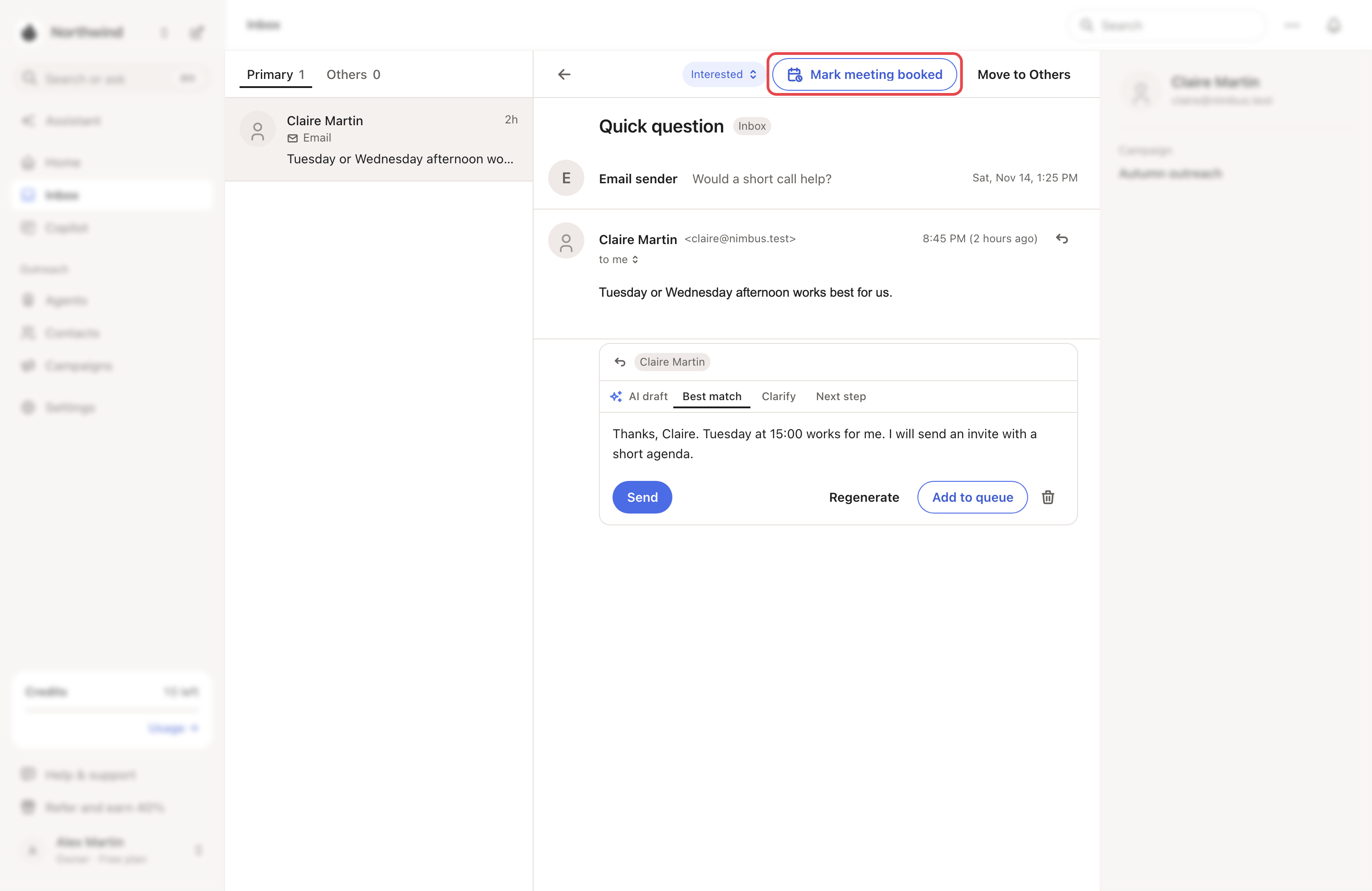
Step 2: Mark it
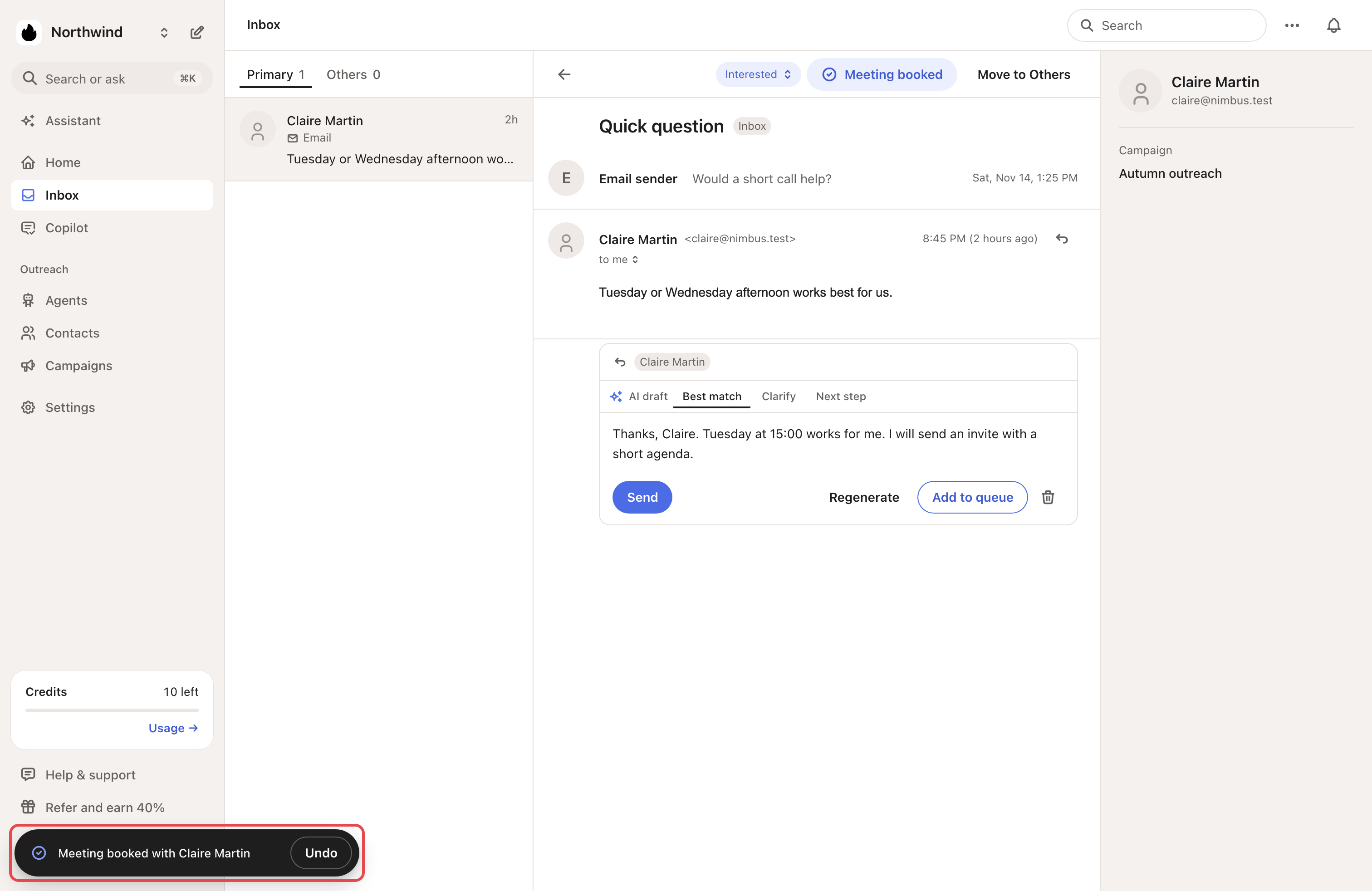
Click the button. Looply shows "Meeting booked with" and the person's name, with Undo. A new-reply card closes.
In the Inbox and on the contact's page, the button now reads Meeting booked, with a check.
What happens next
- Looply pauses every sequence still running for this person, in all your campaigns and brands. That includes leads with the same email address.
- Their reply branches pause too.
- If they later send an out-of-office reply, their sequence doesn't restart.
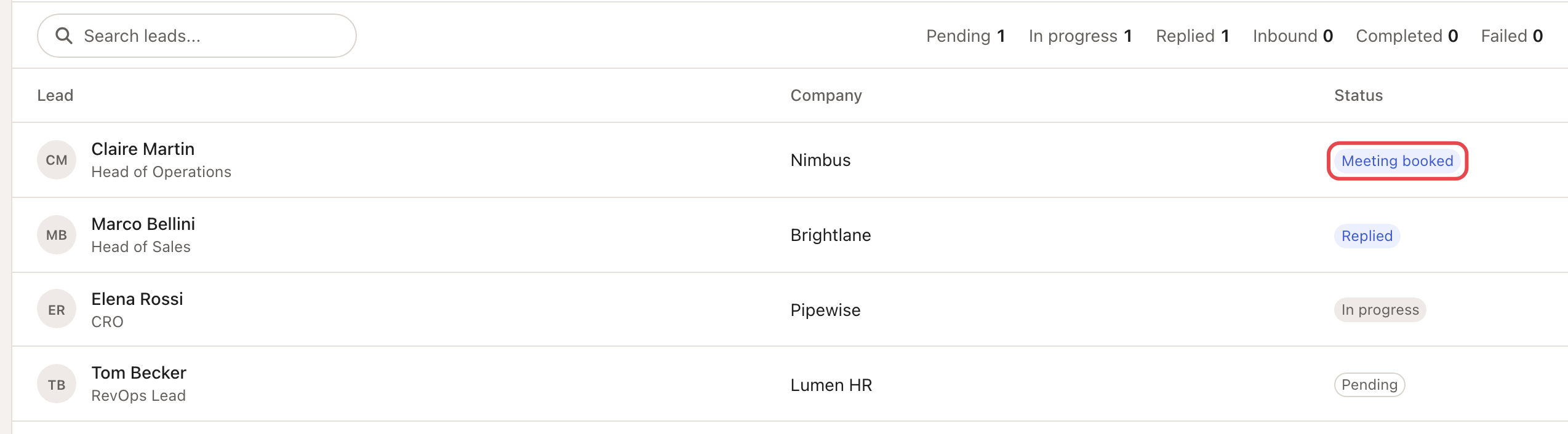
- Their campaign counts them as interested. In its Leads tab, they show Meeting booked.
Undo it
Click Undo on the confirmation. Or click Meeting booked again: Looply shows "Meeting unmarked".
Looply restarts exactly what it paused. A lead who replied in the meantime stays replied.
→ Learn more: When someone replies
If something goes wrong
| What you see | Why | What to do |
|---|---|---|
| "Couldn’t mark the meeting. Try again." | Looply couldn't save it. | Try again. If it keeps failing, write to us from the chat. |
| "Couldn’t undo. Try again." | Looply couldn't undo it. | Click Meeting booked to unmark it. |
| No button on Home | On a computer, a reply on Home opens the conversation. | Mark it there, in Inbox. |
Frequently asked questions
Where can I see all my booked meetings? There's no list. Each campaign's Leads tab shows Meeting booked next to the person.
Does Looply tell my CRM? No. Marking a meeting doesn't change the contact, so nothing is synced.
Related articles: Inbox · Organize contacts with views and lists · Notifications and new-reply alerts