You can change some things while a campaign runs. For its steps, senders, limits and sending hours, pause it first.
What you need: a campaign that is Running or Paused.
While it runs, you can change:
- its name, description and review mode, in Settings → General;
- its When they reply rules and AI context;
- Find missing emails, Prioritize new leads, Stop LinkedIn messages on reply and LinkedIn safety;
- its people, with Leads → Add leads. People on your Blocklist are added as Blocked or Unsubscribed and never start.
Pause it first to change:
- its steps and waits;
- its inboxes and LinkedIn accounts;
- its sending pattern, daily limits and Schedule.
Step 1: Pause the campaign
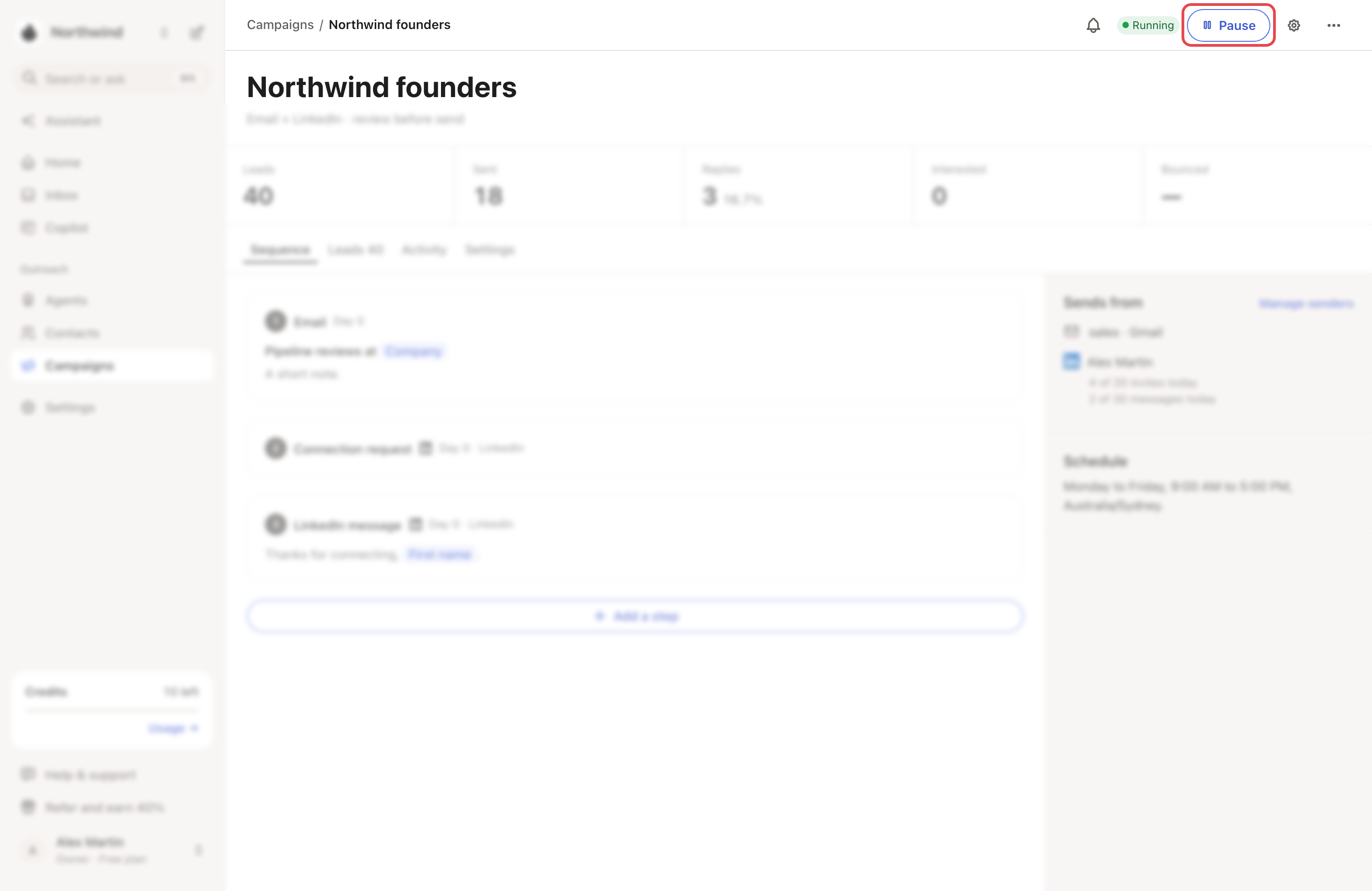
Open the campaign and click Pause at the top. Nothing is sent while it's paused, and leads keep their place. In Copilot, its scheduled messages show as Campaign paused.
Step 2: Make your changes
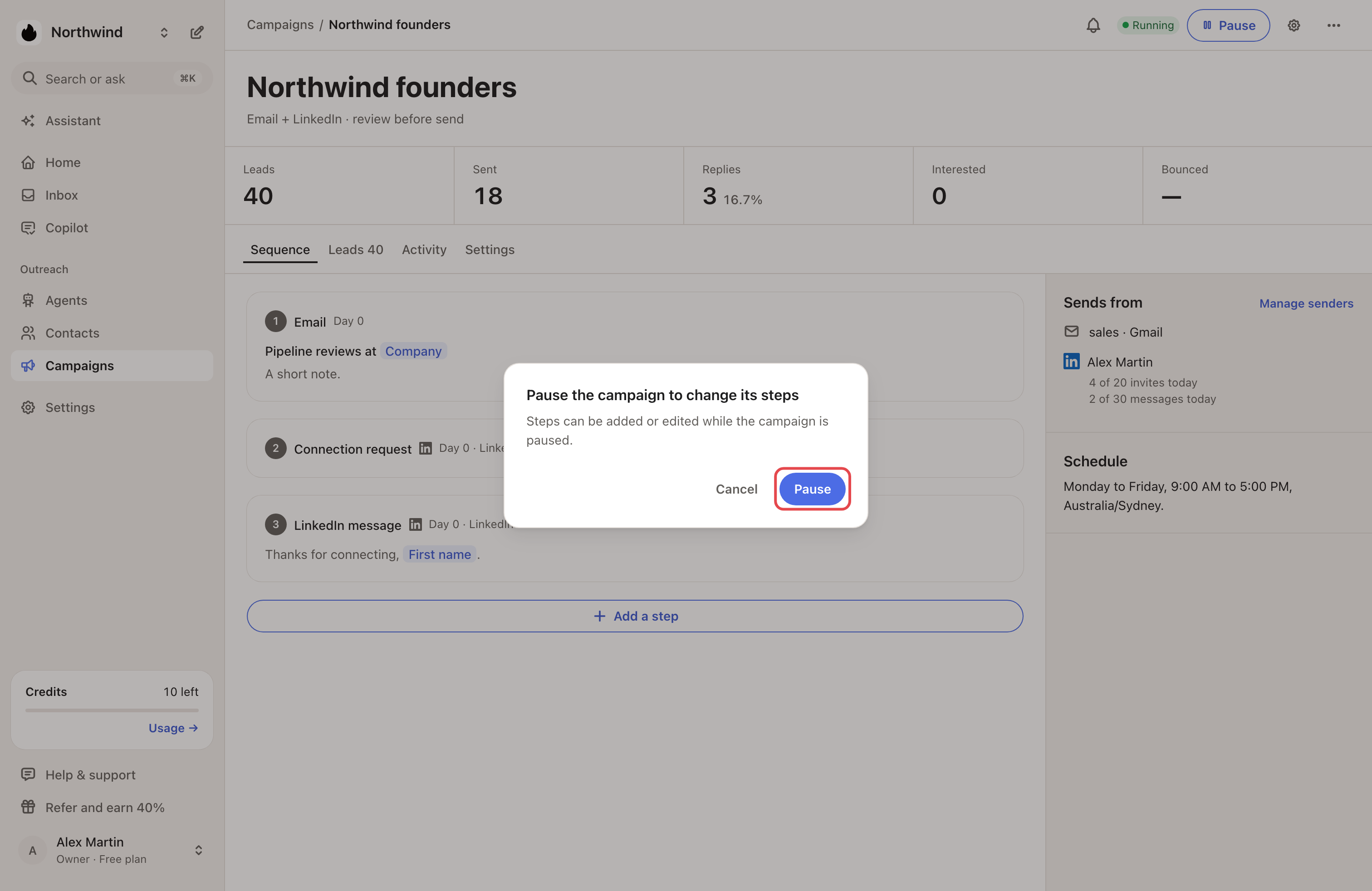
Steps. Click a step, edit its text, then click Save. To change a wait, click its pill, such as "2 days later". Add a step adds one after the last step. On a running campaign, an open step says it "is running. Pause it to edit this step.", with a Pause campaign button. Add a step asks you to pause.
If some leads are part-way through the sequence, you can't add, remove or reorder steps. You can still edit each step's text.
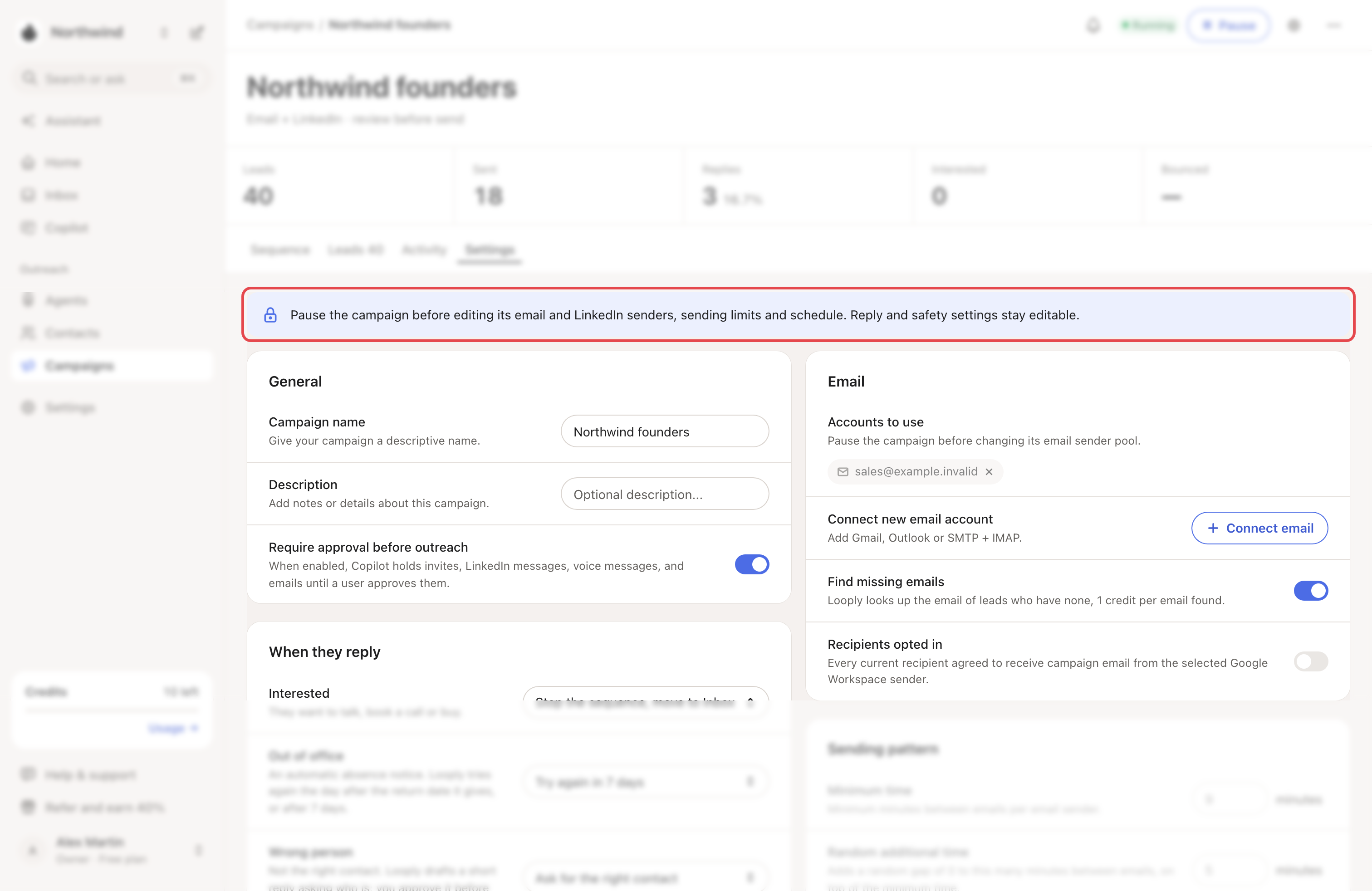
Settings. On a running campaign, the Settings tab starts with a note. Rows that need a pause are greyed out.
Step 3: Resume
Click Resume. Leads continue where they stopped, within the campaign's hours and limits. Leads that show Unsubscribed or Blocked stay stopped.
What happens next
- After a switch to Autopilot, messages waiting in Needs review go out without your approval.
- A changed reply rule acts on replies labelled after the change.
- Looply can pause a campaign itself when its LinkedIn account must reconnect. Activity then shows Campaign paused. Reconnect the account, then click Resume.
→ Learn more: Review mode, Autopilot and Copilot · When Looply sends
If something goes wrong
| What you see | Why | What to do |
|---|---|---|
| "Leads are part-way through these steps" | Some leads already started the sequence. | Edit the steps' text. For a new sequence, click ⋯ → Duplicate: you get a draft with the same steps, without its leads. |
| Greyed-out rows in Settings | The campaign is running. | Click Pause first. |
| Resume shows "Something went wrong. Please retry." | A sender isn't ready, for example a LinkedIn account that must reconnect. | See LinkedIn statuses and warnings. |
To stop a campaign, click ⋯ → Archive. ⋯ → Restore brings it back, paused.
Related articles: Create a campaign · Read your campaign's Activity tab