Looply warms up each new LinkedIn account for 3 weeks, then keeps it inside daily and weekly limits. This protects the account and keeps your outreach looking human.
The 3-week warm-up
| Week | Invites a day | Messages a day | Invites a week |
|---|---|---|---|
| 1 | 5 | 5 | 25 |
| 2 | 10 | 10 | 50 |
| 3 | 15 | 15 | 75 |
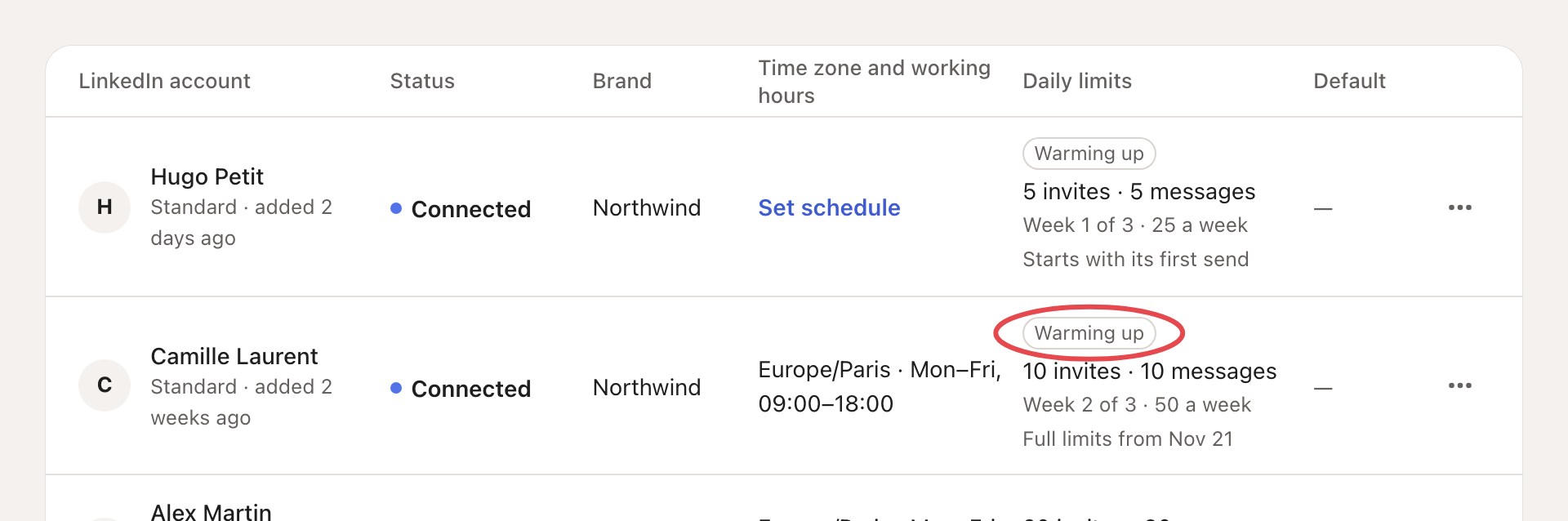
- It starts with the account's first send. Full limits apply three weeks after that first send.
- The warm-up doesn't hold back messages you write yourself in the Inbox, but they count toward the day's total.
- A warning from LinkedIn restarts the warm-up at week 1.
You can follow it in Settings → LinkedIn accounts: the Daily limits column shows Warming up and the week.
After the warm-up
Each account's default limits:
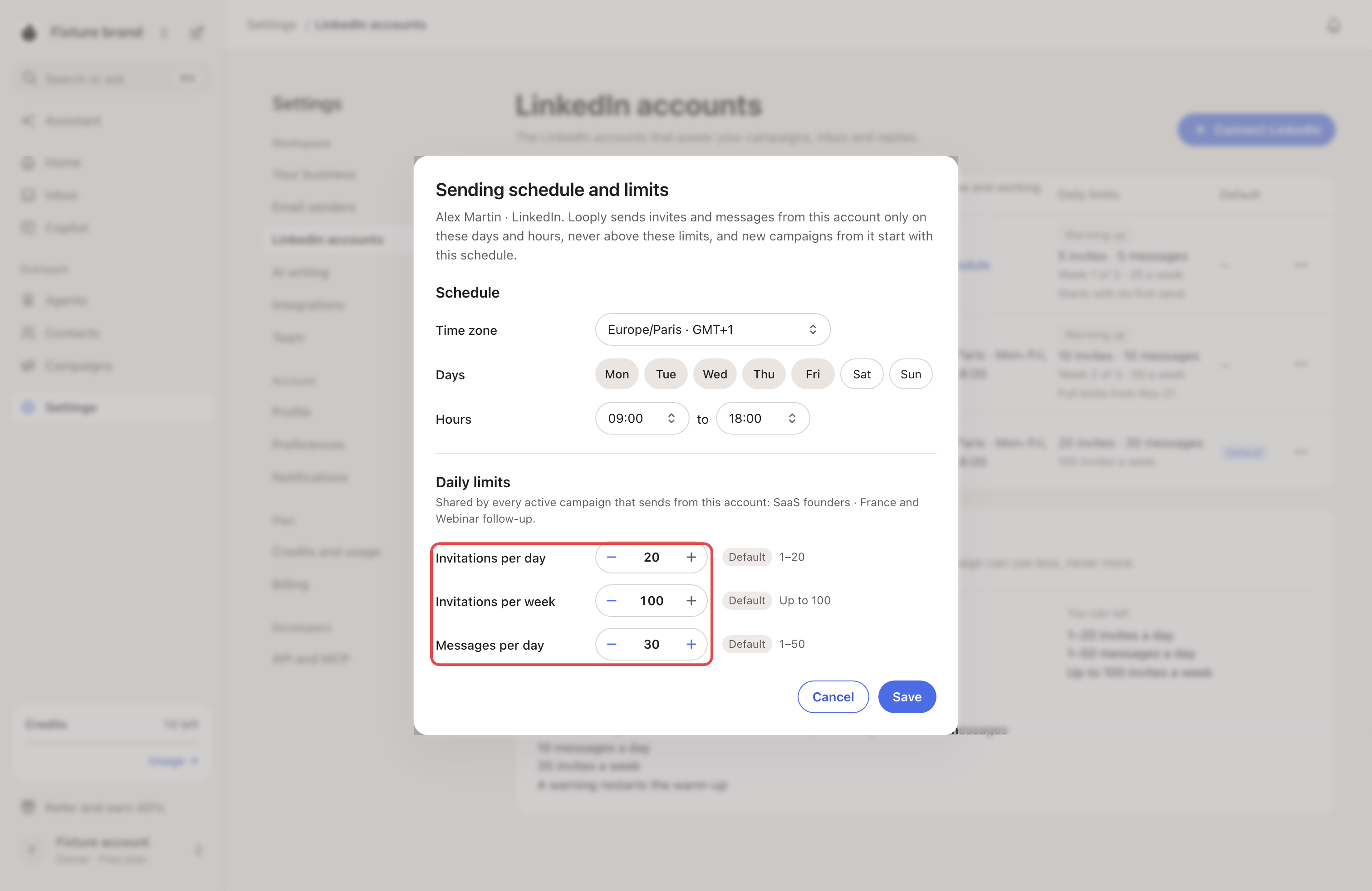
- 20 invites a day and 100 a week
- 30 messages a day
To change them, click ⋯ on the account, then Sending schedule and limits. You can set 1 to 20 invites a day, up to 100 a week, and 1 to 50 messages a day.
Why a campaign sends less than you set
- Limits are shared. All campaigns on one account share its limits. A campaign set above the account's limit sends at the account's limit.
- Sends are spaced out. By default Looply sends at most 3 invites or messages every 15 minutes per account, with random pauses, and only inside your sending hours.
- Warm-up or safety mode may be lowering the limits for now. See LinkedIn statuses and warnings.