Looply sends only inside a campaign's days and hours. LinkedIn sends must also fall inside the account's sending schedule. Within those windows, Looply spaces each send out and stays under the daily limits.
The sending windows
| Window | Where to set it | Default |
|---|---|---|
| The LinkedIn account's Sending schedule | Settings → LinkedIn accounts → ⋯ → Sending schedule and limits | None. Without it, the account sends nothing. |
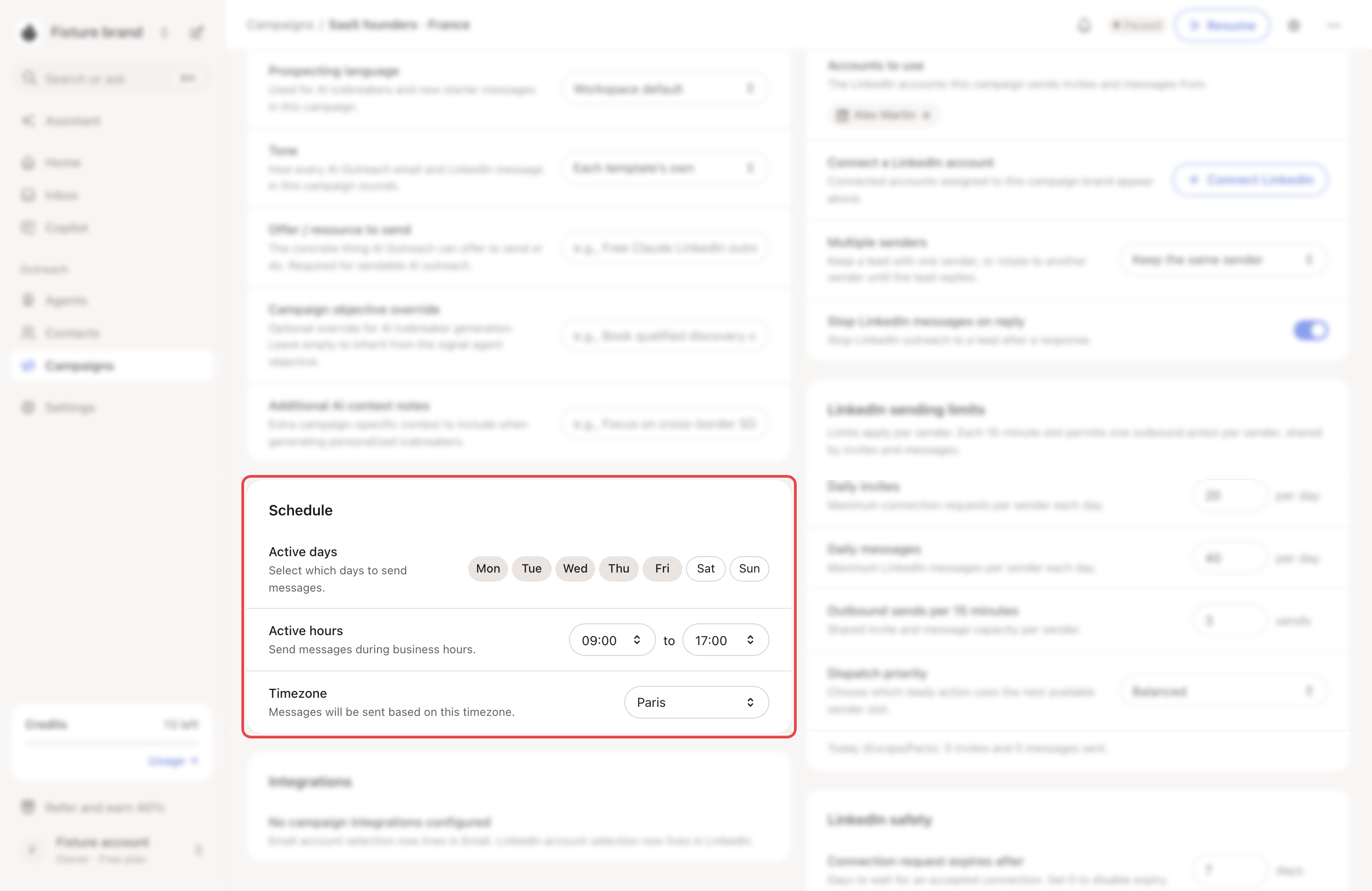
| The campaign's days, hours and time zone | The Sending step, then the campaign's Settings → Schedule | The LinkedIn account's schedule, else Monday to Friday, 09:00 to 17:00 |
The campaign's time zone comes from the LinkedIn account, your Preferences or your browser, until you pick one.
To change a running campaign's schedule, pause it first.
→ Learn more: Connect your LinkedIn account
How sends are spaced out
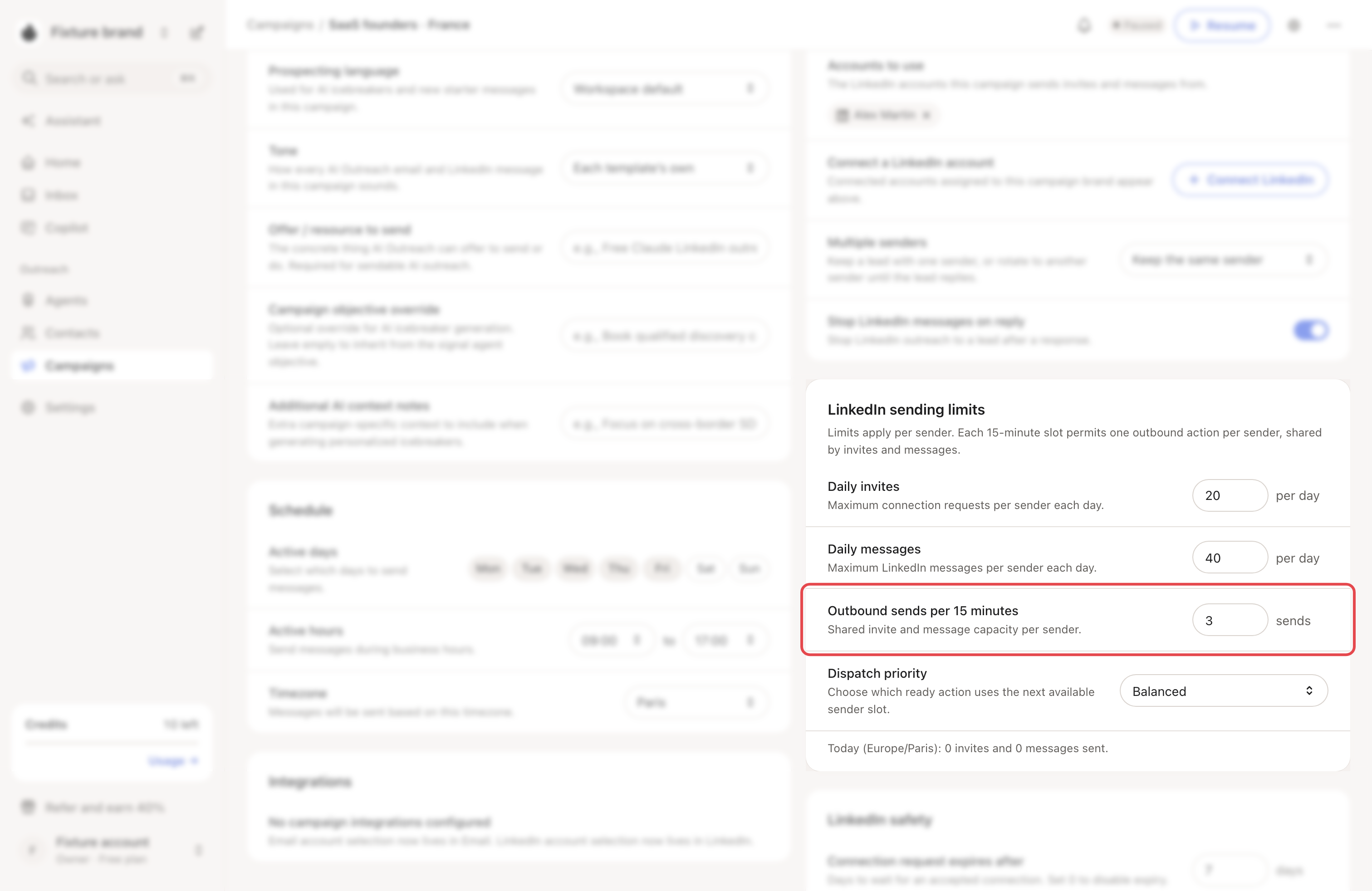
LinkedIn. By default, each account sends at most 3 invites or messages every 15 minutes. Each send also gets a random delay of up to 3 minutes. Change the pace with Outbound sends per 15 minutes (1 to 8) in the campaign's Settings.
Email. Between two emails from the same inbox, Looply waits the Minimum time: 9 minutes by default. It adds a random wait of up to the Random additional time: 5 minutes by default. Each can be 0 to 240 minutes.
Daily limits
| Limit | Where | Default |
|---|---|---|
| LinkedIn invites and messages per account | Sending schedule and limits | 20 invites and 30 messages a day, lower during warm-up |
| LinkedIn per campaign | Settings → LinkedIn sending limits | 20 invites and 40 messages a day per account, never above the account's own |
| Emails per inbox | Settings → Email senders → ⋯ → Change daily limit | 30 a day, lower during warm-up |
| Emails per campaign | Settings → Sending pattern → Daily email sends | 100 a day, never above each inbox's own limit |
| New email leads per day | Settings → Sending pattern → Max new leads | No limit |
All campaigns on one LinkedIn account share its limits.
→ Learn more: Warm-up and daily limits · Email warm-up and daily limits
See what goes out next
- Copilot → Upcoming lists the LinkedIn messages due in the next 48 hours, with their text.
- Copilot → Scheduled lists approved messages waiting for their time.
- In Review mode, nothing goes out before you approve it. It then sends at the next free slot.
→ Learn more: Review mode, Autopilot and Copilot
Good to know
- A LinkedIn message waits until the person accepts your connection request.
- Connection request expires after (7 days by default) is how long Looply waits for an acceptance. 0 turns it off.
- Dispatch priority decides what uses the next free slot: Balanced, Follow-ups first or New leads first.
If something goes wrong
| What you see | Why | What to do |
|---|---|---|
| "Campaign invites and messages from this account wait until it has a sending schedule." | The account has no days and hours. | Set its Sending schedule. |
| "Outside this campaign’s sending hours." | It is outside the campaign's days or hours. | Wait, or widen them. |
| Fewer sends than you set | Shared limits, warm-up or spacing. | See My campaign isn't sending. |