Copilot is where you approve campaign messages before they are sent. Each campaign runs in one of two modes.
| Mode | What happens |
|---|---|
| Review mode (on by default when you create a campaign) | Copilot holds every invite, LinkedIn message, voice message and email until you approve it. |
| Autopilot | Messages go out on schedule without waiting for your approval. |
Start with Review mode. Switch to Autopilot once you trust the messages.
Good to know: a campaign Looply creates for you during set-up starts in Review mode.
Approve messages
- Open Copilot and stay on Needs review.
- Read the message. Click Edit to change it, or Reject to drop it.
- Click Approve and next. Looply sends it at the next slot inside the campaign's hours.
Switch a campaign between Review mode and Autopilot
Use the Review mode / Autopilot switch in Copilot, or the campaign's Settings → Require approval before outreach.
The Copilot tabs
| Tab | What it shows |
|---|---|
| Needs review | Messages waiting for your approval. |
| Upcoming | LinkedIn messages due in the next 48 hours. |
| Scheduled | Approved messages waiting for their send time. |
| Sent | What went out. |
| Failed | What could not be sent, so you can act on it. |
| Campaign paused | Messages held because their campaign is paused. Shown only when there are some. |
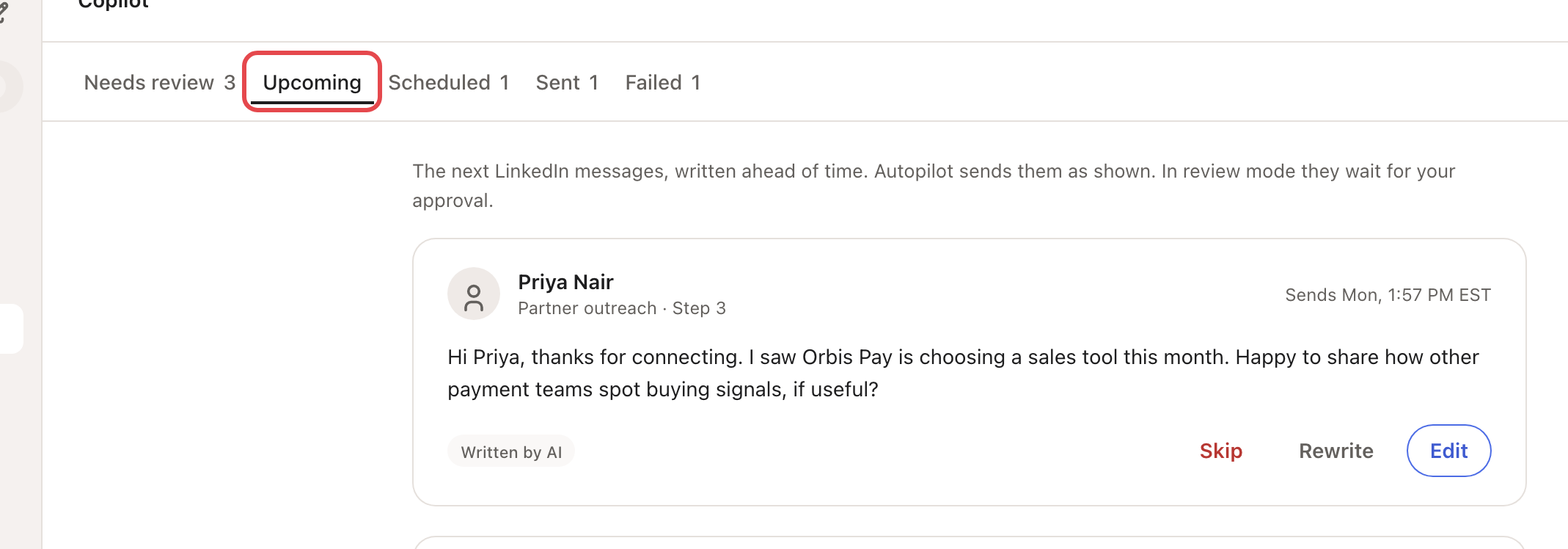
You can filter by campaign, channel and sender. Drafts of replies to people who answered you are in the Inbox, not in Copilot.