Looply finds a person's email from their LinkedIn profile URL. It costs 1 credit per email found. When no email is found, it costs nothing.
What you need:
- contacts with no email and a LinkedIn profile URL (linkedin.com/in/…)
- credits left in this billing cycle
Find one email
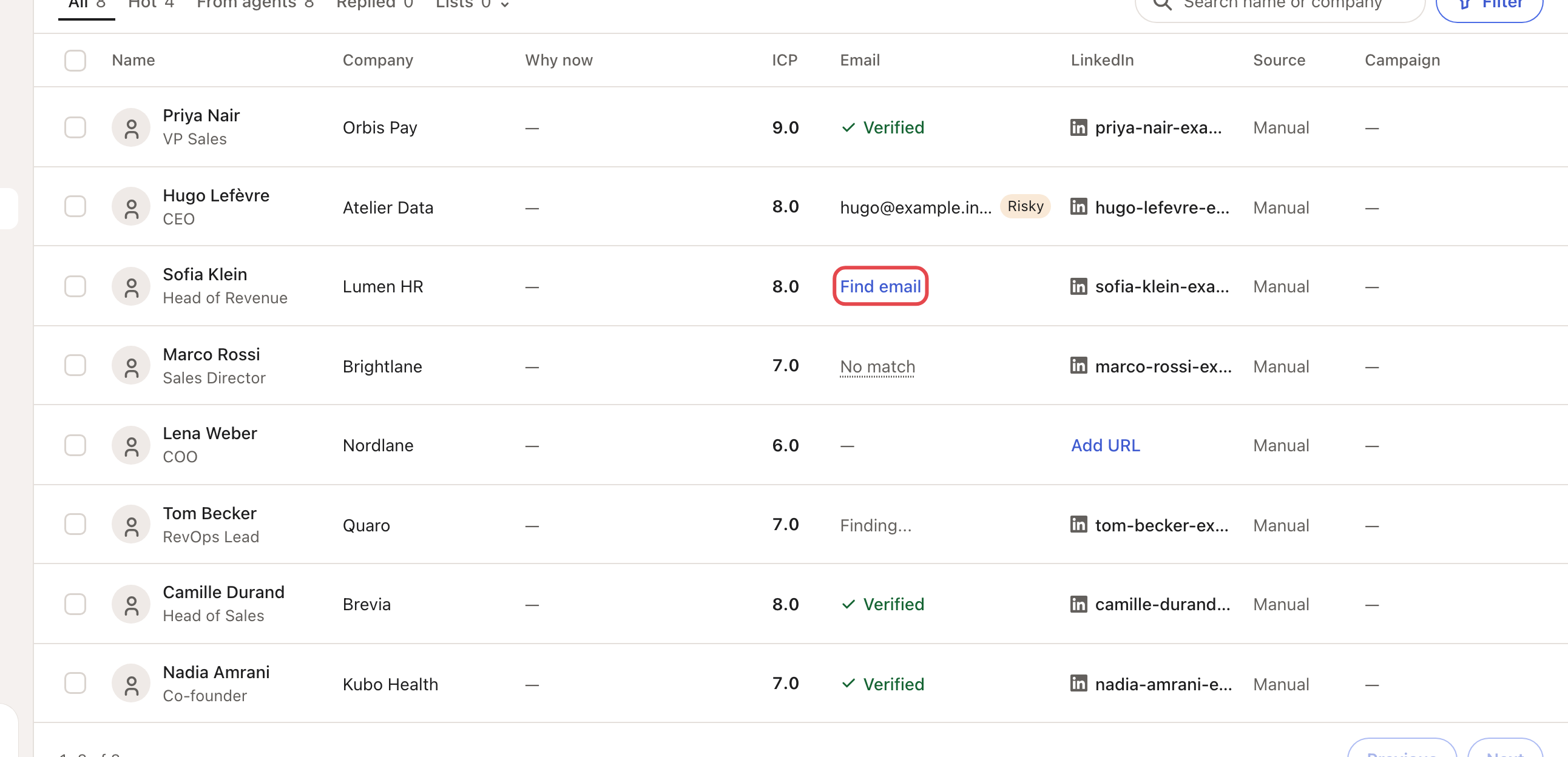
In Contacts, click Find email in the person's Email column. The cell shows Finding... while Looply searches.
Find many at once
Tick the contacts, then click Find emails in the selection bar. Looply searches only the selected people who need it.
You need at least one credit for each contact it will search. If you have fewer, Looply tells you how many are left.
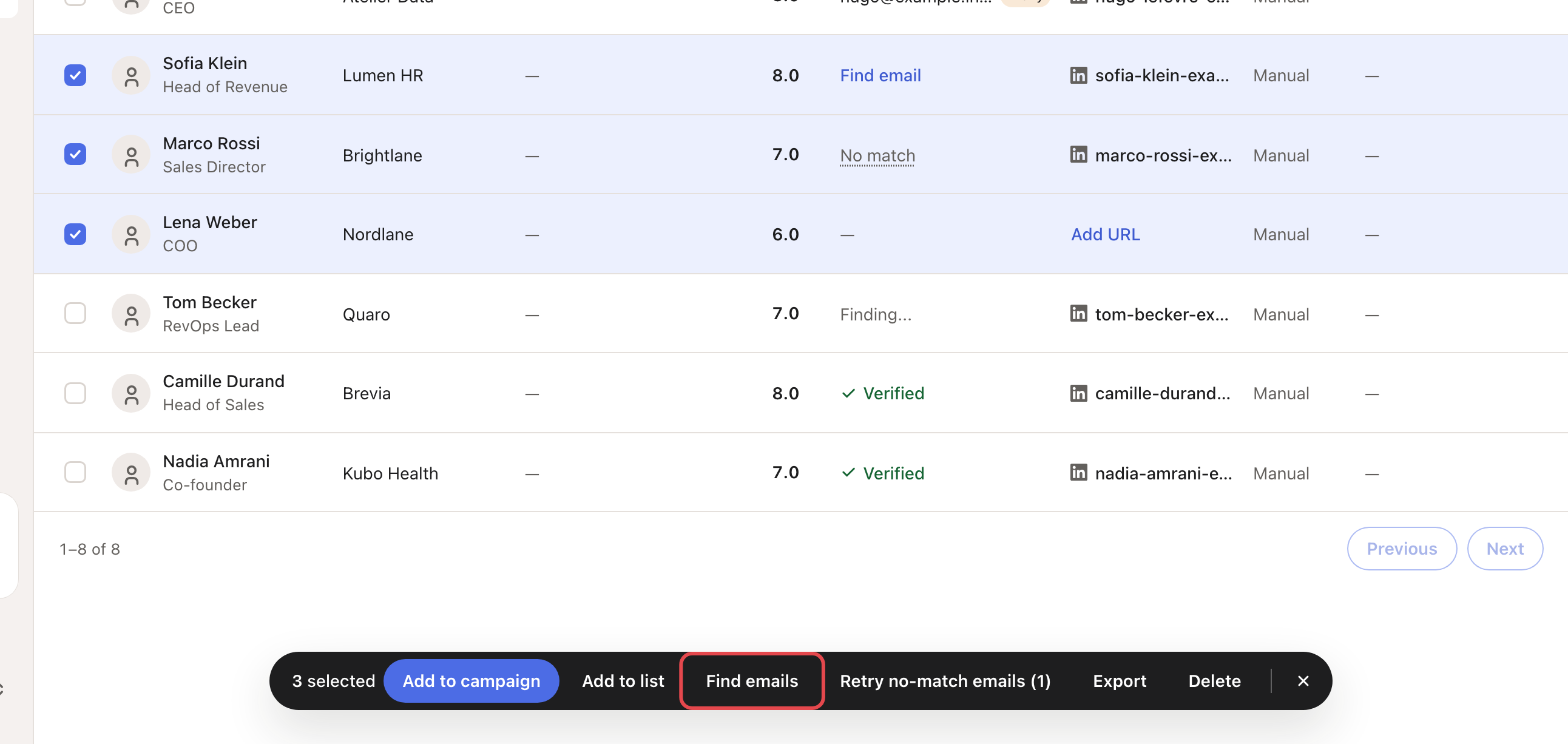
The bar may also show Find websites or Find company URLs, for contacts with missing company details.
Read the result
| What you see | What it means |
|---|---|
| Verified | The email was found and verified. Hover to see it. |
| The email and Risky | The email was found, but it may bounce. |
| No match | No email was found. No credit was used. |
| Waiting… | Looply will try again later. |
| Retry | The search failed. Click to try again. |
| A dash | Nothing to search: no usable LinkedIn URL. |
To search a No match again, click it (this works when the contact has a public LinkedIn profile link). Looply asks first, and charges 1 credit only if it finds an email. For many at once, select them and click Retry no-match emails.
Let Looply find emails for you
- Agents find emails for the leads they save, by default. To stop it, open the agent's Settings and turn off Automatic email enrichment.
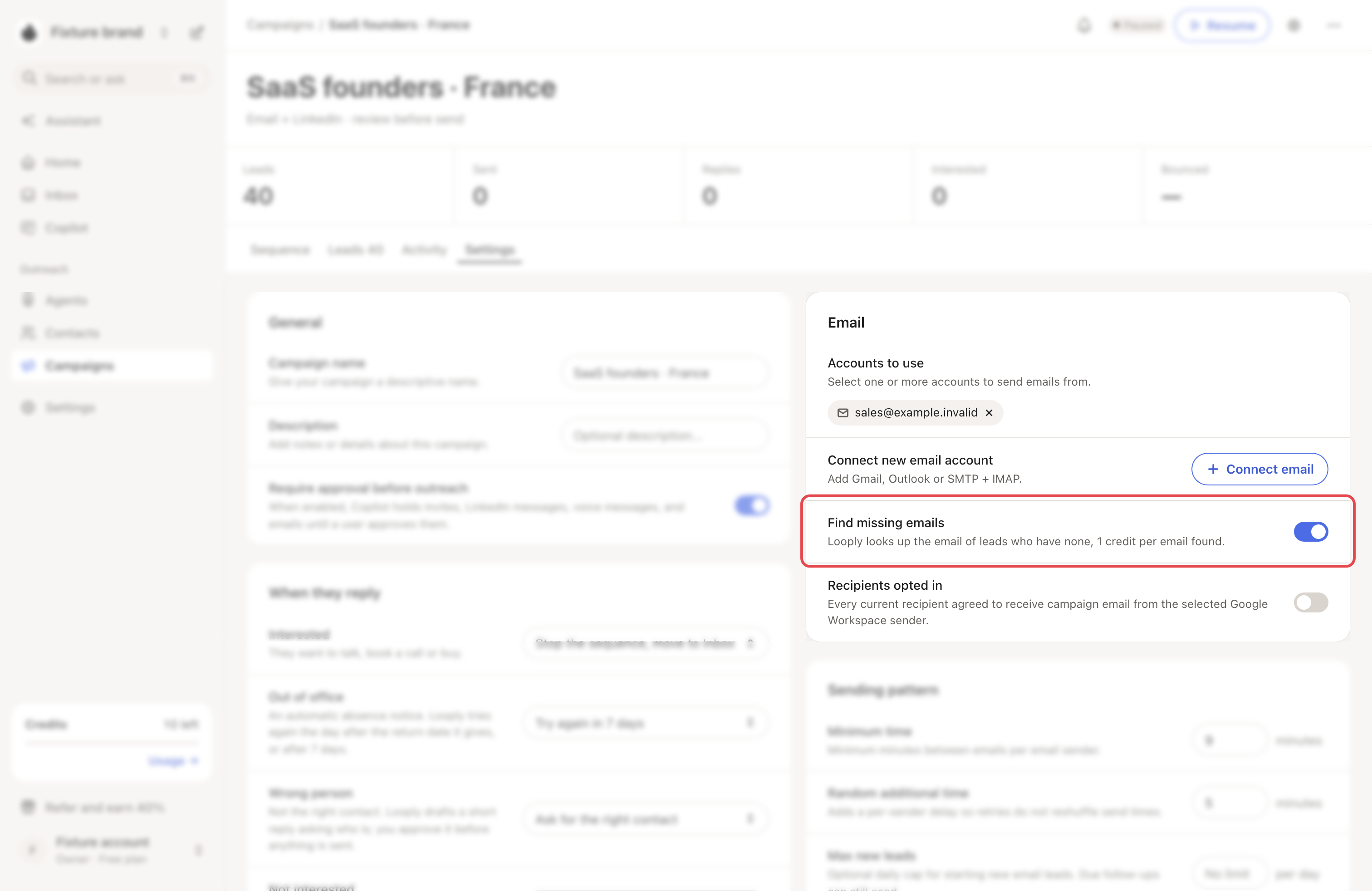
- Campaigns you create with New campaign that send email have Find missing emails on. Looply looks up the email of leads who have none before their email step. You can turn it off in the campaign's Settings tab. Then leads without an email skip the email steps.
Both cost 1 credit per email found.
If something goes wrong
| What you see | What to do |
|---|---|
| "No email credits remaining in this billing cycle." | Wait for your credits to reset, or upgrade your plan. See Plans, trial and credits. |
| "Not enough email credits: … left, … contacts selected." | Select fewer contacts, or wait for your credits to reset. |
| A dash instead of Find email | Add the LinkedIn URL with Add URL in the LinkedIn column. If the link is a LinkedIn ID (linkedin.com/in/ACo…), replace it with the profile's public link. |
| "No selected contacts are eligible for enrichment." | The selected people already have an email, or no usable LinkedIn URL. |