An email reply always stops the sequence for that person. A LinkedIn reply does too while Stop LinkedIn messages on reply is on, which is the default. Looply then labels the reply and does what the campaign's When they reply rules say.
The rules
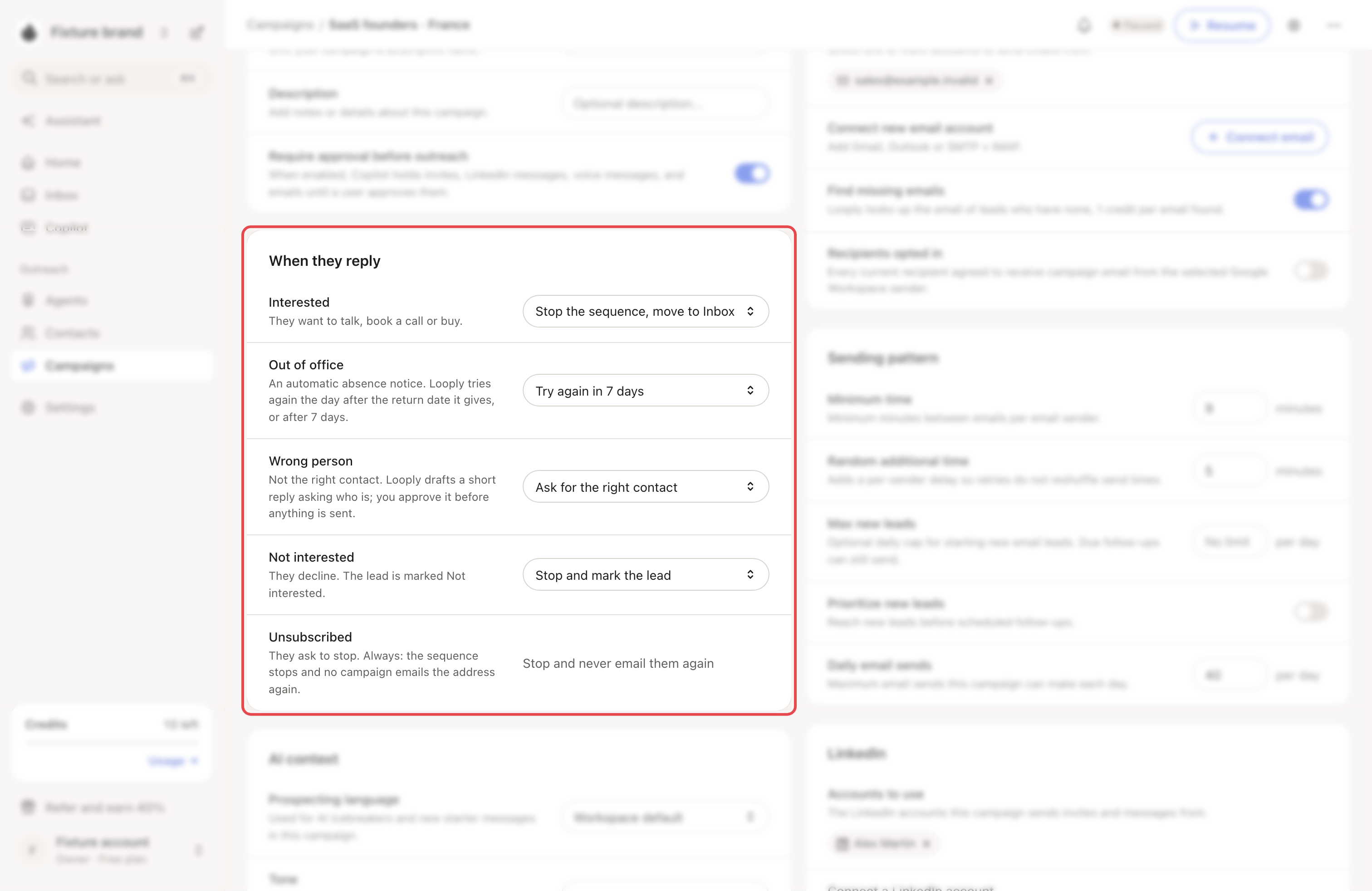
Open the campaign, then Settings → When they reply.
| Label | Default | Other choice | What the default does |
|---|---|---|---|
| Interested | Stop the sequence, move to Inbox | Stop the sequence | The lead stays stopped. An email conversation in Others moves to Primary. |
| Out of office | Try again in 7 days | Stop the sequence | The sequence restarts the day after the return date the auto-reply gives, or 7 days after the reply. |
| Wrong person | Ask for the right contact | Stop the sequence | Looply drafts a short reply asking who to talk to. It sends only when you do. |
| Not interested | Stop and mark the lead | Stop and never email them again | The lead is marked Not interested. |
| Unsubscribed | Stop and never email them again | None | Always on. No campaign of yours emails the address again. |
Other labels, such as a question, "not now" or an auto-reply, apply no rule. The sequence stays stopped and the reply waits in the Inbox.
Email and LinkedIn
- Email replies can trigger every rule.
- LinkedIn replies trigger only Interested and Not interested.
- Stop LinkedIn messages on reply is on by default, in the campaign's Settings → LinkedIn. It stops LinkedIn outreach to a lead after a response.
Change a label
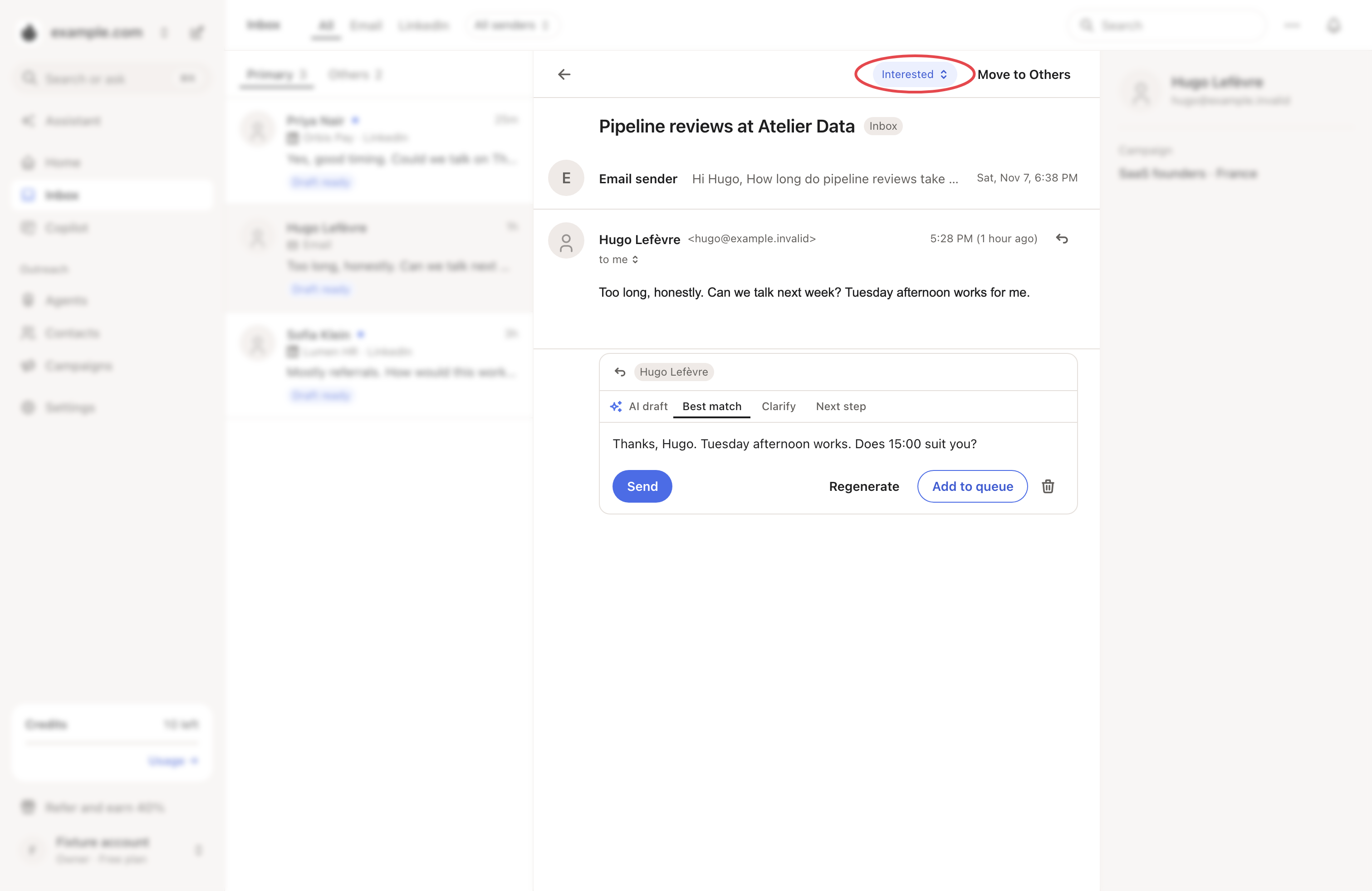
Looply labels each email reply and shows how sure it is, for example "Interested · 92% sure". If it is wrong, open the conversation in the Inbox and pick another label. The campaign then follows the rule of the new label.
→ Learn more: Inbox
Good to know
- A reply older than 14 days only stops and marks the lead. It never restarts an old sequence or drafts a reply.
- When an email bounces for good, the lead stops and the brand never emails that address again. The campaign's Activity shows Email bounced.
- If an address unsubscribed or bounced before, later emails to it are skipped. In Activity, the Email line shows Skipped. → Learn more: Unsubscribes, bounces and who Looply won't email
- To send extra steps when someone replies a certain way, add a reply branch to the campaign. → Learn more: Follow up on replies with reply branches
If something goes wrong
| What you see | Why | What to do |
|---|---|---|
| An out-of-office lead started again | The rule is Try again in 7 days. | Choose Stop the sequence for Out of office. |
| A draft titled Ask for the right contact in the Inbox | The Wrong person rule wrote it. | Edit and send it, or discard it. |
| A reply has the wrong label | The AI misread it. | Change the label in the Inbox. The new label's rule applies. |