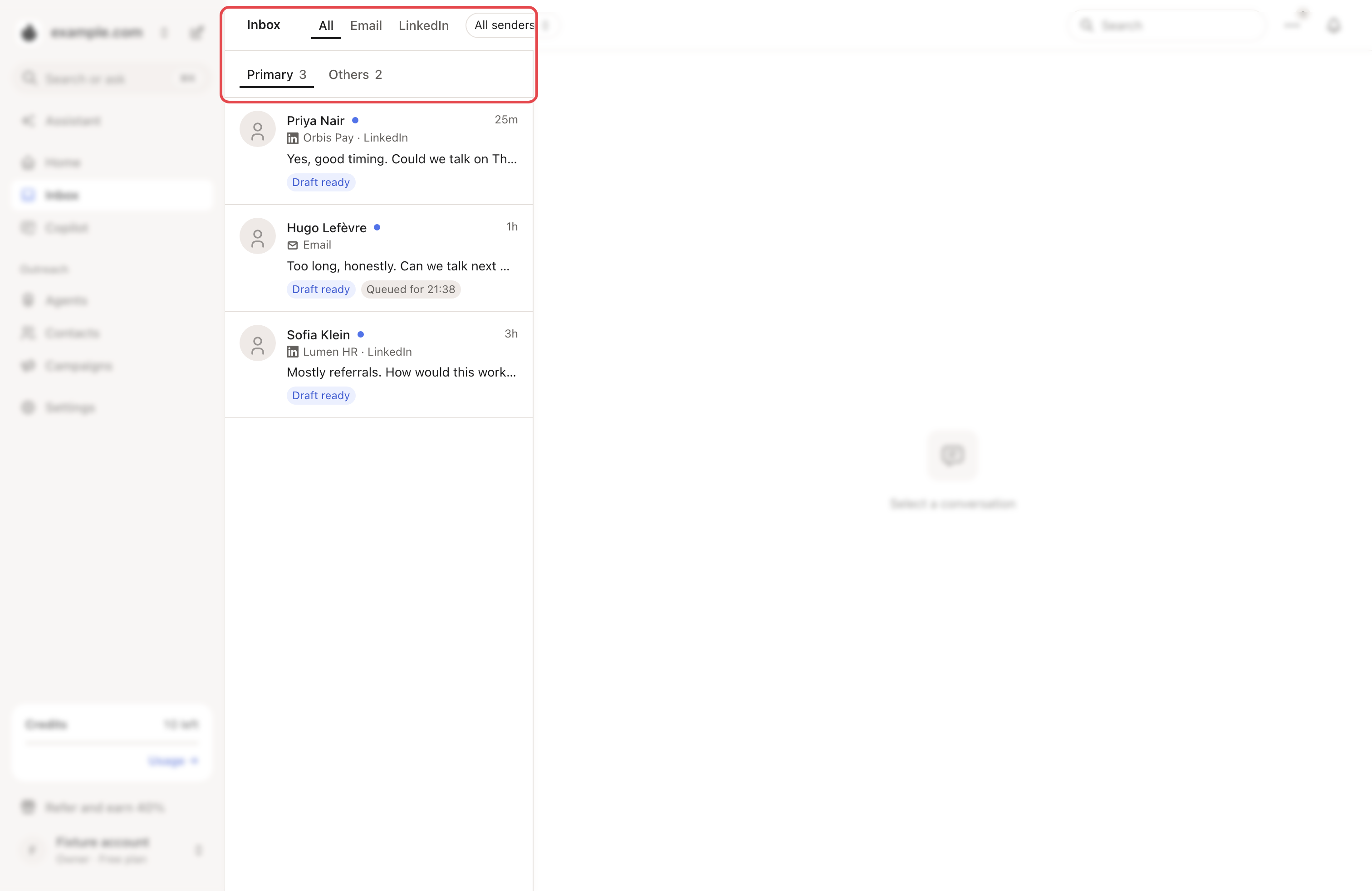
The Inbox brings the conversations of your email inboxes and LinkedIn accounts into one list. It opens on All and Primary every time.
Find a conversation
| Control | What it does |
|---|---|
| All, Email, LinkedIn | Shows one channel or both. |
| Primary and Others | Primary holds conversations with your campaign leads. Everything else is in Others. |
| All senders | Shows one inbox or LinkedIn account. |
| Search | Searches your conversations. |
What a row shows
Each row has the name, the company and channel, and the last message. Tags can follow:
- Draft ready: an AI draft is waiting for you.
- High fit, Medium fit or Low fit: how well the AI thinks the person fits.
- Lead replied, Follow-up due or Queued for …: where the conversation stands.
- Manual: you moved it to Primary yourself.
Answer
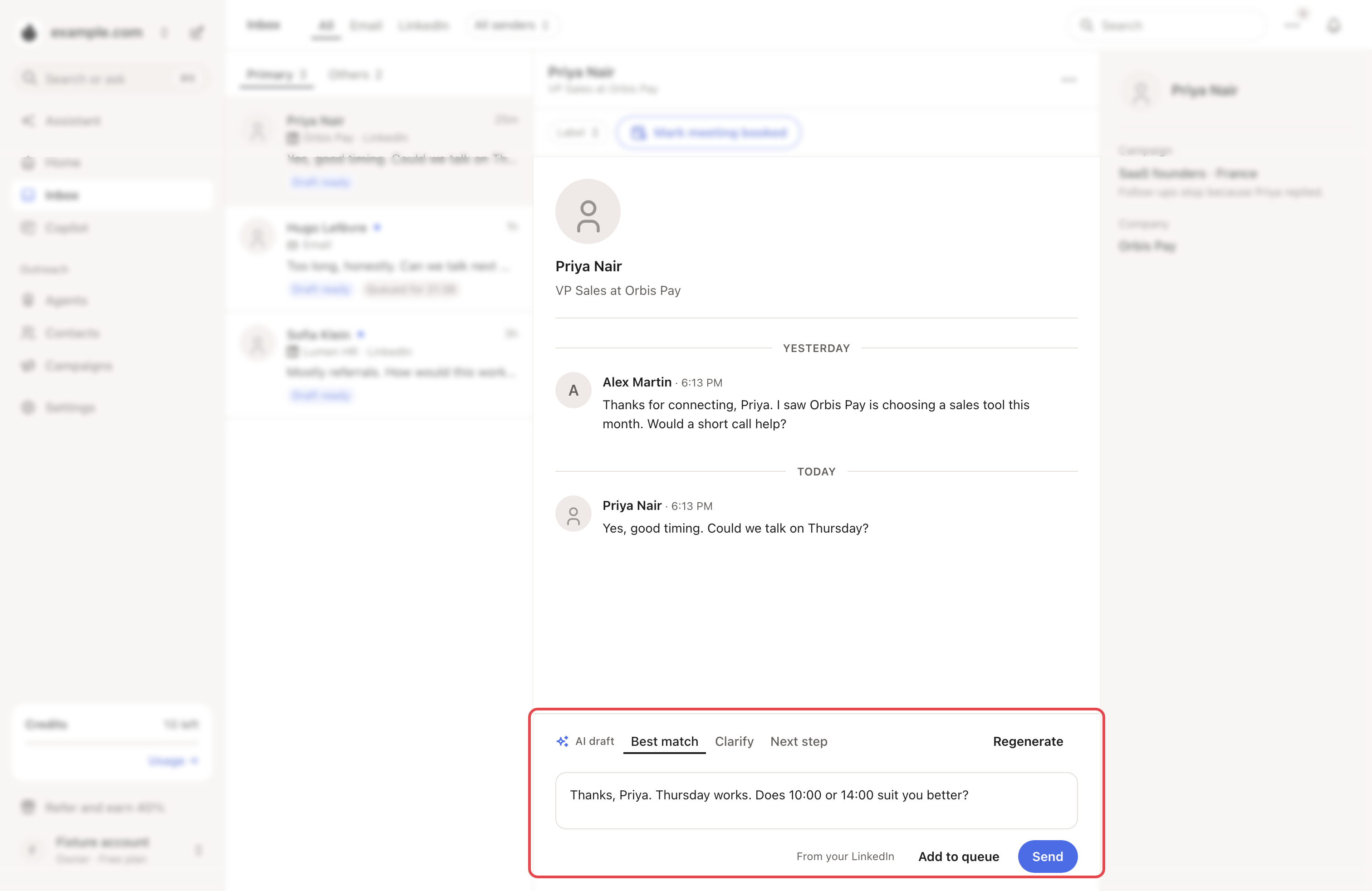
Open a conversation. If the brand has a reply agent, an AI draft is ready. It can have three versions: Best match, Clarify and Next step. Edit it, or click Regenerate.
For a LinkedIn campaign reply, you then choose:
- Add to queue: it waits in a safe queue and goes out inside the account's sending hours.
- Send: it goes now. Outside the account's hours, Looply asks you to choose Send now or Add to queue.
Most email replies offer Add to queue too. In Primary, ⋯ → Queued replies lists what is waiting. You can Send now, Edit or Delete each one.
→ Learn more: Draft replies to your LinkedIn messages
Sort and label
- In Others, click Move to Primary. On LinkedIn, Generate AI draft moves it too.
- For a conversation you moved, ⋯ → Assign campaign gives its AI drafts that campaign's context.
- Replies carry a label, such as Interested or Not interested. Click it to change it. → Learn more: When someone replies
The ⋯ menu
The ⋯ next to the search holds New message (start a LinkedIn conversation), Queued replies, Refresh and Inbox settings. In settings, you can hide email replies or the AI reply panel, and change the list density.

If something goes wrong
| What you see | Why | What to do |
|---|---|---|
| "… is signed out of LinkedIn" | That account must sign in to LinkedIn again. | Click See LinkedIn account. Its conversations load again once it signs in. |
| Nothing in Primary yet | No campaign lead has written yet. | Click See … in Others. |
| Reply agent setup needed | The brand has no reply agent. | See Draft replies to your LinkedIn messages. |
| Queued reply failed | The reply could not go out. | Open it and click Queue again or Send now. |