This agent follows LinkedIn profiles your buyers read, like creators or a competitor's founder. On each check, it saves the people who reacted to or commented on their posts.
It sends nothing. If you also add its people to a campaign, that campaign contacts them. On Autopilot, it does so without your approval.
What you need:
- LinkedIn turned on for your workspace
- the profile links (linkedin.com/in/…)
- a free agent slot
- an ideal customer for the brand, to keep only people who fit
Step 1: Open the set-up
Go to Agents → New agent. Under Every day, click Set up on Follow profiles and catch everyone who engages.
Step 2: Add the profiles
Under Which profiles?, paste a LinkedIn profile link in the box and click Add profile. You can follow up to 20.
Step 3: Choose who counts and who to keep
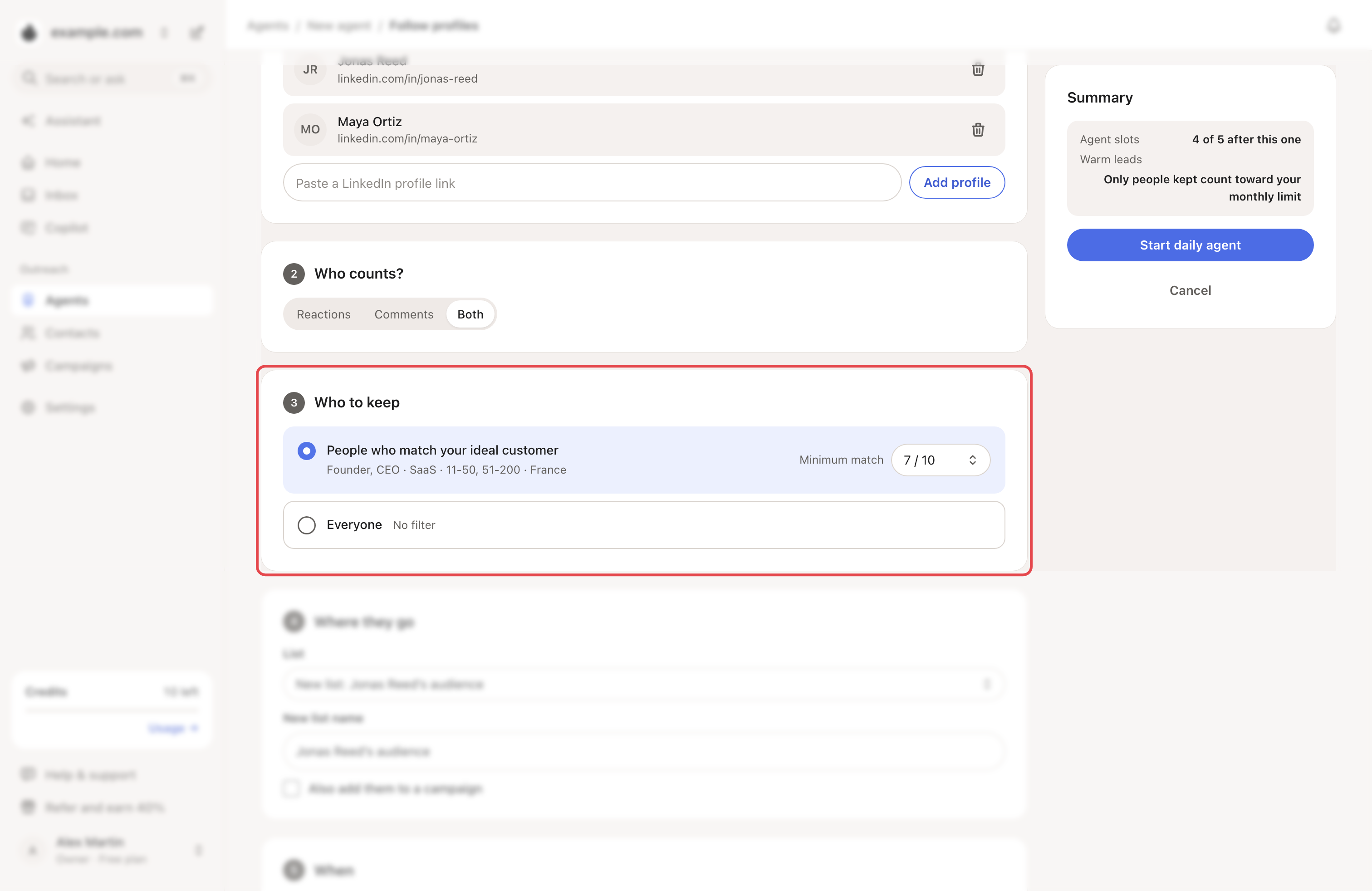
- Who counts?: Reactions, Comments or Both (the default).
- Who to keep: People who match your ideal customer or Everyone. Set a Minimum match from 5 to 9 out of 10. The default is 7.
→ Learn more: Describe your ideal customer
Step 4: Choose where they go
Pick a List: a new one or an existing one. To send them on, tick Also add them to a campaign.
Step 5: Choose when
- Pick the Days (weekdays by default), the hour under At (09:00 by default) and the time zone.
- Keep Catch up on the last 3 days now ticked to get people today.
- Click Start daily agent.
What happens next
- Each check reads the posts published 2 days earlier, so reactions have time to come in.
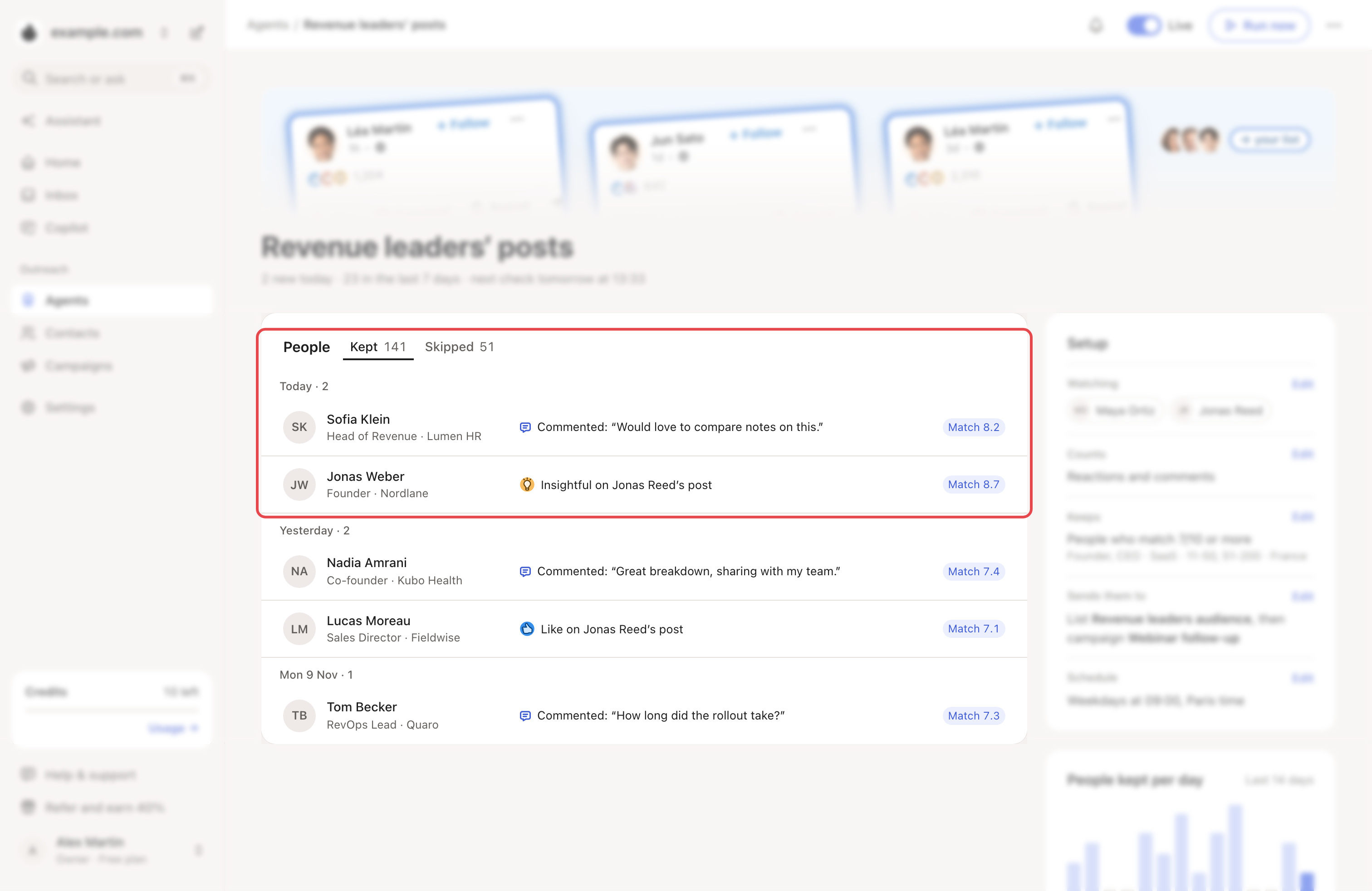
- People it keeps show under People, by day. Skipped shows how many were left out, and why.
- Run now checks again. Your schedule stays the same.
- To change a part of Setup, click Edit.
Costs and limits
- It uses an agent slot, even when paused. Delete it (⋯ → Delete) to free the slot.
- Each new contact it keeps counts toward your monthly warm leads.
- By default, it finds emails for the people it keeps: 1 credit per email found.
If something goes wrong
| What you see | Why | What to do |
|---|---|---|
| Following profiles needs LinkedIn automation | LinkedIn is off for your account. | Write to us from the chat. |
| "Paste a LinkedIn profile link, like linkedin.com/in/name." | It isn't a person's profile. | Copy the link from their profile page. |
| "This brand has no ideal customer yet, so the agent can only keep everyone." | The brand has no ideal customer. | Set up a buying-signals agent, or keep Everyone. |
| No agent slot left | Every slot is taken. | Delete an agent, or upgrade. |
| Plan limit reached under Skipped | This month's warm leads are used up. | Wait for next month, or upgrade. |
Related articles: How agents work · Get everyone who engaged with a post or profile · Plans, trial and credits