An agent is a job Looply does for you on LinkedIn: find people, watch posts, or draft replies. Pick one in Agents → New agent.
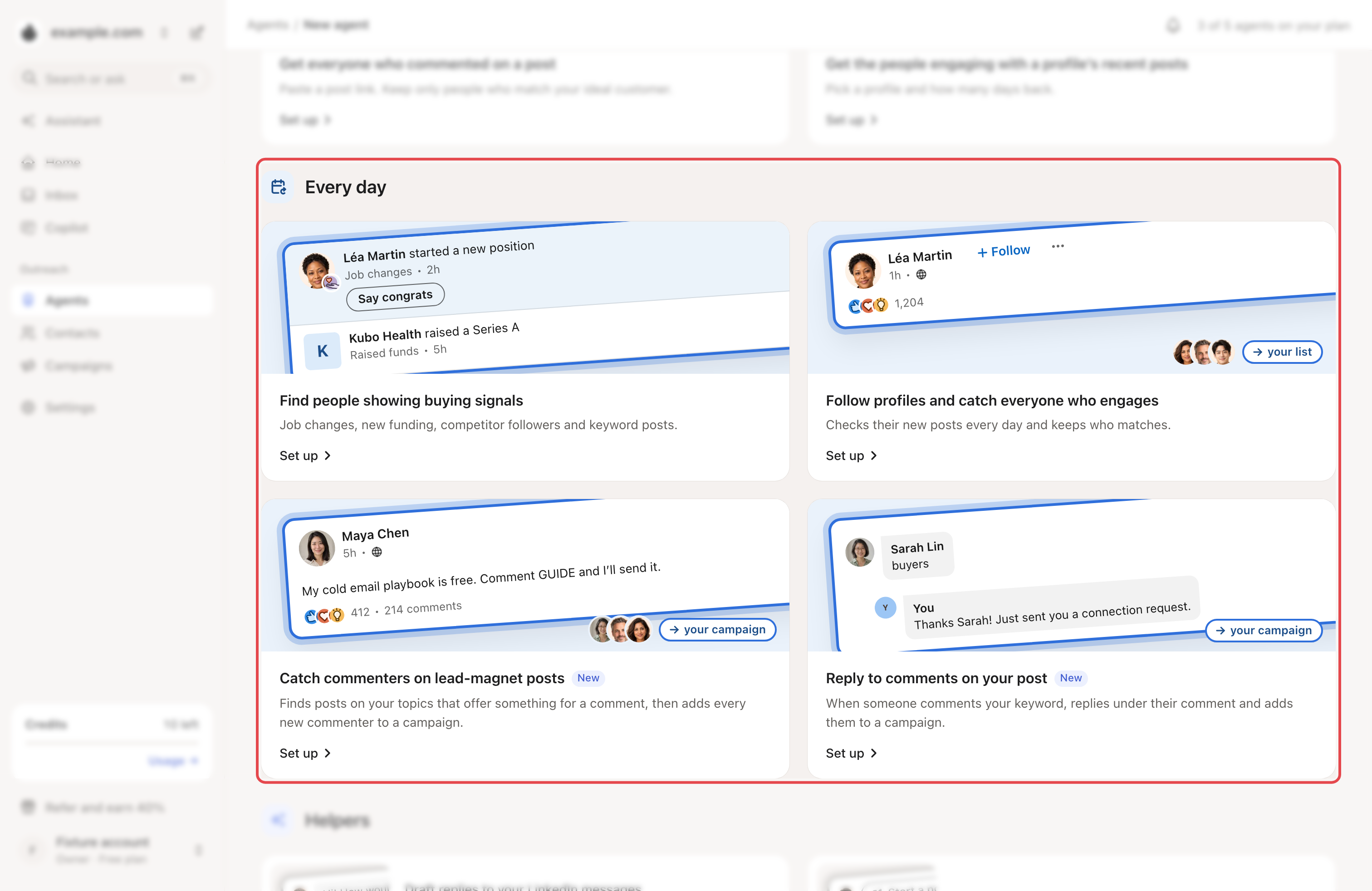
The 8 agent types
| Group | Agent | What it does |
|---|---|---|
| Run once | Get everyone who commented on a post | Paste a post link. Looply keeps only people who match your ideal customer. |
| Run once | Get the people engaging with a profile’s recent posts | Pick a profile and how many days back. |
| Every day | Find people showing buying signals | Watches job changes, new funding, competitor pages and posts on your keywords. See Set up your first agent. |
| Every day | Follow profiles and catch everyone who engages | Checks new posts from up to 20 profiles every day and keeps who matches. |
| Every day | Catch commenters on lead-magnet posts | Finds posts on your topics that offer something for a comment, then adds every new commenter to a campaign. |
| Every day | Reply to comments on your post | When someone comments your keyword, replies under their comment and adds them to a campaign. |
| Helpers | Draft replies to your LinkedIn messages | Writes replies in your tone, ready for you to send. |
| Helpers | Turn great posts into your own drafts | Rewrites new posts from profiles you pick into drafts for you. |
If LinkedIn isn't available in your workspace, you only see Find people showing buying signals.
How many agents you can have
- Growth: 2 agents. Scale: 5 agents.
- Every-day agents and helpers use a slot. Run-once jobs don't.
- A lead-magnet or comment-reply agent frees its slot when you stop it or its days end.
When agents run
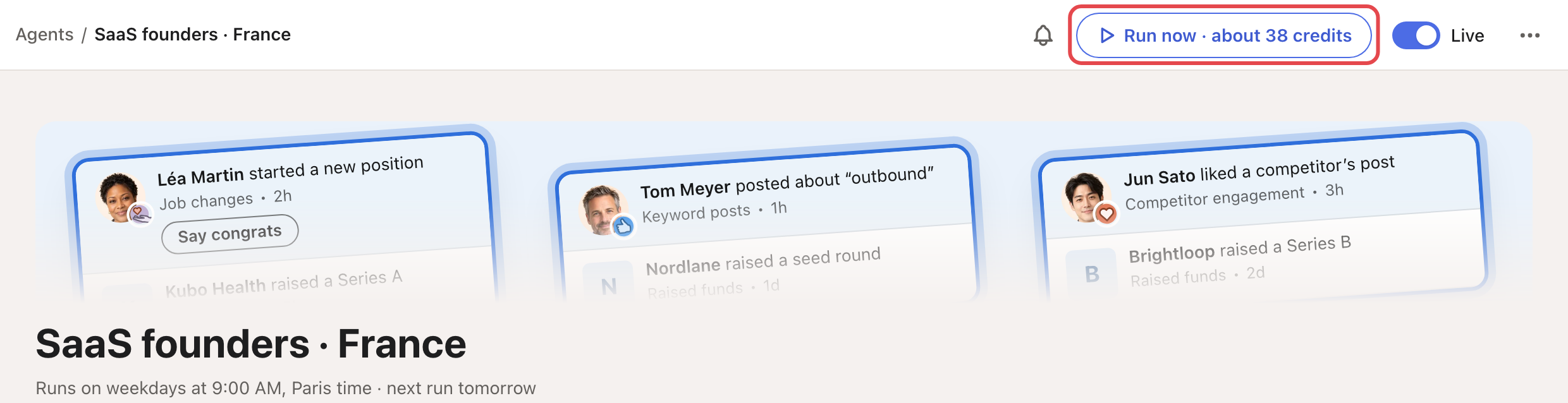
A buying-signals agent runs on weekdays at the hour you set, in your time zone. Its page shows the next run, for example "Runs on weekdays at 9:00 AM, Paris time". Job changes and the most active profiles are checked once a week.
Want results now? Click Run now on the agent's page. It shows an estimate of the credits it will use, based on recent runs. Results can take up to 30 minutes.
Where people land
- Find people showing buying signals adds people to a contact list (its Lead destination). Until you pick one, they go to an automatic list.
- Follow profiles can also add them to a campaign.
- Lead-magnet and comment-reply agents add people straight to a campaign.
Each person gets an ICP score out of 10. By default the agent keeps people scoring 6.5 or more. You can change this on the agent's page. All buying-signals agents of a brand share one ideal customer: see Describe your ideal customer.
Follow what your agents do
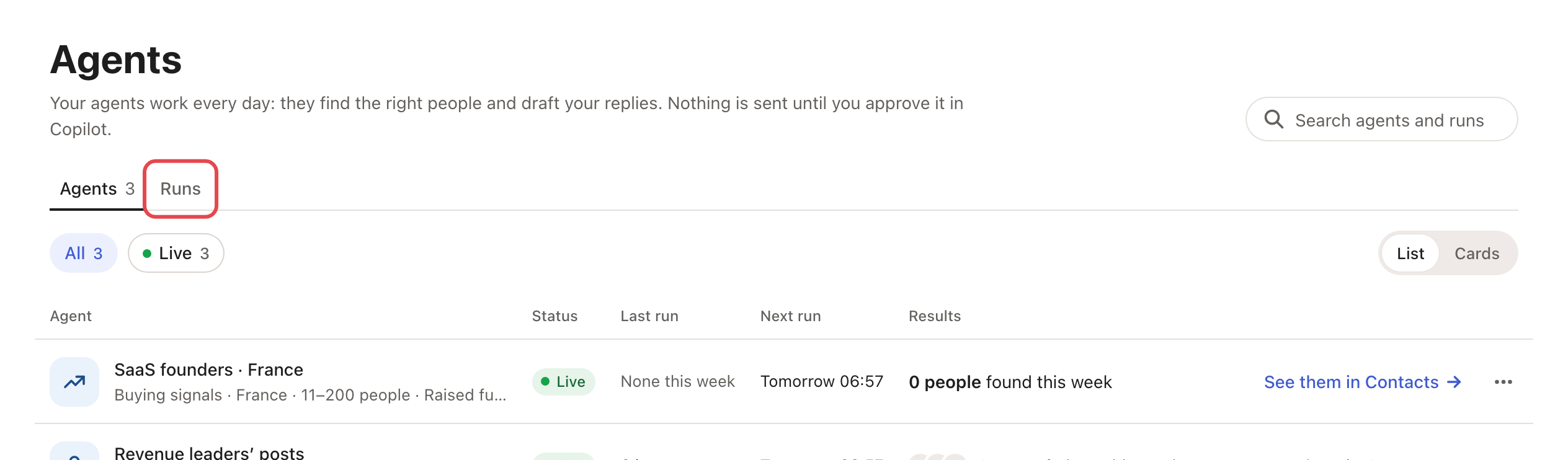
The Agents page has two tabs:
- Agents: everything that keeps running, with its last and next run. Filter by Needs attention, Live, Drafts or Paused.
- Runs: every run and one-time job, newest first, with when it started and how long it took.
Messages and credits
- Agents find people. Messages go out through campaigns; in Review mode you approve each one in Copilot first.
- One exception: Reply to comments on your post replies under comments by itself, up to 50 a day.
- Agents use credits when they find emails, which is on by default (1 credit per email found). With no credits left, an agent shows Needs credits.
My agent finds too few people
- Open the Runs tab and check the agent ran.
- Widen one thing at a time: more job titles, more countries, or Discovery instead of High Precision.
- Swap quiet signals for active ones: specific keywords, busy competitor pages, creators your buyers follow.
- Give each change a few days before judging it.