A run-once job reads who commented on or reacted to a LinkedIn post, or to a profile's recent posts. It saves the people you keep in a contact list.
What you need:
- LinkedIn turned on for your workspace
- the link to the post or profile
- a buying-signals agent in this brand, to keep only your ideal customers
Step 1: Pick the job
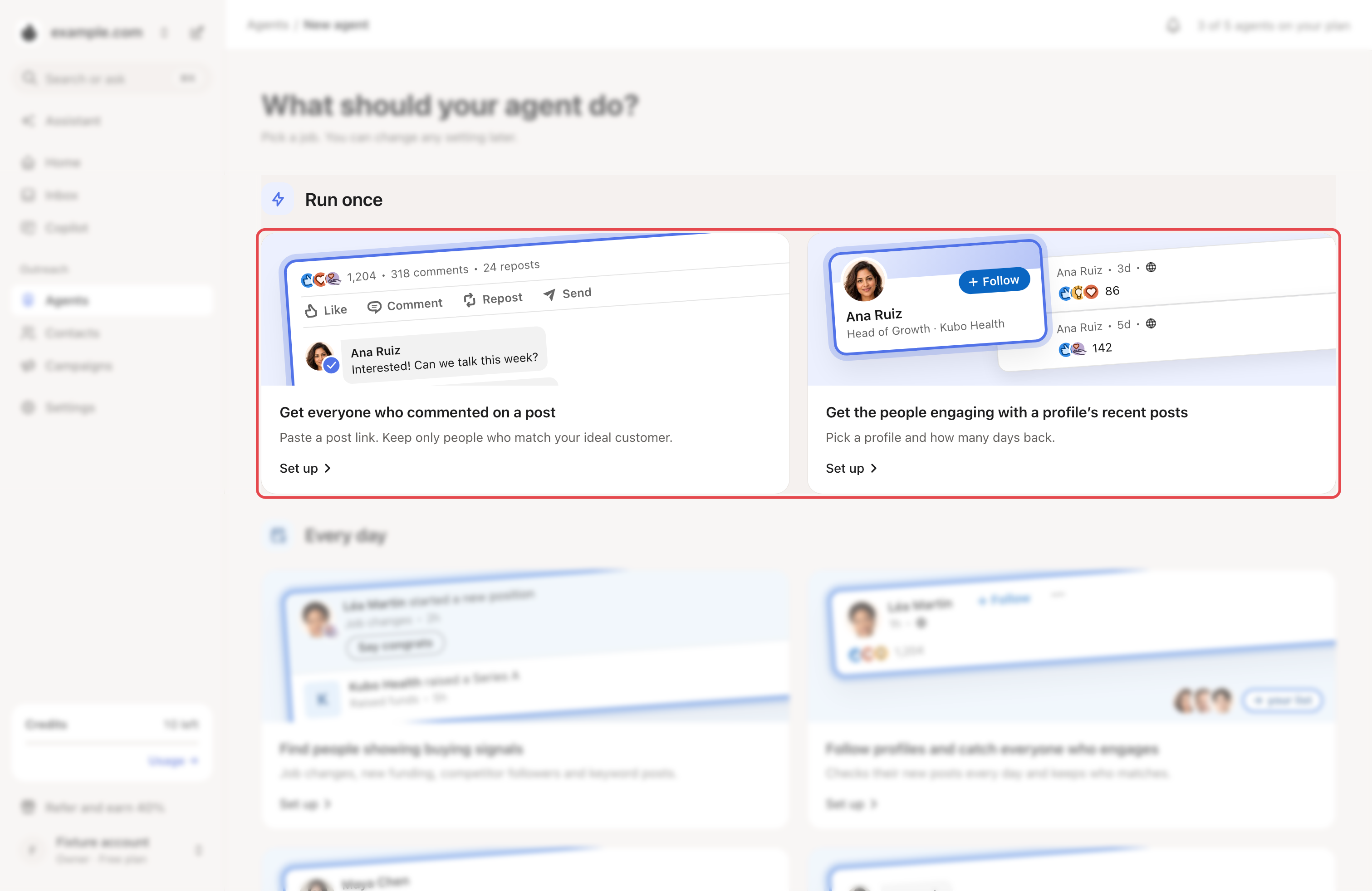
Go to Agents → New agent. Under Run once, click Set up on one of these:
- Get everyone who commented on a post
- Get the people engaging with a profile’s recent posts
Step 2: Paste the link
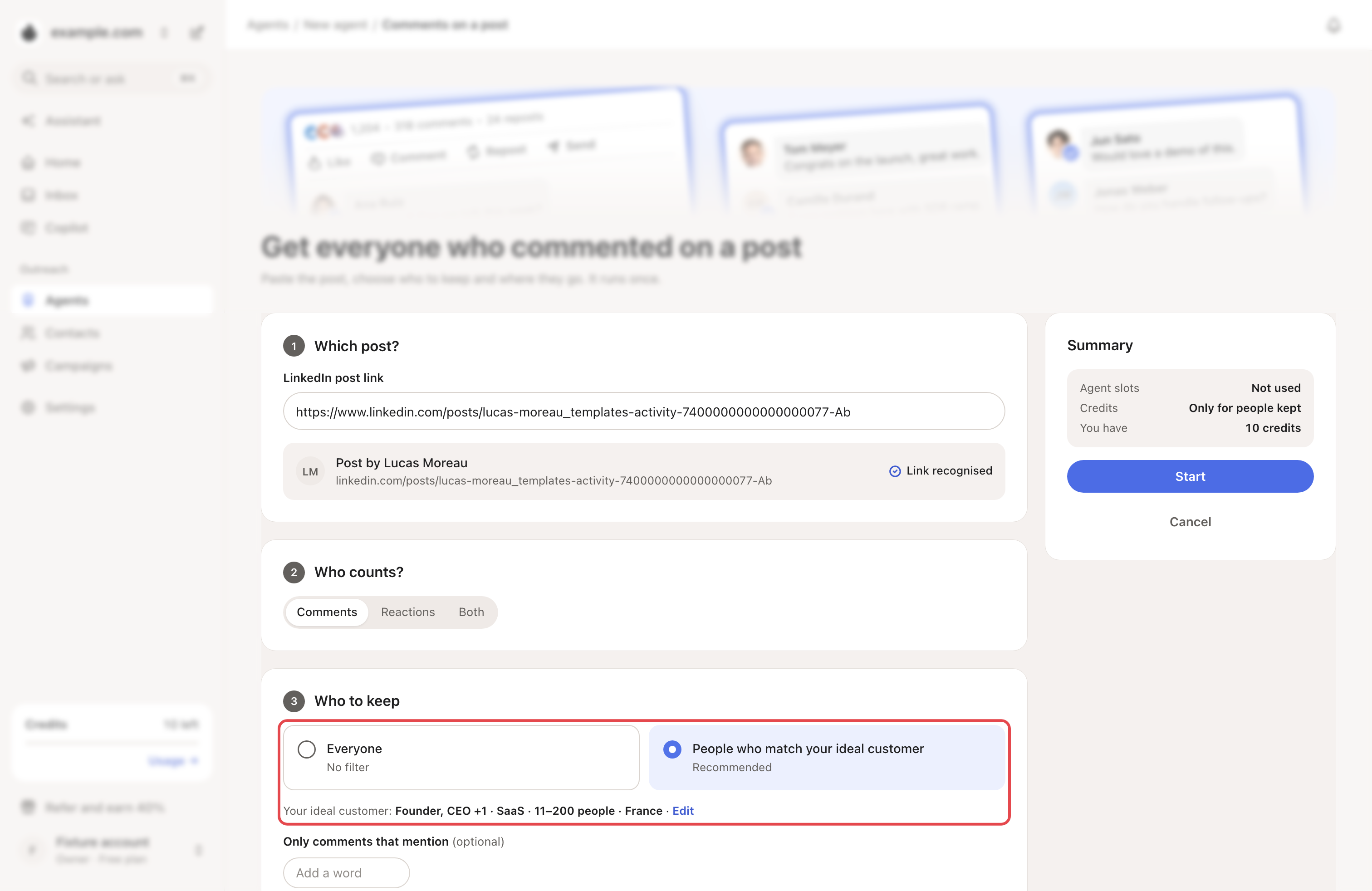
Paste the LinkedIn post link, or the LinkedIn profile link. Looply shows Link recognised when it can read it.
For a profile, set How far back?: from 1 to 30 days. The default is 7.
Step 3: Choose who counts and who to keep
- Under Who counts?, pick Comments, Reactions or Both.
- Under Who to keep, pick People who match your ideal customer (recommended) or Everyone.
- For comments, you can add up to 20 words under Only comments that mention.
→ Learn more: Describe your ideal customer
Step 4: Choose where they go
Pick New list or Existing list. Skip people already in your contacts and Look up each person’s job title and company are ticked by default.
Click Start. You can close the page; Looply tells you when it's done.
What happens next
- When it's done, click Add to a campaign or Export CSV (locked during your free trial).
- Follow … every day catches the people on that author's next posts too. That sets up a Follow profiles agent, which uses an agent slot and reads through your LinkedIn account.
- The Skipped tab shows who was left out, and why.
- Every job is listed under Agents → Runs.
Limits and costs
- It uses no agent slot. Up to 3 jobs can run at once.
- It reads up to 5,000 comments or reactions per job, and up to 50 posts for a profile.
- Each new contact it adds counts toward your plan's warm leads for the month.
If something goes wrong
| What you see | Why | What to do |
|---|---|---|
| "That isn’t a LinkedIn post link." | The link is not a post. | On the post, open the … menu and choose "Copy link to post". |
| The ideal customer option is greyed out | This brand has no buying-signals agent yet. | Click Set one up, or keep Everyone. |
| "You’re out of LinkedIn credits for this billing cycle." | Your plan's LinkedIn reading is used up. | Wait for the next cycle. |
| "Your LinkedIn account needs its timezone and working hours set before agents can use it." | Looply couldn't read the post right now. | Try again later, or write to us from the support chat. |