The plans
| Growth | Scale | |
|---|---|---|
| Agents | 2 | 5 |
| Email inboxes | 2 | 5 |
| LinkedIn accounts | 2 | 5 |
| Signal sources | 30 (15 per agent) | 100 (20 per agent) |
| Warm leads a month | 1,500 | 10,000 |
| Brands | 2 | 5 |
Prices are on looplyhq.com/pricing. Paying yearly saves 20%. When a founding offer is running, the plan page shows its price and how many places are left.
The 7-day free trial
- You enter a card at checkout. Nothing is charged during the 7 days.
- If you keep the plan, it starts by itself at the end of the trial.
- To stop, go to Settings → Billing and click Cancel free trial before it ends. This ends the trial and your access right away.
- To start paying now, click End Trial & Activate Plan.
- Exporting contacts unlocks when the paid plan starts.
Credits
Your plan comes with credits each month. The sidebar shows how many are left and when they reset.
For the details, go to Settings → Credits and usage:
- Credits: how many you used this cycle, how many remain, and the reset date.
- Agents, Email senders and LinkedIn accounts: how many you use out of your plan's limit.
- Daily credit usage: one bar per day.
- This cycle's usage: each charge, with its Source, Details, Credits used, Status and Created by. Pick All usage or My usage, or search.
Change plan opens Billing.
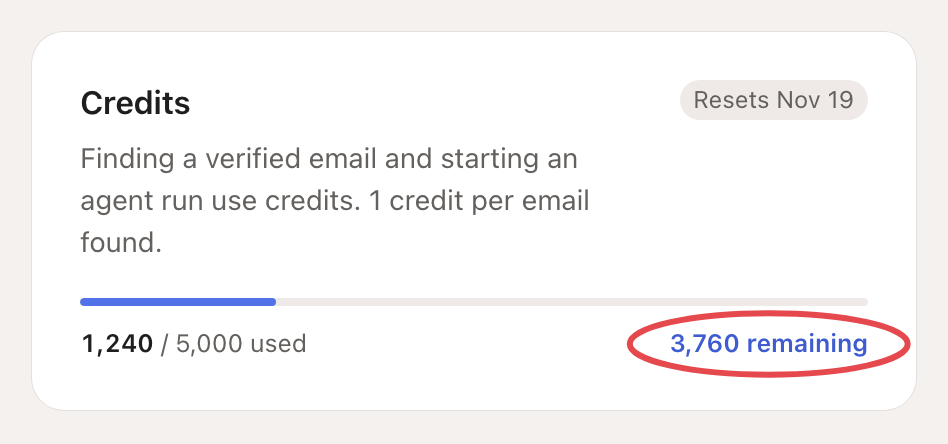
| What uses credits | Cost |
|---|---|
| Finding an email, by you or by an agent (agents do it by default) | 1 credit per email found. Nothing if none is found. |
| Run now on an agent | Looply shows the cost, or an estimate from recent runs, before it runs. |
| The Assistant | It has its own monthly AI credits, separate from these, and tells you when they run out. |
Change, pay or cancel
Go to Settings → Billing and, next to Manage subscription, click Open billing portal. There you can change your card, download invoices or cancel.
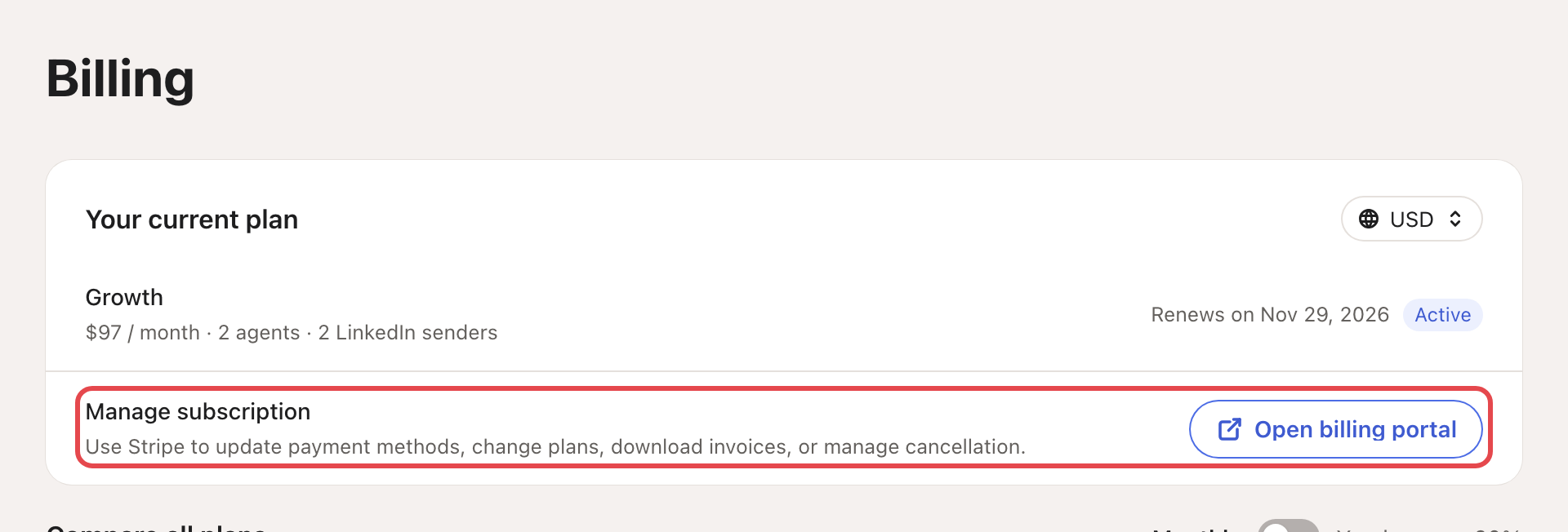
To switch to yearly, use Compare all plans on the same page.
If a payment fails, Billing shows Payment failed. Open the billing portal and update your card to keep your plan.