Deleting your account removes your agents, contacts, campaigns, inbox and settings. It can't be undone.
Before you start:
- Export the contacts you want to keep. → Learn more: Export contacts
- Only want to stop paying? Cancel your plan instead and keep your data. → Learn more: Change or cancel your plan
- If you own a team workspace, your teammates lose access to it too.
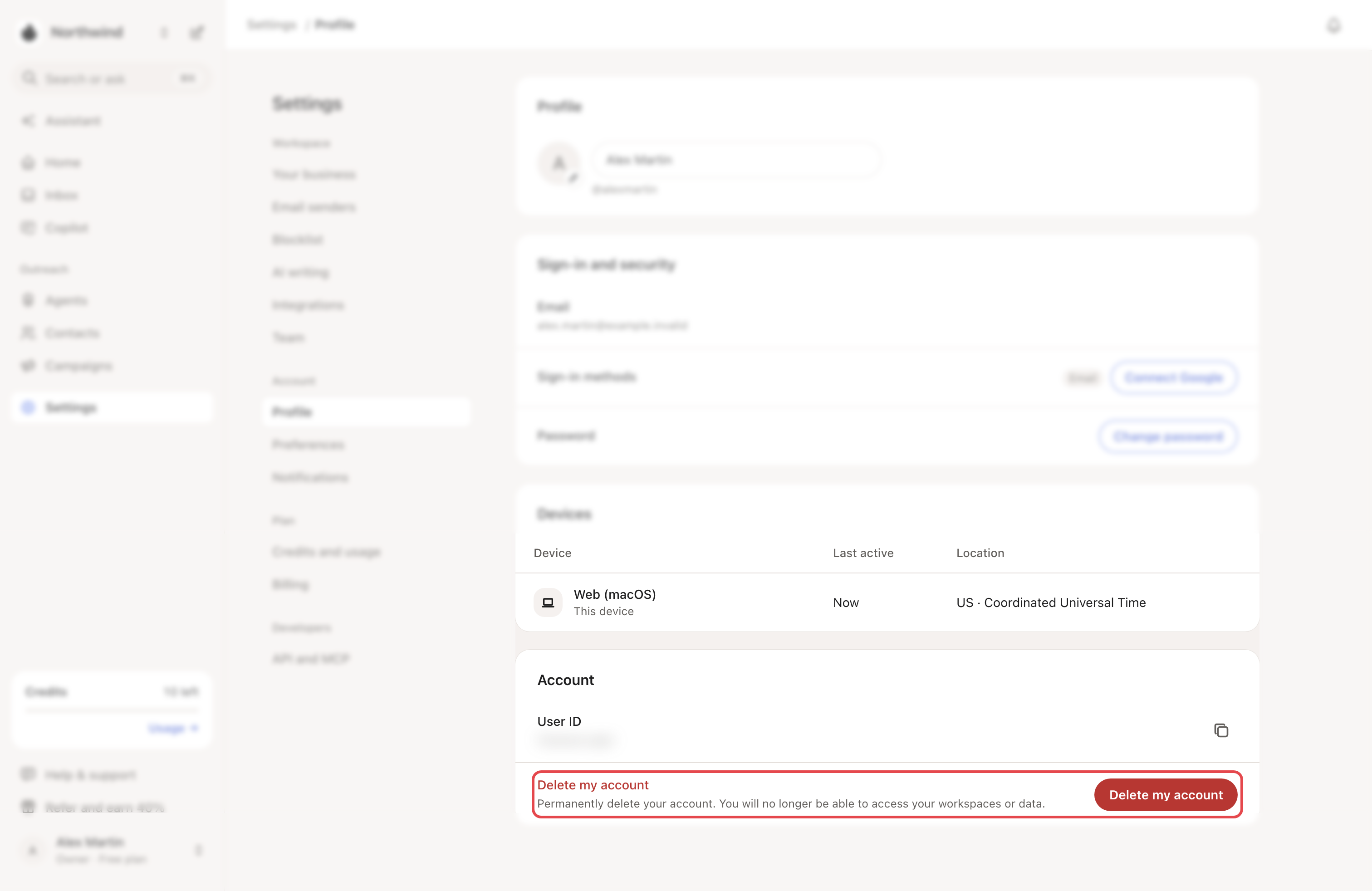
Step 1: Open Delete my account
Go to Settings → Profile. In the Account card, click Delete my account.
No plan? The Choose a plan to keep going screen also offers Delete my account.
Step 2: Check what you'll lose
Delete account permanently lists it:
- Your agents and the people they found
- Your contacts, lists and campaigns
- Your inbox, drafts and connected inboxes and LinkedIn accounts
- Your settings, team access and usage history
Step 3: Choose what happens to your plan
With a plan or a free trial running, Your subscription shows two choices:
| Choice | What happens |
|---|---|
| Cancel now and delete immediately | Looply cancels your subscription and deletes the account right away. |
| Keep access until [date], then delete | Renewal stops now. You keep using Looply until that date. Then the account is deleted automatically. |
Cancelling now ends your paid period early. Refunds are decided case by case (section 8 of the terms). Ask us in the chat before you delete.
Step 4: Confirm
Type DELETE and click Delete my account. With the second choice, the button reads Cancel at period end and schedule deletion.
What happens next
- Deleted now: Looply signs you out.
- Deleted later: Looply shows Deletion scheduled with the date. Until then, your campaigns and agents keep running. Pause them if they should stop.
- Your account data is permanently deleted within 30 days, and backup copies within 90 days. Anonymized analytics and legal records may be kept. See section 10 of the privacy policy.
- Messages already sent stay with the people who got them. Contacts already synced to your CRM stay there.
- If you're a member of someone else's workspace, you just leave it. What you created there stays.
If something goes wrong
| What you see | Why | What to do |
|---|---|---|
| Unable to inspect billing status | Looply couldn't check your plan. | Click Retry. |
| "Another deletion request for this account is already being processed…" | A large account takes a few minutes to delete. | Wait. If your account is still there after a few minutes, write to us. |
| "We couldn't update your subscription, so your account was not deleted…" | Looply couldn't change your plan. | Write to us from the chat. |
| "Account deletion is unavailable right now…" | Looply couldn't start the deletion. | Try again in a few minutes. |
| "We couldn't verify your session…" | Your session expired. | Sign in again, then retry. |
Frequently asked questions
Can I cancel a scheduled deletion? Not in the app: once scheduled, it happens on that date.
Can I delete a teammate's account? No. Each person deletes their own. To remove someone from your workspace, see Invite your team.
Related articles: Your profile, sign-in and security · Plans, trial and credits