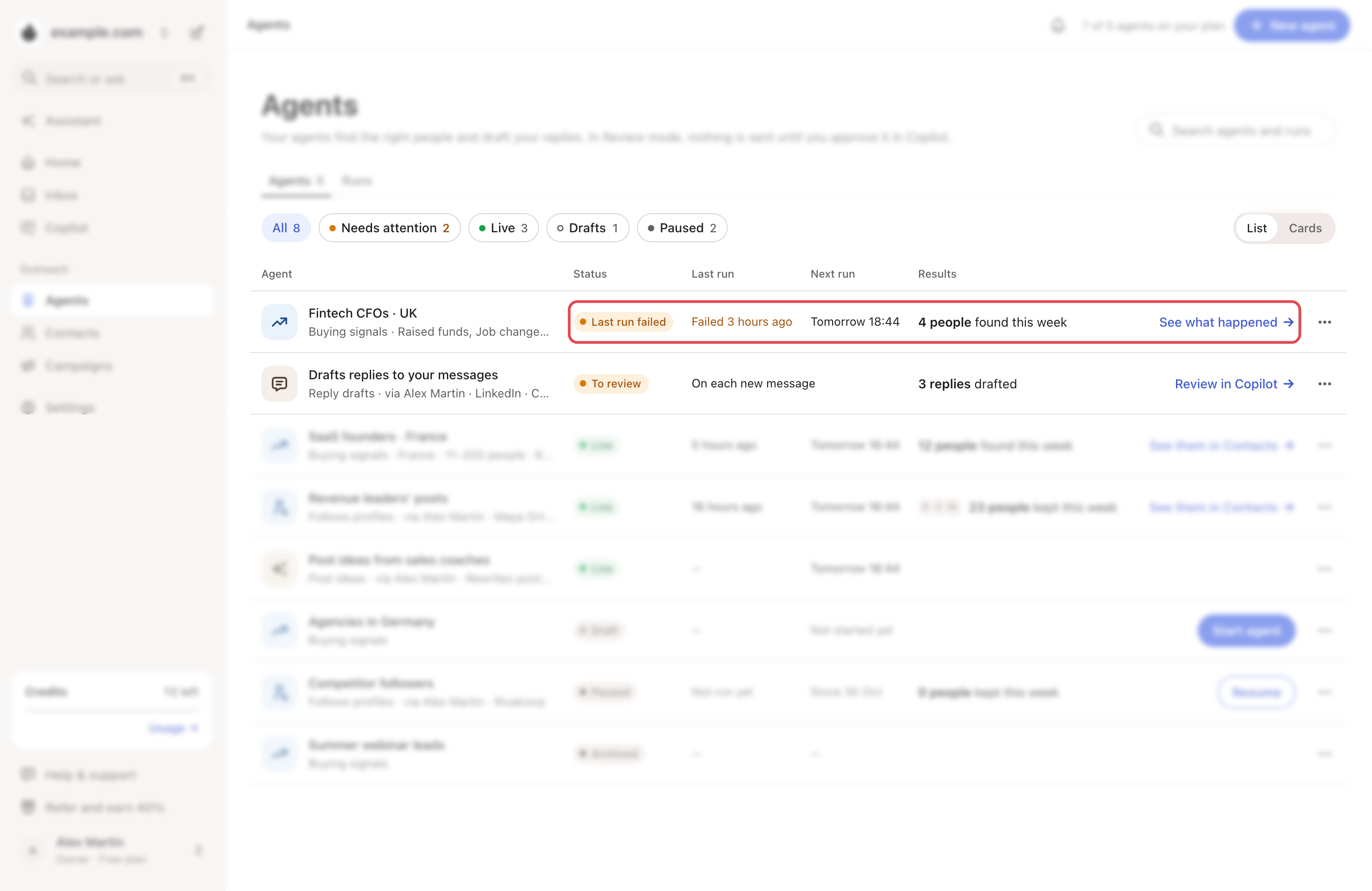
Open Agents. Anything that needs you comes first, under Needs attention. The status says why, and the button on the row is the fix.
| What you see | Why | What to do |
|---|---|---|
| Needs credits | You have no credits left. | Click Get credits. Wait for them to reset, or click Change plan. |
| Needs a plan | Your workspace has no active plan. | Click Choose a plan. |
| Needs LinkedIn | The agent works on LinkedIn, and no account is connected. | Click Connect LinkedIn. |
| Needs an inbox | The reply agent has no inbox or LinkedIn account. | Click Connect an inbox. |
| LinkedIn sender expired or Signed out of LinkedIn | Its LinkedIn account must sign in again. | Click Reconnect or See LinkedIn account. |
| Last run failed | Its latest run didn't finish. | Click See what happened. If the next run works, there's nothing to do. |
| Check last run | Its latest run stopped on something you can fix. | Read the reason in the Runs tab (below). |
| To review | Reply drafts wait for you. | Click Review in Copilot. |
| Paused, on a comment-reply agent | Looply paused it, for example after a LinkedIn sign-out. | Open it. Its page says how to fix it. |
Why a run failed
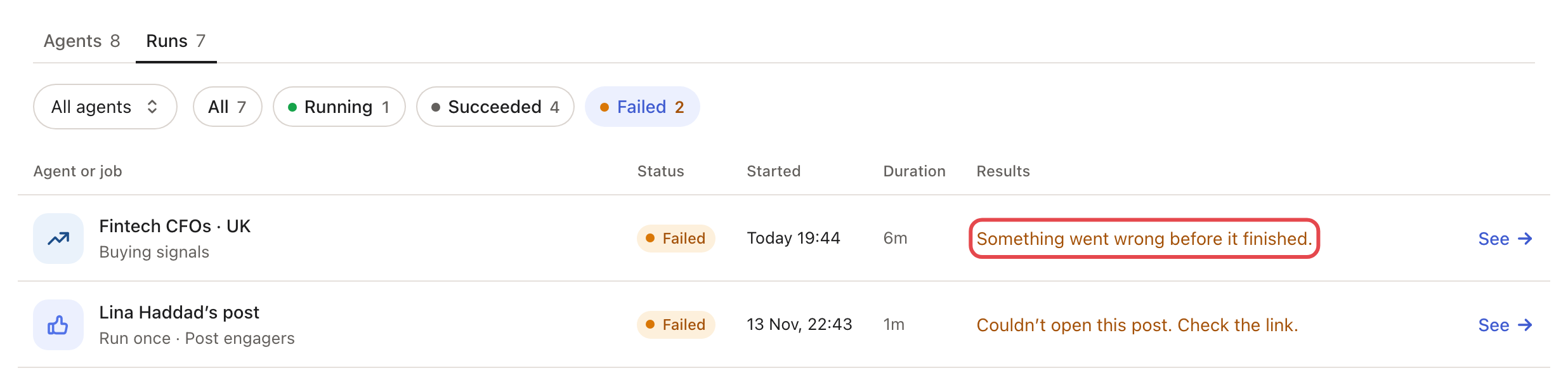
Open Agents → Runs and click Failed. Each failed run says why.
| The run says | What to do |
|---|---|
| "Its LinkedIn account must sign in again." | Reconnect it in Settings → LinkedIn accounts. |
| "Out of credits. Add credits to keep it running." | See Needs credits above. |
| "Couldn’t read its source. Check the link." | Open the agent and fix the link under Buying signals. |
| "Something in its set-up needs a fix." | Check its settings. If nothing looks wrong, write to us. |
| "Something went wrong before it finished." | Nothing, if the next run works. If it keeps failing, write to us. |
Suspended or Not scheduled
If a buying-signals agent fails 3 runs in a row within 24 hours, Looply can turn off its schedule. The agent stays on, but:
- its page shows Suspended at the top;
- the Agents page shows Not scheduled under Next run;
- a notification says it "failed 3 times in 24h and was automatically paused. It resumes on its own in 24 hours."

Looply turns its schedule back on by itself 24 hours later. To restart it sooner, do one of these:
- Click Run now on its page, or ⋯ → Run now on its row in Agents. If the run works, the schedule starts again by itself.
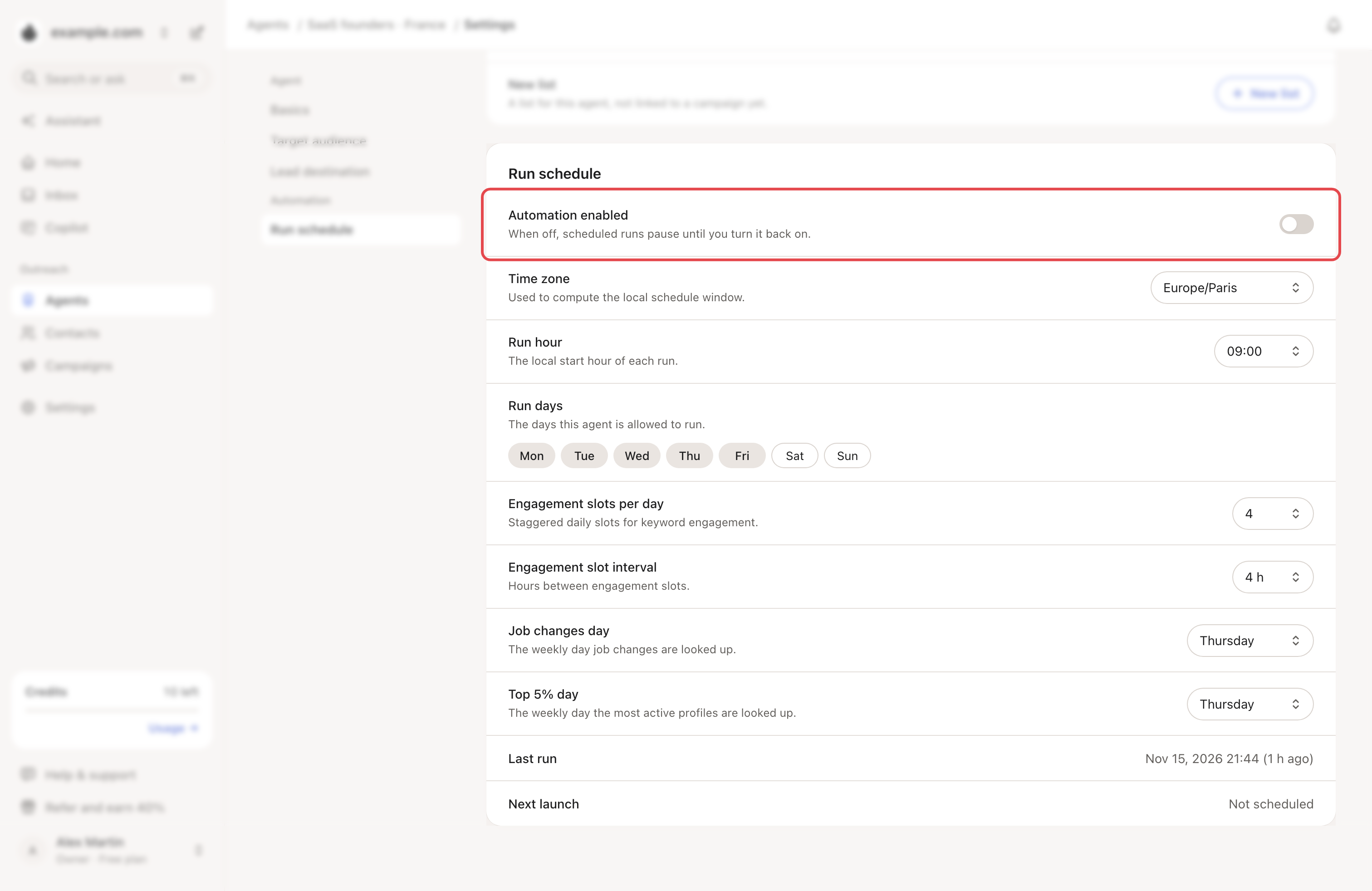
- Open ⋯ → Settings → Run schedule and turn Automation enabled back on.
If runs keep failing, write to us from the chat with the agent's name.
Paused or Draft
- Paused: you or a teammate paused it. Click Resume on its row.
- Draft: it never started. Click Start agent.
→ Learn more: Manage your agents · My agent finds few or no people
Related articles: How agents work · LinkedIn statuses and warnings · Plans, trial and credits