You manage your agents from the Agents page and from each agent's own page.
What you need: an agent. See Set up your first agent.
Step 1: Find the agent
Go to Agents. Pick a status (Needs attention, Live, Drafts or Paused), or type in Search agents and runs. Click a name to open its page.
Step 2: Run it now
On the agent's page, click Run now. Your schedule stays the same.
- Buying signals: the button shows the usual cost, for example Run now · about 38 credits. Looply asks Run this agent now? first. On the Agents page, ⋯ → Run now on its row does the same.
- Follow profiles: Looply asks Check for new people now? first.
- Post ideas: its new drafts appear on its page in a few minutes.
- Lead-magnet and comment-reply agents: they check within a few minutes. A lead-magnet hunter searches each topic about once a day. A second Run now that day may find nothing new.

Step 3: Pause or resume
- On the agent's page, click the Live switch.
- On the Agents page, open ⋯ on its row and click Pause or Resume (not for lead-magnet and comment-reply agents). A paused row also has a Resume button.
A paused agent doesn't run. It keeps its settings and the people it found.
Good to know: Reply to comments on your post replies by itself. When you turn it back on, the replies that waited go out without your approval.
Step 4: Change or rename it
- Buying signals: click its name at the top of its page to rename it. ⋯ → Settings holds the rest, like Run schedule.
- Follow profiles: click its name to rename it, or Edit next to a part of Setup.
- Post ideas: click Edit next to a part of Setup, or ⋯ → Settings. Rename it under Agent name, then click Save changes.
- Lead-magnet and comment-reply agents: open ⋯ → Settings.
Step 5: Delete it
- Open ⋯ on its row or its page and click Delete.
- Looply asks Delete agent? Click Delete. You can't undo it.
The people it found stay in Contacts, and its agent slot is free again. Lead-magnet and comment-reply agents have no Delete: pause them instead, which frees their slot.
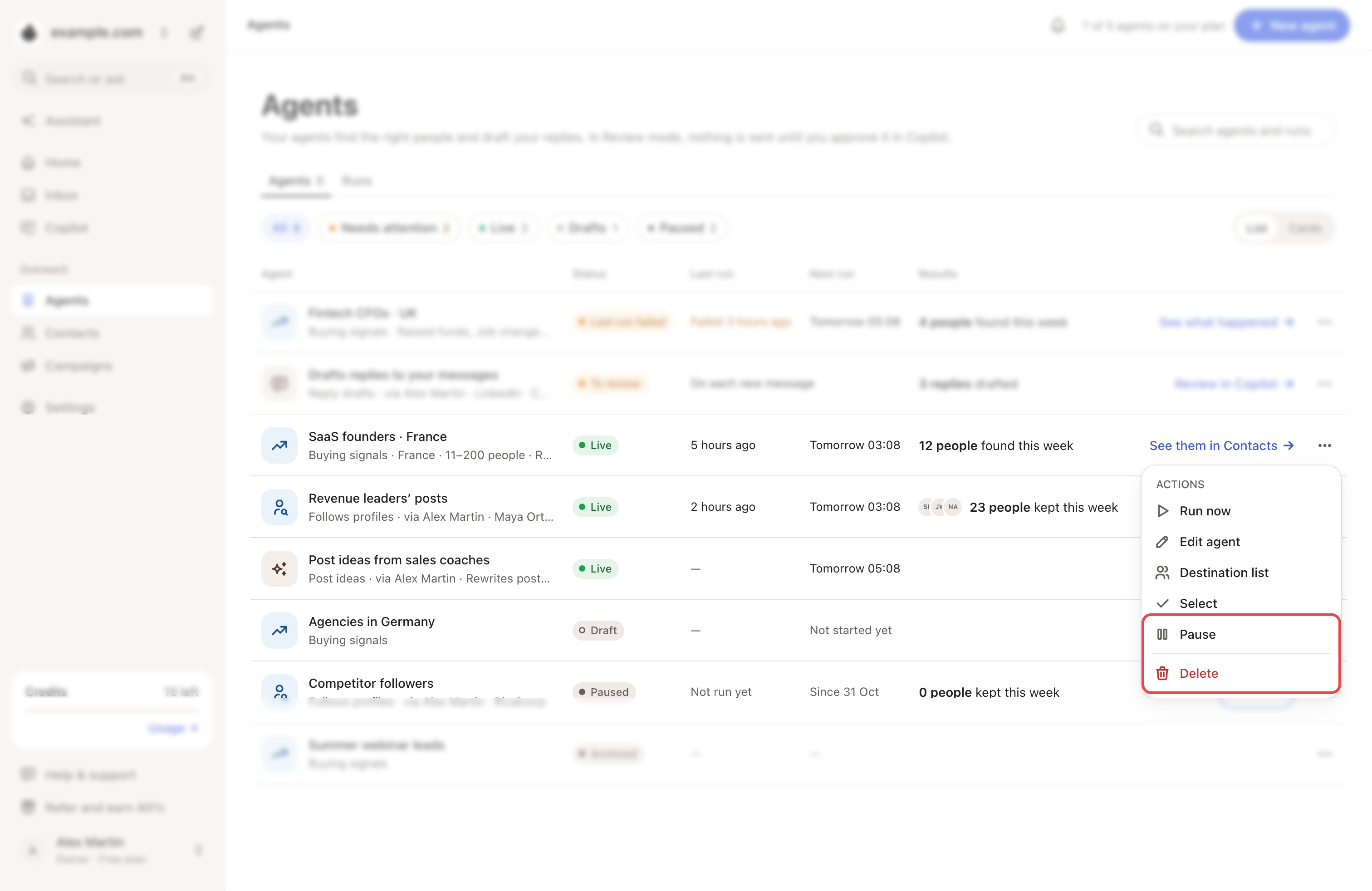
To pause, resume or delete several agents at once, click Select in a row's ⋯ menu. Tick the others, then use the bar at the bottom.
Step 6: Check every run
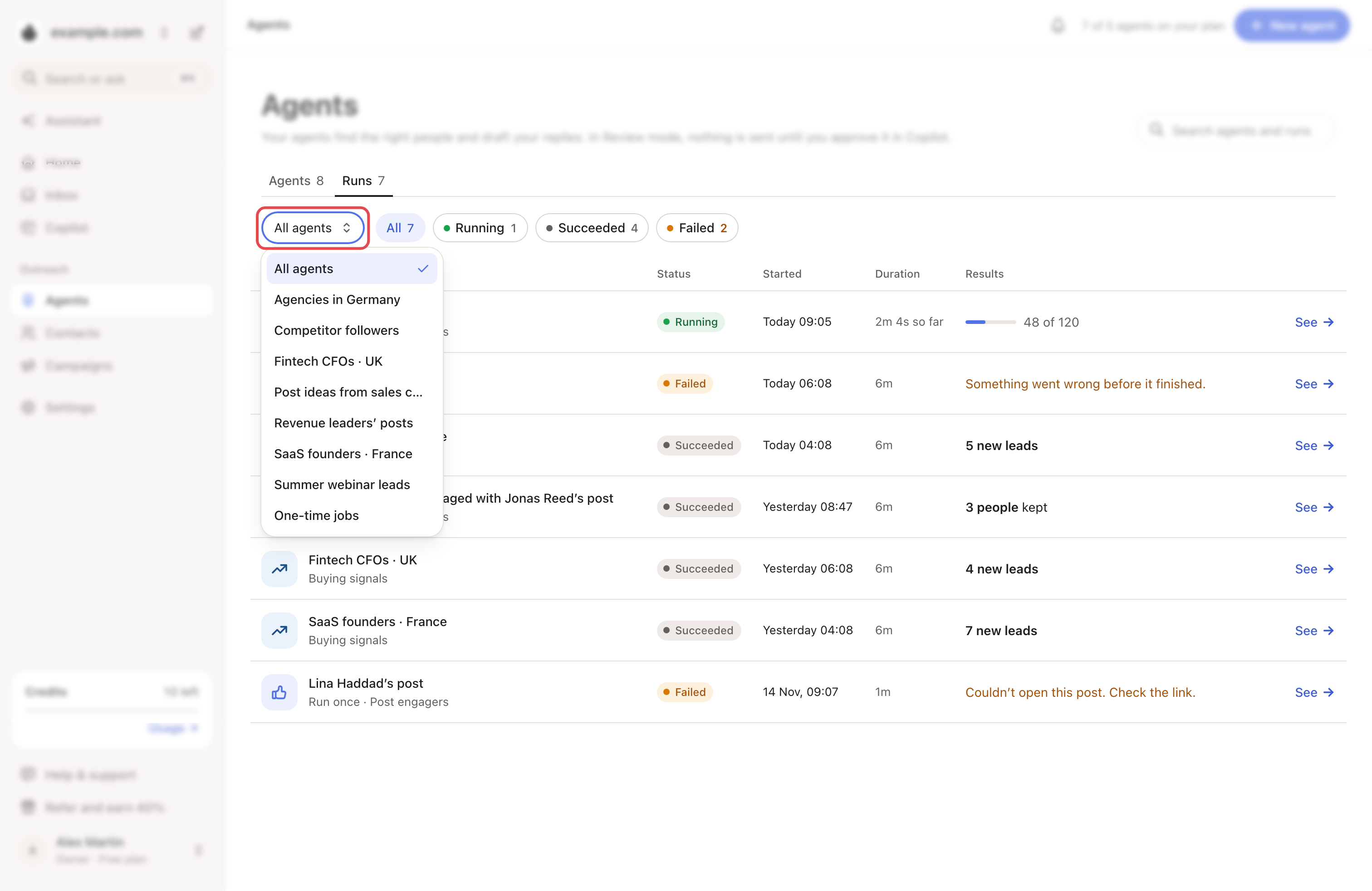
Open the Runs tab. It lists every run and one-time job, newest first, with its start, duration and results.
- Filter by agent: one agent, All agents or One-time jobs.
- Pick Running, Succeeded or Failed.
- Click See to open the agent or job.
A run failed? See My agent stopped or says Needs attention.
Frequently asked questions
Does a paused agent still use an agent slot? Yes, except lead-magnet and comment-reply agents. Delete an agent to free its slot. The top of the Agents page shows how many of your plan's agents you use.
Related articles: How agents work · My agent finds few or no people