Usually the ideal customer or the signals are too narrow. If the Agents page lists the agent under Needs attention, see My agent stopped or says Needs attention first.
Step 1: Read the last runs
Open the agent. Recent runs shows how many leads each run added. Click See all runs to see why a run added nobody.
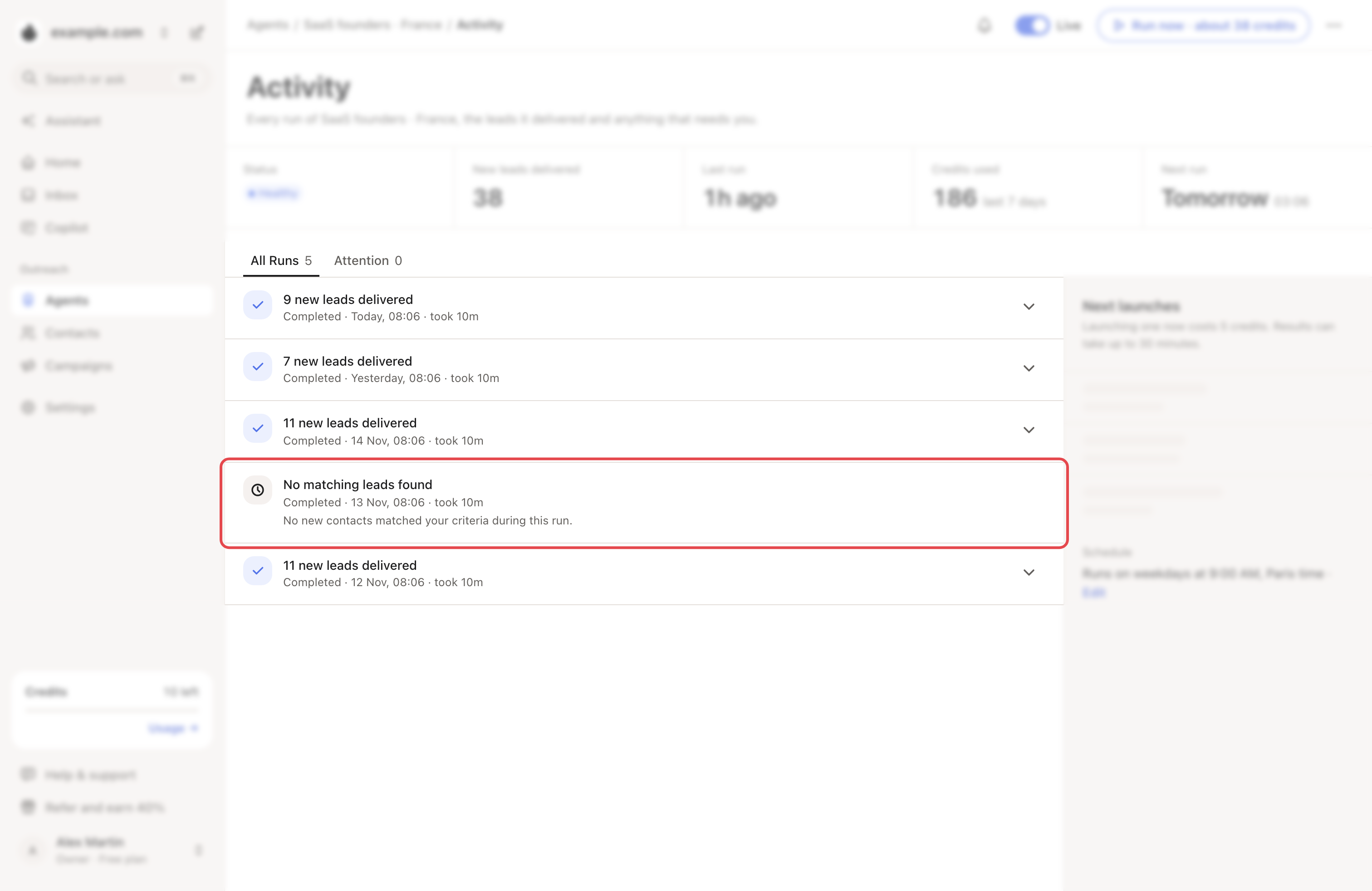
| The run says | What it means | What to try |
|---|---|---|
| No matching leads found | None of the people it saw matched your targeting. | Step 3 |
| No new leads delivered or No new leads found | It found matches but added none, for example because you already had them. | Step 4 |
| No leads found | Its sources brought nobody in, or the run didn't finish. | Step 4 |
| … qualified leads are being enriched | Looply is still looking for their emails. | Wait. They're added by themselves. |
Step 2: Try the suggested change
When a recent run added fewer than 3 people, a tip may show under Last 7 days. It suggests one change and its likely gain, by Looply's estimate.
- Click its button: Widen location, Add these titles or Add this size.
- Under Suggested change, click Apply, or Dismiss.


Step 3: Widen who you target
Change one thing at a time, on the agent's page:
- Who to find → Precision: try Balanced, or Discovery for the widest flow.
- Then: click Edit on step 1 and lower the Minimum ICP score.
- Who to find → Edit: add job titles or countries, turn off Require verified location, or drop exclusions.
Who to find is your brand's ideal customer. A change there applies to every agent that uses it.
→ Learn more: Describe your ideal customer
Step 4: Add busier sources
In the Buying signals card:
- tick more signals, like Companies that raised funds;
- open Engagement & Interest. Set What counts to All, and Posts from to a longer window, like The last 3 months;
- check your keywords there. A keyword that says Few posts: try a broader word brings little: swap it for a broader one;
- open Competitors or LinkedIn Profiles, then click Add a company page or Add a profile for active pages and creators your buyers follow.
→ Learn more: Find people showing buying signals
Step 5: Give it a few days
Changes apply from the next run. Job changes and the most active profiles are checked once a week. To test sooner, click Run now: it shows its estimated credits first.
Follow profiles agents
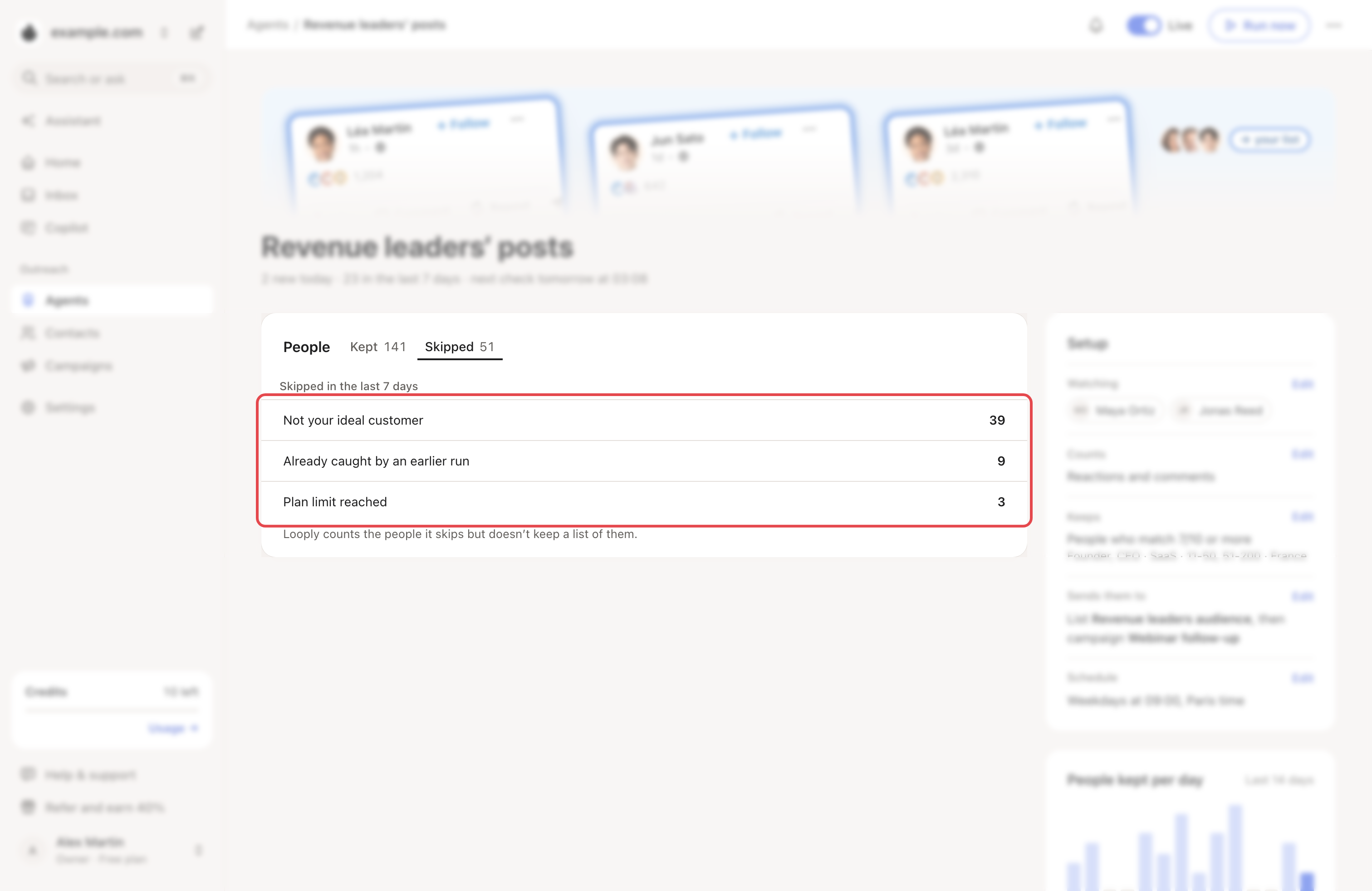
Open the agent and click Skipped under People:
- Not your ideal customer: under Setup → Keeps, click Edit and lower the Minimum match.
- Already caught by an earlier run: follow new profiles.
- Plan limit reached: see below.
If one profile brings nobody while others do, the page says so. Click Add a profile.
Your plan's warm leads
Each new person counts toward your plan's warm leads: 1,500 a month on Growth, 10,000 on Scale. Once they're used up, agents skip new people until your credits reset. Settings → Credits and usage shows the date.
Still few people after a week? Write to us from the chat with the agent's name.