The lead-magnet hunter finds posts like "Comment GUIDE and I'll send it" on your topics. It watches each one and adds the people who comment to a campaign.
Good to know: the hunter never posts or comments. But your campaign contacts everyone it adds. On Autopilot, that happens without your approval.
What you need:
- a connected LinkedIn account
- a campaign for the commenters
- a free agent slot
Step 1: Open the set-up
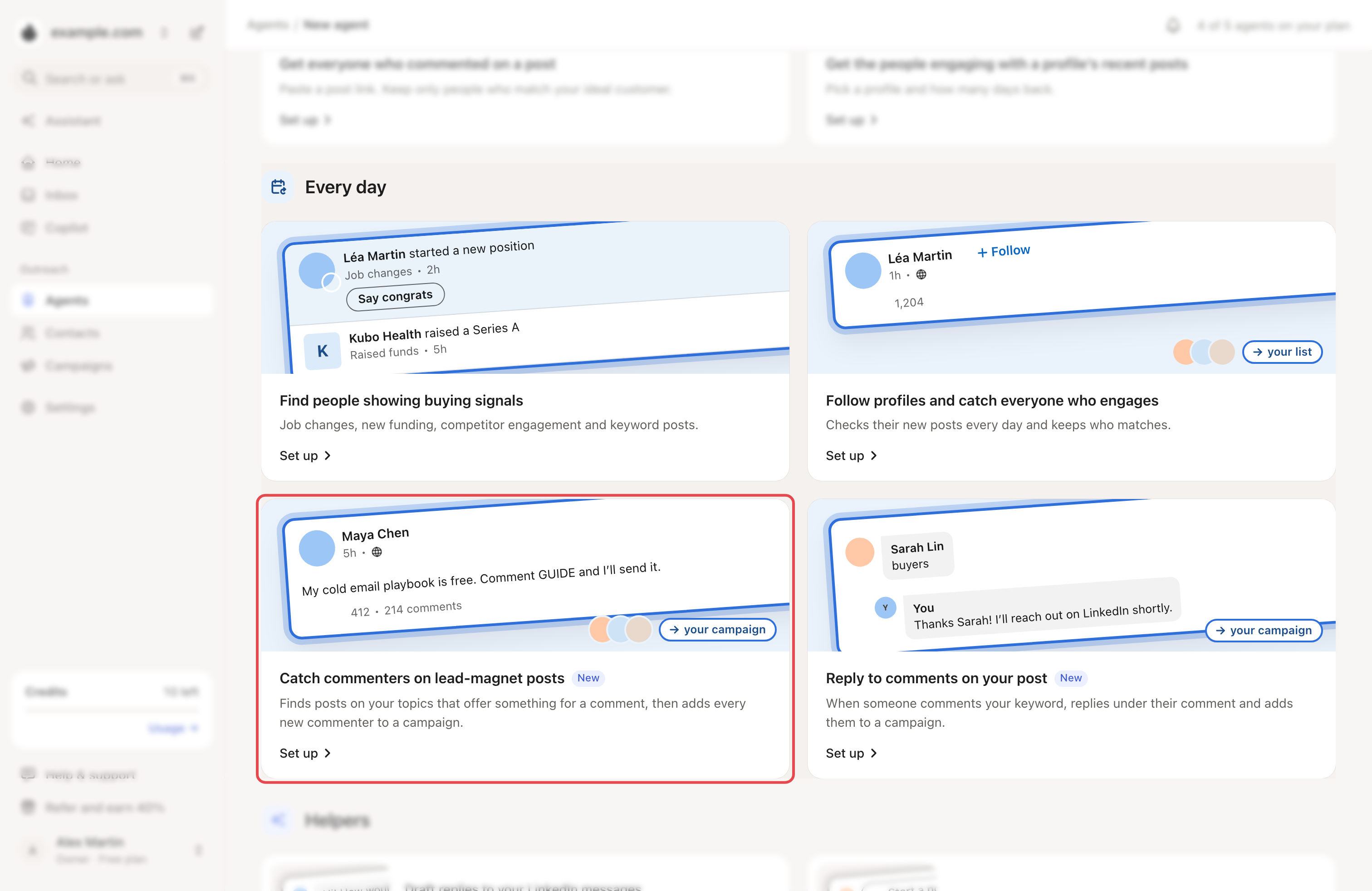
Go to Agents → New agent. Under Every day, click Set up on Catch commenters on lead-magnet posts.
Step 2: Add your topics
Under Which topics?, type a topic and click Add. You can add up to 10.
Once a day, Looply searches LinkedIn for each topic's most relevant posts of the past month. It keeps posts that offer something for a comment and already have at least 2 comments.
Step 3: Choose where people go
- Pick the Campaign. New commenters join at the top.
- Pick the LinkedIn account. Looply doesn't search or read comments with it. It uses it only to show a post you add by hand. Watched posts pause while it's disconnected, signed out or resting after a LinkedIn limit.
Step 4: Set the pace
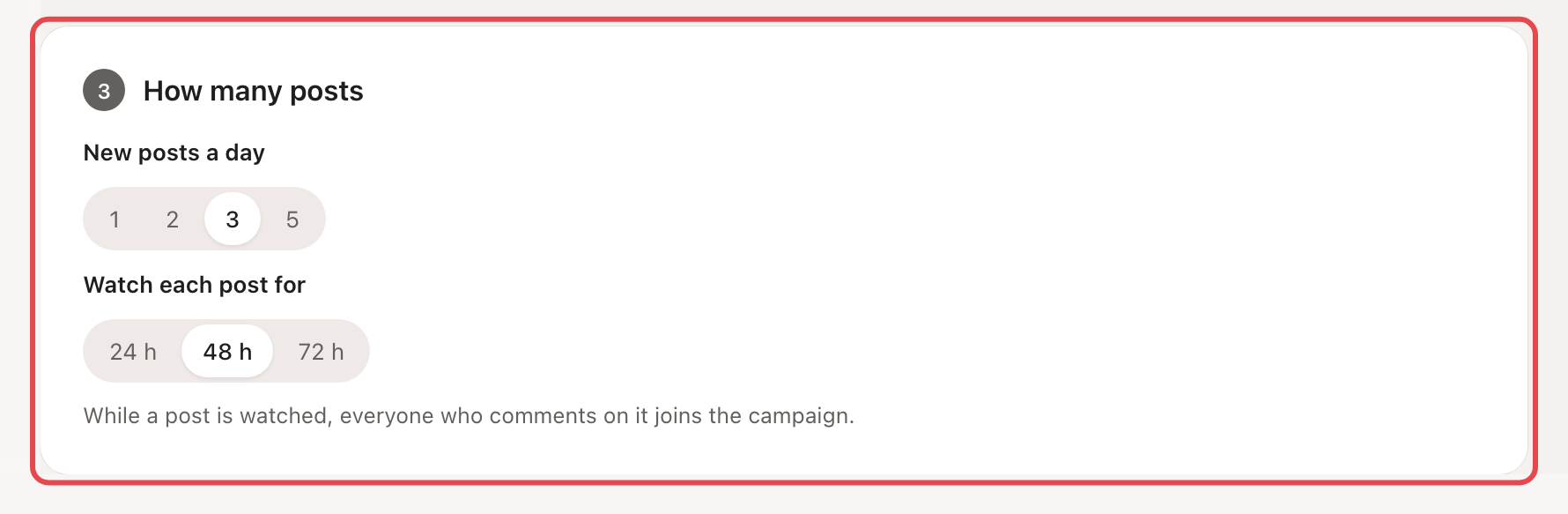
- New posts a day: 1, 2, 3 or 5. The default is 3.
- Watch each post for: 24 h, 48 h or 72 h. The default is 48 h.
The summary shows Credits: None. Click Start hunting.
What happens next
- The hunter searches each topic once a day, without your LinkedIn account. So it also searches at weekends and outside your LinkedIn hours.
- It also follows authors whose watched posts brought this hunter 3 or more people in the last 30 days. Every few hours, it checks their new posts and watches those that ask for comments.
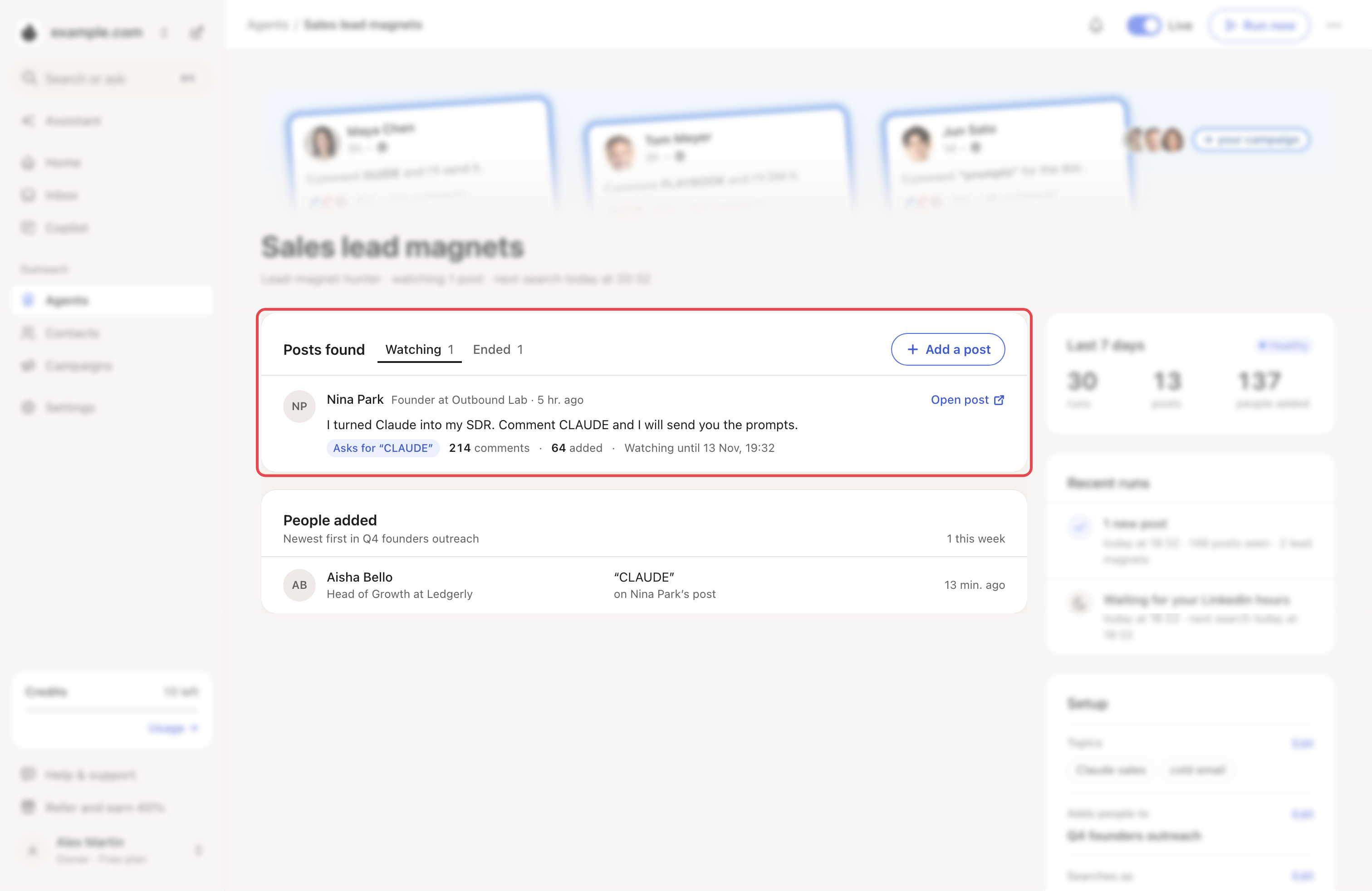
- Watched posts show under Posts found. If a post asks for a word, it shows Asks for “GUIDE” and only commenters who wrote it count. Otherwise it shows Every comment.
- Looply reads a watched post's comments as soon as it starts watching, then about every 12 hours. New people reach People added within about half a day, sometimes the next day.
- Found a lead magnet yourself? Click Add a post.
To pause it, use the Live switch at the top of its page. That frees its slot and stops its watched posts. To edit it, open ⋯ → Settings.
→ Learn more: Review mode, Autopilot and Copilot
If something goes wrong
| What you see | Why | What to do |
|---|---|---|
| People added stops growing | The hunter's LinkedIn account is disconnected, signed out or resting after a LinkedIn limit. Watched posts wait for it. | See LinkedIn statuses and warnings. If the account looks fine, write to us from the chat. |
| "All … agent slots on your plan are in use." | Every slot is taken. | Delete an agent, pause a hunter or comment-reply agent, or upgrade. |
| A run says Daily quota reached | Today's posts are started. | Nothing, or raise New posts a day. |
Related articles: How agents work · Reply to comments on your post