Your post says "Comment BUYERS and I'll send the list." This agent replies under each comment with that keyword and adds the commenter to a campaign.
This agent posts by itself. Each matching comment gets your reply, from your LinkedIn account, with no approval step. Comments already on the post get one too. Then your campaign contacts them. On Autopilot, that happens without your approval.
What you need:
- your post's link (on the post, open the … menu and choose "Copy link to post")
- a connected LinkedIn account and a campaign
- a free agent slot
Step 1: Open the set-up
Go to Agents → New agent. Under Every day, click Set up on Reply to comments on your post.
Step 2: Paste your post and keyword
- Under Which post?, paste the link. Looply shows the post and its comments so far.
- Under Which keyword?, type the word you asked for. Any comment that has that word, in any case, gets a reply.
Step 3: Write the reply
Under What to reply, write your Reply. Click First name to add the commenter's first name. For people you're already connected to, tick Different reply for 1st-degree connections.
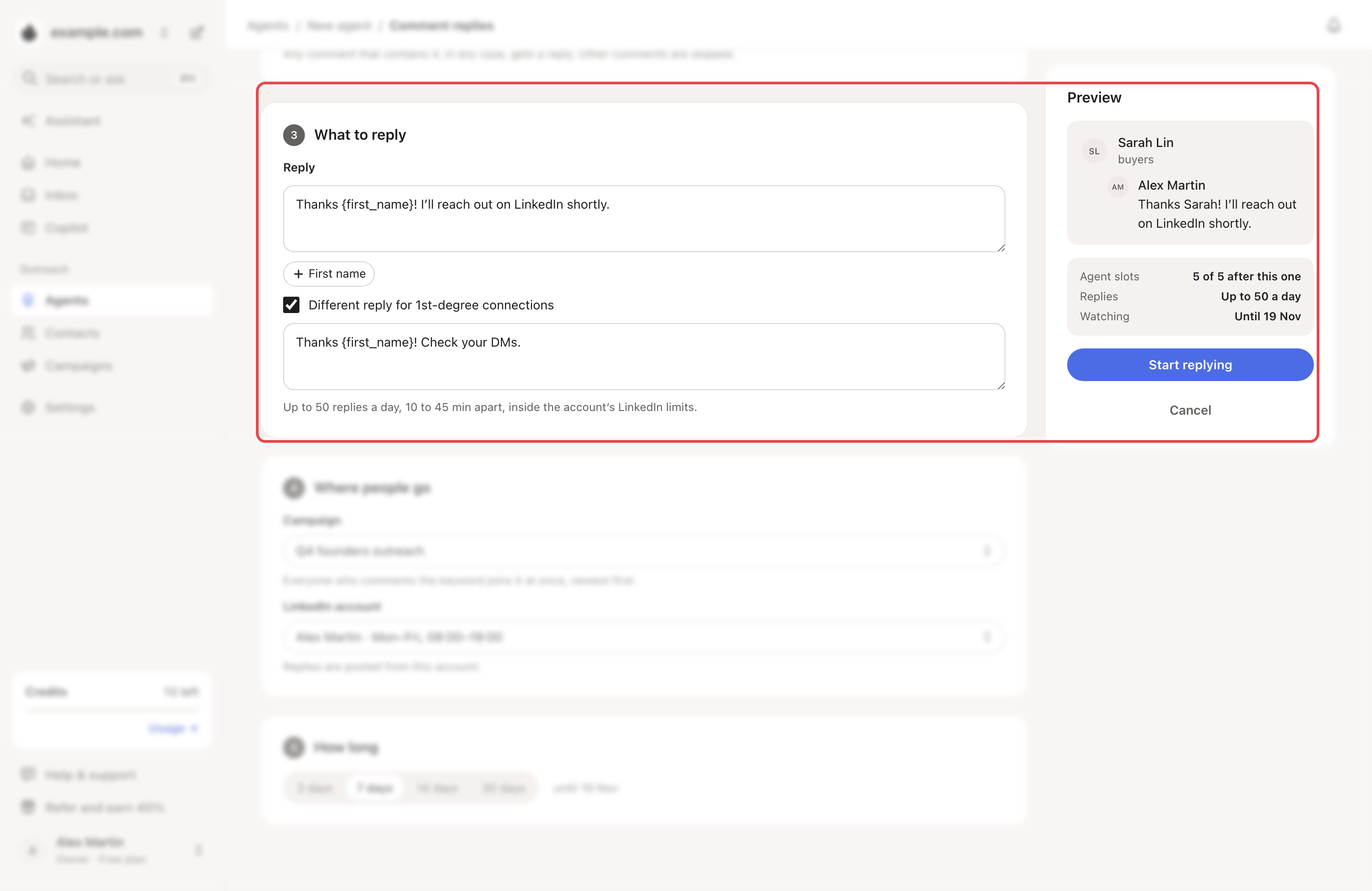
Step 4: Choose where people go and for how long
- Pick the Campaign and the LinkedIn account. Replies are posted from that account.
- Under How long, pick 3, 7, 14 or 30 days. The default is 7.
- Click Start replying.
What happens next
- Looply checks your post every few minutes at first, then less often.
- A matching commenter joins the campaign at once. The reply follows, 10 to 45 minutes apart.
- Each LinkedIn account posts up to 50 replies a day, across all these agents (20 while LinkedIn has the account in safety mode). Extra replies wait their turn.
- Replies inside a thread are ignored. Comments without the keyword, your own, and repeats from one person are skipped.
- When the days end, the agent stops and frees its slot. Watch 7 more days restarts it.
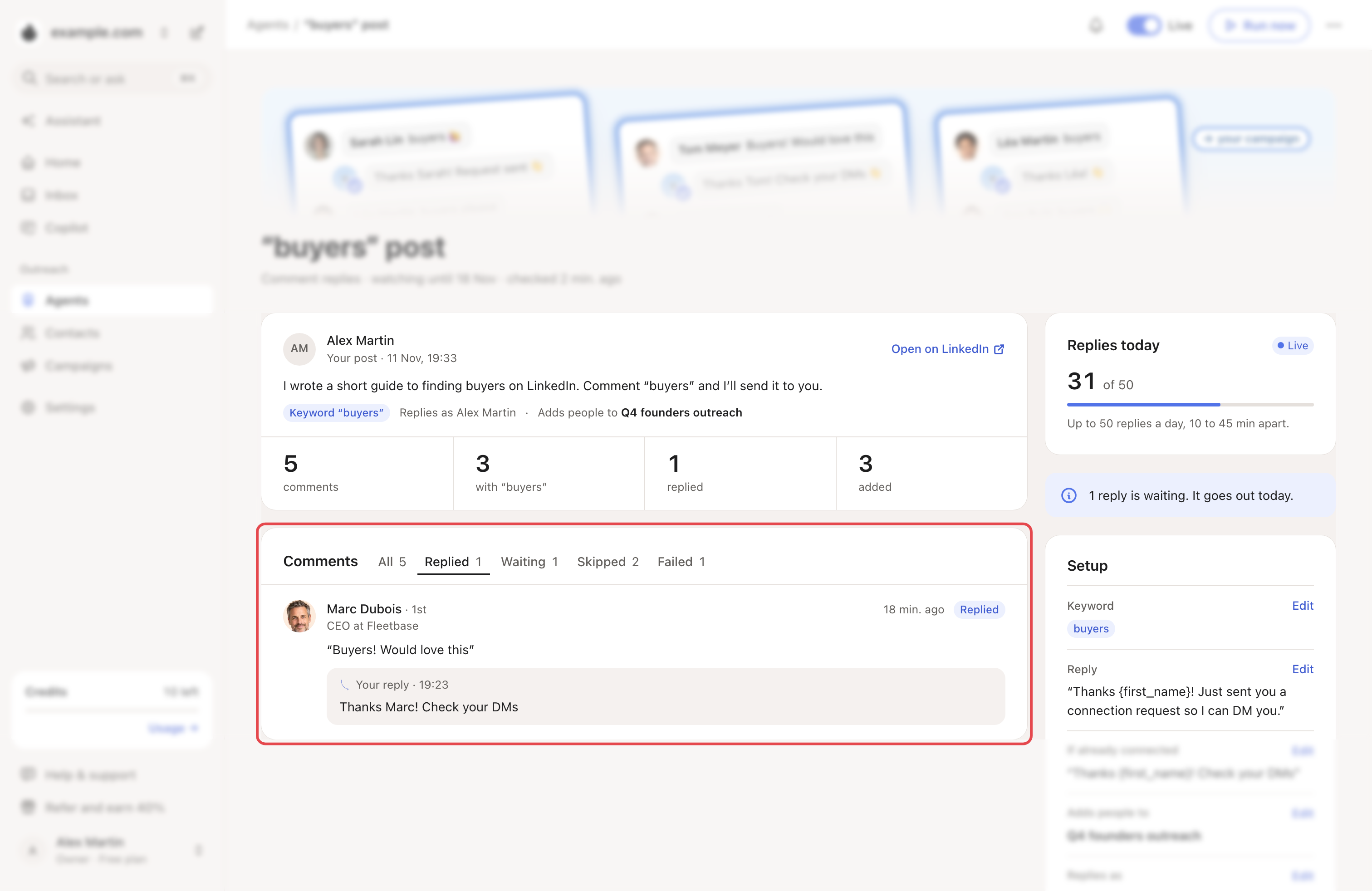
To stop it early, turn off the Live switch at the top of its page.
→ Learn more: Review mode, Autopilot and Copilot
If something goes wrong
| What you see | Why | What to do |
|---|---|---|
| "Paste the link of a LinkedIn post." | The link isn't a post. | Copy it from the post's … menu. |
| "This post is already being watched." | Another agent watches it. | Open that agent from Agents. |
| Paused: can’t read this post | It may be deleted or private. | Click Change post. |
| Paused: can’t reply on this post | Your LinkedIn account can't post replies through Looply yet. | Write to us from the chat. |
| Resting after a LinkedIn limit | LinkedIn limited replies. | Nothing. Replies restart by themselves. |
| A comment shows Failed | The reply couldn't be posted, or the person couldn't be added to the campaign. | Reply by hand if you want to. |
Related articles: Catch commenters on lead-magnet posts · What Looply does with your LinkedIn account