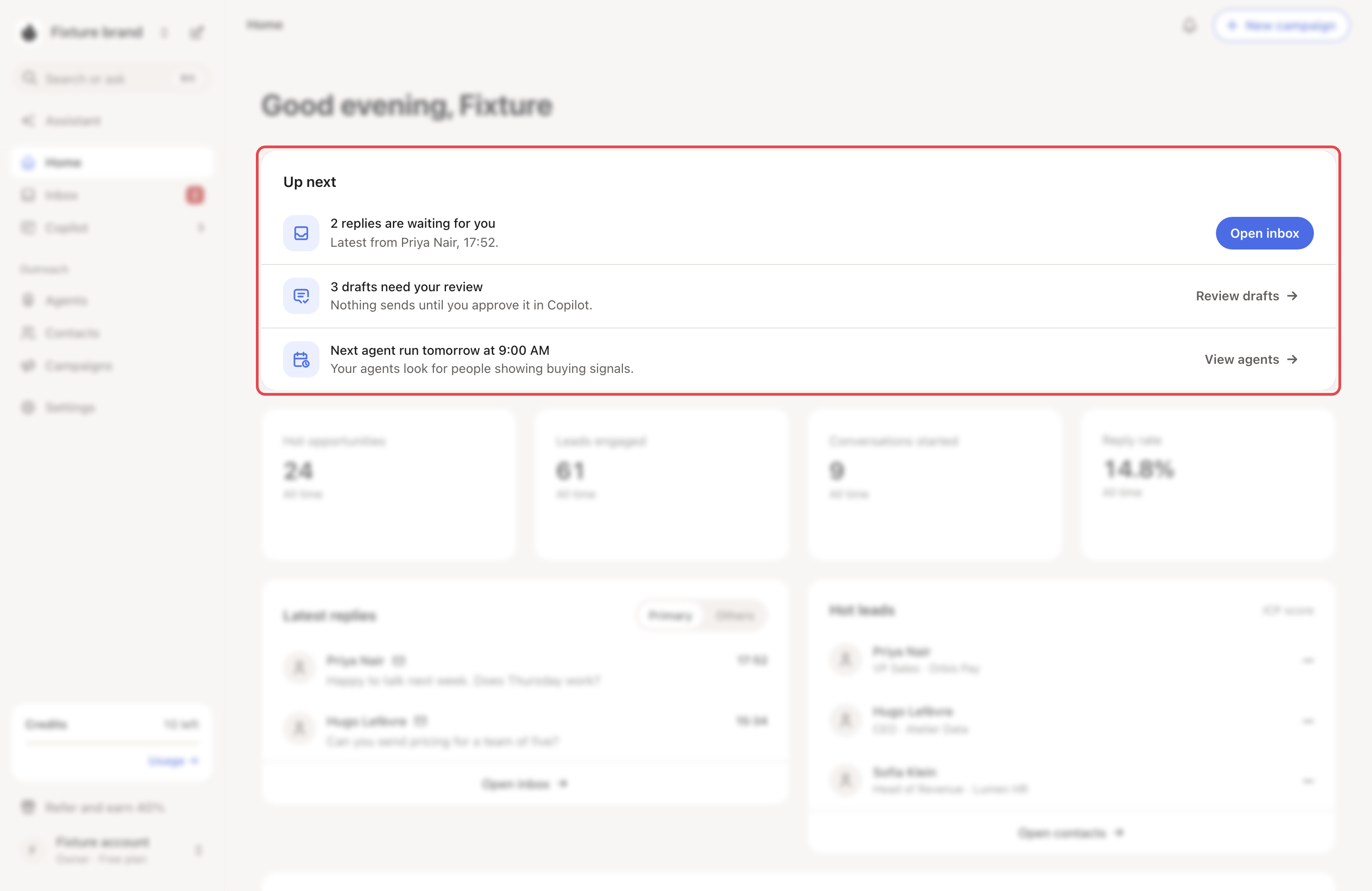
Ten minutes a day keeps your campaigns moving. Start on Home: Up next shows what needs you.
What you need: a running campaign, an agent that has run at least once, and the reply agent for AI drafts.
Step 1: Read Up next on Home
Up next has three rows: replies waiting for you, drafts that need your review, and your next agent run. Each row opens the right page. When nothing waits, the line under the greeting says "You are all caught up."
Step 2: Answer replies
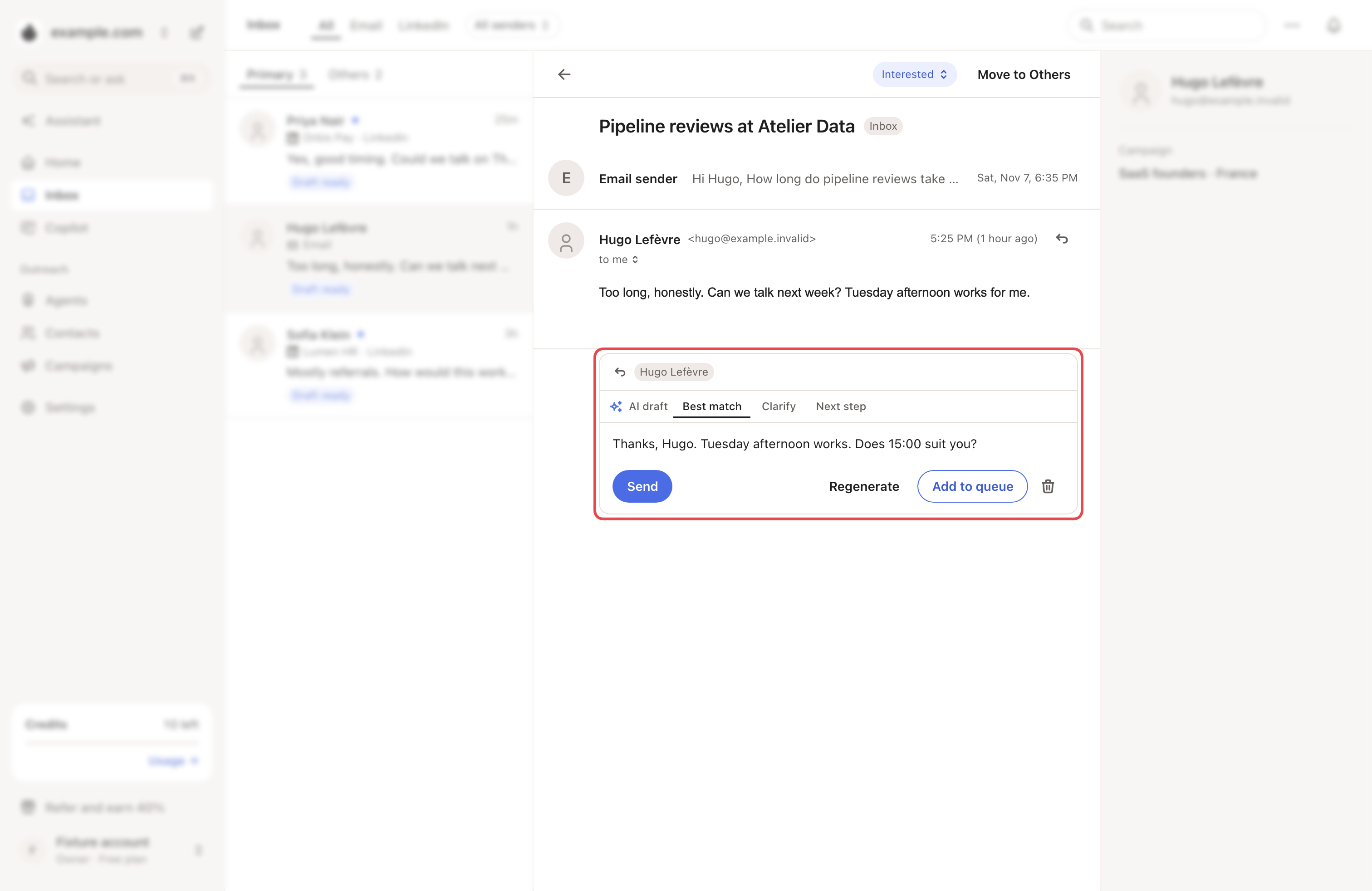
Click Open inbox. Replies to your campaigns are in Primary, everything else is in Others. When an AI draft is ready, it shows in the conversation. Edit it, then send it. No draft? Click Generate AI draft.
LinkedIn replies go out from your own account. Outside the account's hours, Looply asks how to send it. Add to queue spaces it out safely. Send now sends it right away.
→ Learn more: Inbox
Step 3: Approve drafts in Copilot
Click Review drafts. On Needs review, read each message, edit it if needed, then click Approve and next. Then open Upcoming: it lists the LinkedIn messages due in the next 48 hours.
→ Learn more: Review mode, Autopilot and Copilot
Step 4: Look at your new leads
On Home, Hot leads shows your newest contacts with the highest ICP score, and why they stand out now. Click Open contacts to see everyone.
Step 5: Fix what needs attention
Open Campaigns, then Agents. Anything that needs you sits under Needs attention, with the reason. Most fixes take one click.
Once a week
On Home, switch the results to 7 days. Compare Leads engaged and Conversations started with the week before, and check Reply rate (an all-time rate). Then change one thing at a time: the audience, a message or a signal.
If something goes wrong
| What you see | Why | What to do |
|---|---|---|
| No AI draft in a conversation | Drafts are made for Primary conversations. | Click Generate AI draft. This moves the chat to Primary. |
| "Reply agent setup needed" | AI drafts need the reply agent. | Set it up: see Draft replies to your LinkedIn messages. |
| Drafts stay in Needs review | The campaign is in Review mode. | Approve them, or switch the campaign to Autopilot. |
| A campaign is under Needs attention | For example, its LinkedIn account is disconnected or in safety mode. | See My campaign isn't sending. |