Looply sends from your LinkedIn account the way a careful person would. It starts slowly, sends only in your hours, stays within daily limits and leaves random gaps. These rules lower the risk. Only LinkedIn decides whether to restrict an account.
What Looply does for you
| Protection | What it means |
|---|---|
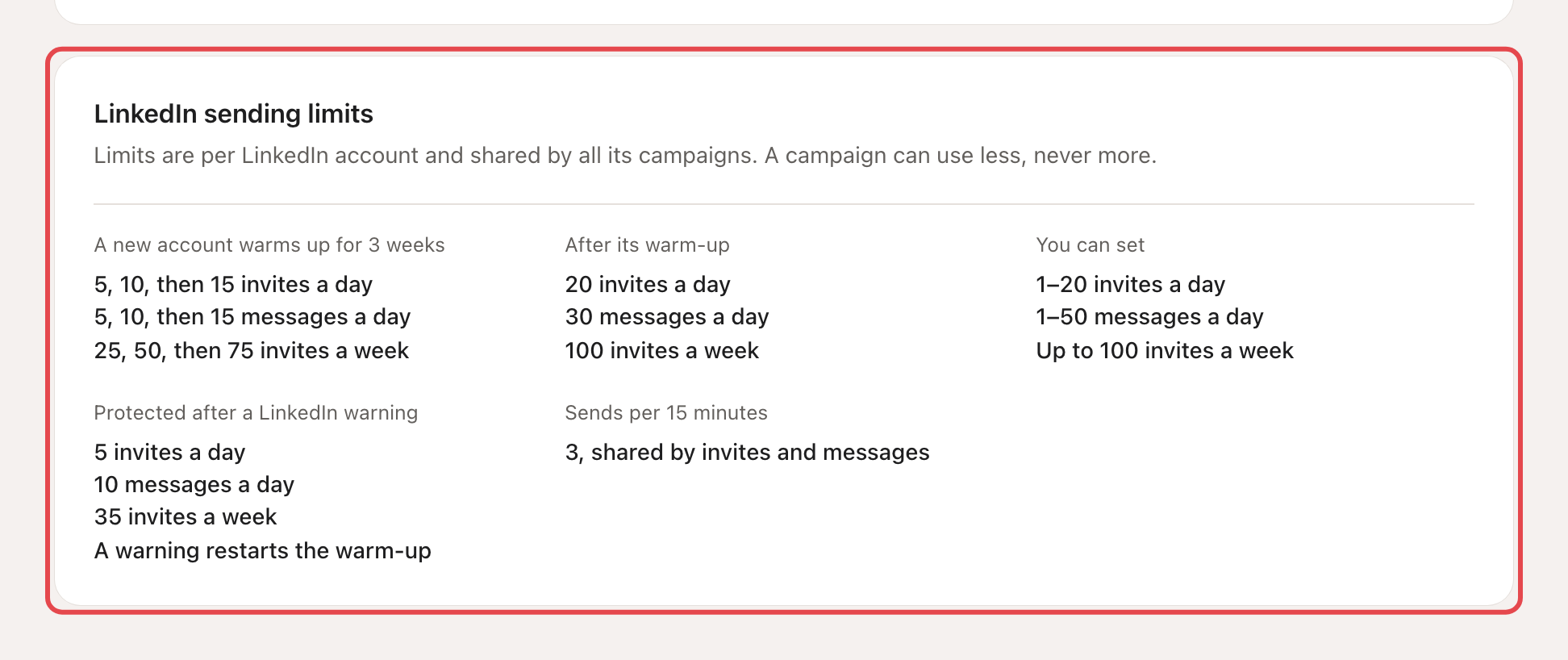
| Warm-up | A new account starts at 5 invites and 5 messages a day. It goes up to 10, then 15, over 3 weeks. |
| Daily and weekly limits | Then, by default: 20 invites a day, 100 a week and 30 messages a day. All campaigns on the account share them. |
| Your hours only | Campaigns send only inside the account's sending schedule. With no schedule, nothing goes out. |
| Spaced-out sends | By default, at most 3 invites or messages every 15 minutes, with random gaps between them. |
| Safety mode | After a LinkedIn warning, the account drops to 5 invites a day, 35 a week and 10 messages a day. This lasts from 48 hours to 7 days, depending on the warning. The notice shows the end date. A warning also restarts the warm-up at week 1. |
| Note allowance | When LinkedIn's monthly note allowance runs out, invites go without a note until the 1st of next month. |
| Signed out | If LinkedIn signs the account out, Looply stops using it until you sign in again. |
| Stop on reply | When someone replies, their LinkedIn messages stop. This is on by default. |
→ Learn more: Warm-up and daily limits · LinkedIn statuses and warnings
Agents that use your account
Some agents read LinkedIn through your account, and one posts replies as you. They pause by themselves while the account is disconnected, signed out or in safety mode. The comment-reply agent posts at most 50 replies a day, 10 to 45 minutes apart.
→ Learn more: What Looply does with your LinkedIn account
What you can do
- Connect from where you usually use LinkedIn. Avoid a new VPN or a travel location.
- Don't run another LinkedIn automation tool or browser extension on the same account.
- Keep the default limits for the first weeks. Raise them slowly, if at all.
- When you reply from the Inbox outside the account's hours, pick Add to queue. Send now skips the account's hours.
- If LinkedIn asks for a check, finish it on LinkedIn, in your usual browser. Then let safety mode end on its own: raising your limits won't lift it.
A campaign's Settings tab also has a LinkedIn safety card. There you can set when an unanswered connection request expires, and turn on Automatically withdraw pending requests.
Could my account still be restricted?
It can happen. LinkedIn decides, and its rules change. If LinkedIn warns the account, Looply puts it in safety mode and shows a notice on the campaign page. If LinkedIn blocks the account itself, only LinkedIn support can lift it.