A buying-signals agent watches the sources you turn on. It keeps the people who match your ideal customer.
What you need:
- a buying-signals agent (see Set up your first agent)
- the LinkedIn links of the pages and profiles you want to watch
Step 1: Open the agent's signals
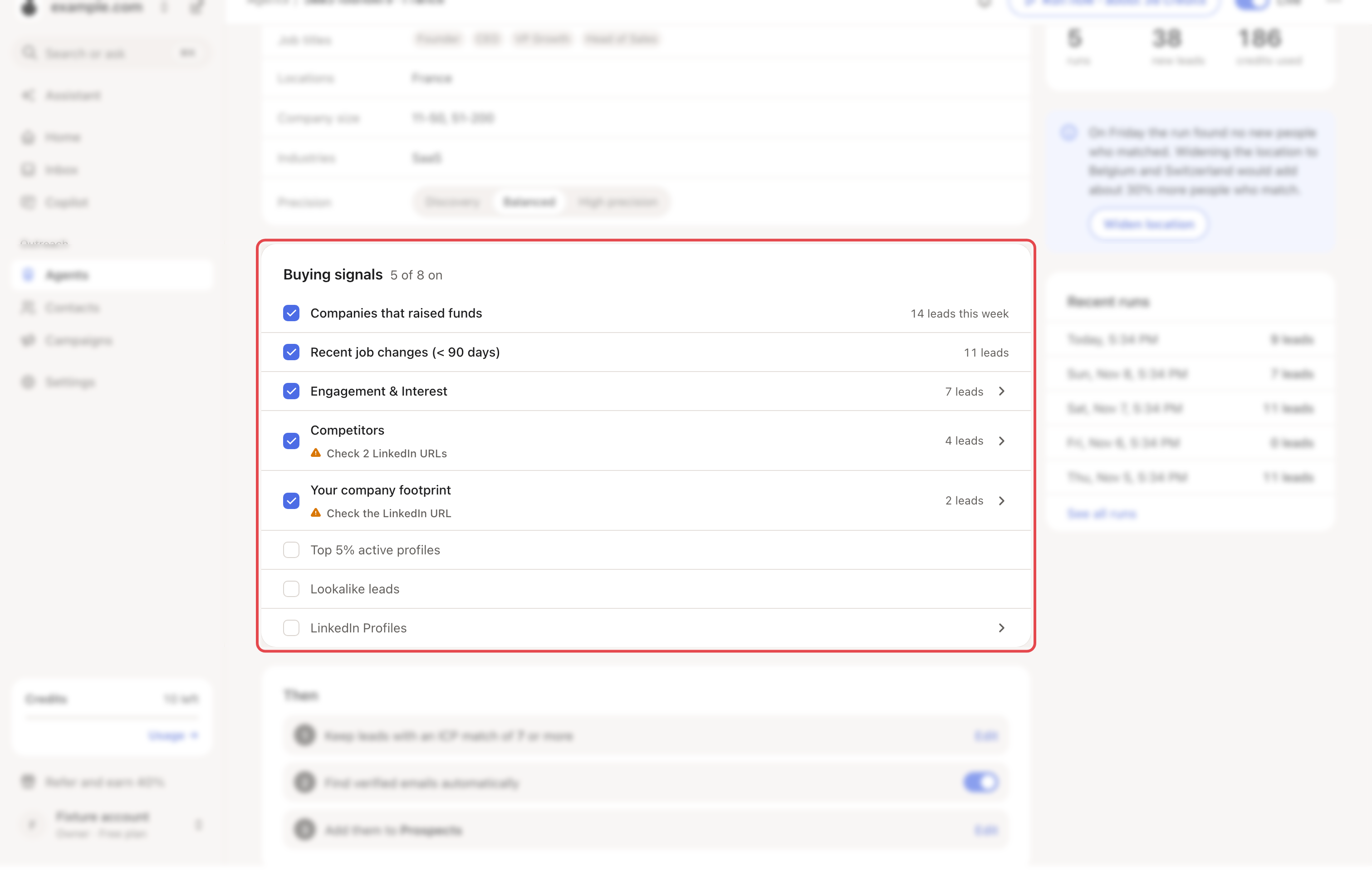
Go to Agents and open the agent. The Buying signals card lists every source and says how many are on, for example "3 of 8 on".
Step 2: Tick the trigger events
These four are simple checkboxes.
| Source | What it watches | How often |
|---|---|---|
| Companies that raised funds | Companies that recently raised funding | Every run day |
| Recent job changes (< 90 days) | Recent job changes in your target ICP | Once a week |
| Top 5% active profiles | The most active profiles in your ICP | Once a week |
| Lookalike leads | New LinkedIn profiles that match your ICP | Once a week |
Step 3: Add your LinkedIn sources
Click a source to open it, then add links or keywords.
| Source | What you add | Who it finds |
|---|---|---|
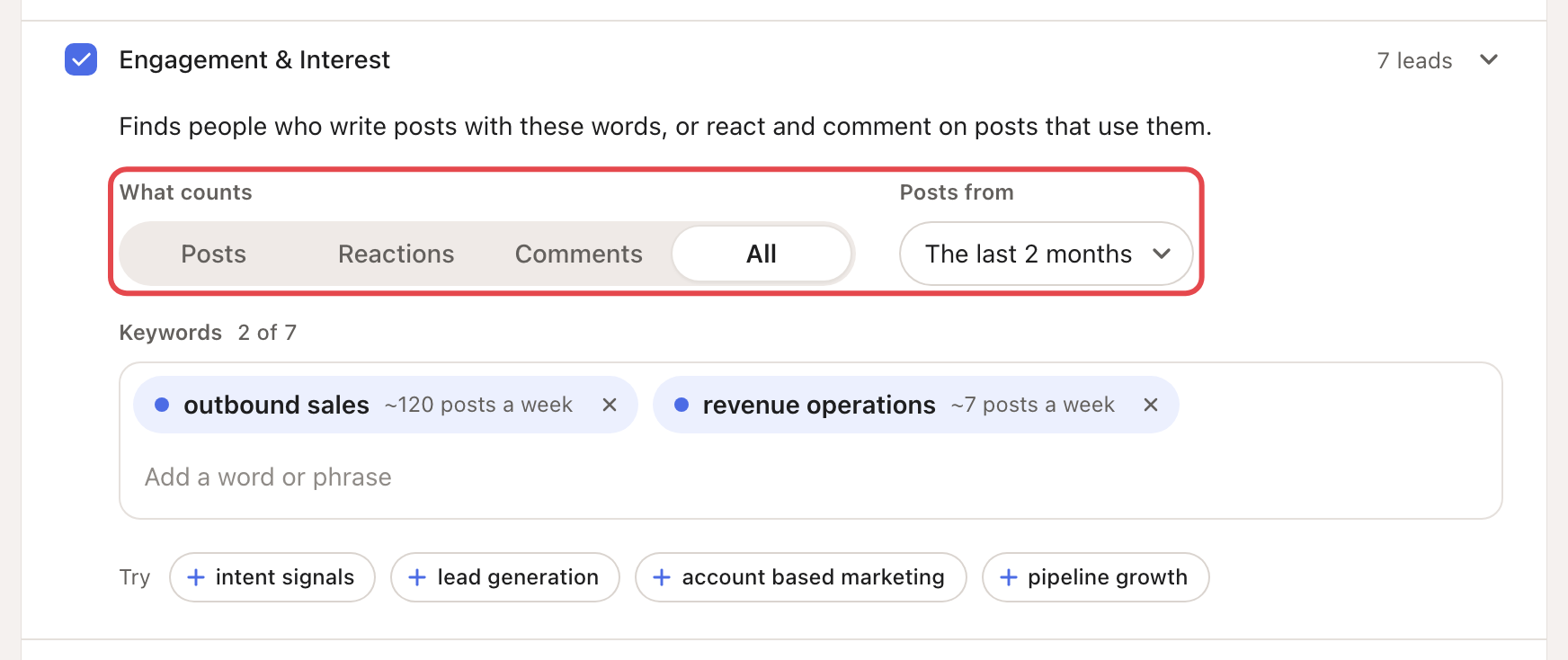
| Engagement & Interest | Keywords, under Track keywords | People engaging with posts on those topics |
| Competitors | Competitor company pages | People engaging with those pages' posts |
| Your company footprint | Your company LinkedIn page and Your LinkedIn profile | People engaging with your own page and profile |
| LinkedIn Profiles | Influencer profiles | People engaging with experts in your niche |
For keywords, also pick What counts (Posts, Reactions, Comments or All) and Posts from. The last 2 months is the default.
Pick specific keywords ("cold email deliverability") rather than broad ones ("sales").
How many sources an agent can have
| Growth | Scale | |
|---|---|---|
| Sources in all | 15 | 20 |
| Keywords | 5 | 7 |
| Competitor pages | 3 | 4 |
| Influencer profiles | 2 | 4 |
What happens next
- Each run adds the matching people to the agent's list. A source that found people shows how many this week.
- To change the weekly day, open ⋯ → Settings → Run schedule. Set Job changes day or Top 5% day.
- The agent sends nothing itself. → Learn more: How agents work
If something goes wrong
| What you see | Why | What to do |
|---|---|---|
| "Signal source limit reached for this agent." | The agent has all the sources its plan allows. | Remove one, or move to Scale. |
| "Check the LinkedIn URL" | Looply couldn't read a link's name. | Open the source and fix the link, or type a name yourself. |
| "Please enter a valid LinkedIn company page URL." | The link is not a company page. | Paste a link like linkedin.com/company/name. |
| Targeting mismatch | Your sources point to other industries than your ideal customer. | Click Apply to ICP, or remove the suggestions. |