This helper watches LinkedIn profiles you pick. On the days you choose, it rewrites their newest post and saves it as a draft for you.
It never posts anything. You copy the draft and post it yourself on LinkedIn.
What you need:
- a connected LinkedIn account: drafts are saved for it
- the profile links (linkedin.com/in/…)
- a free agent slot
Step 1: Pick the helper
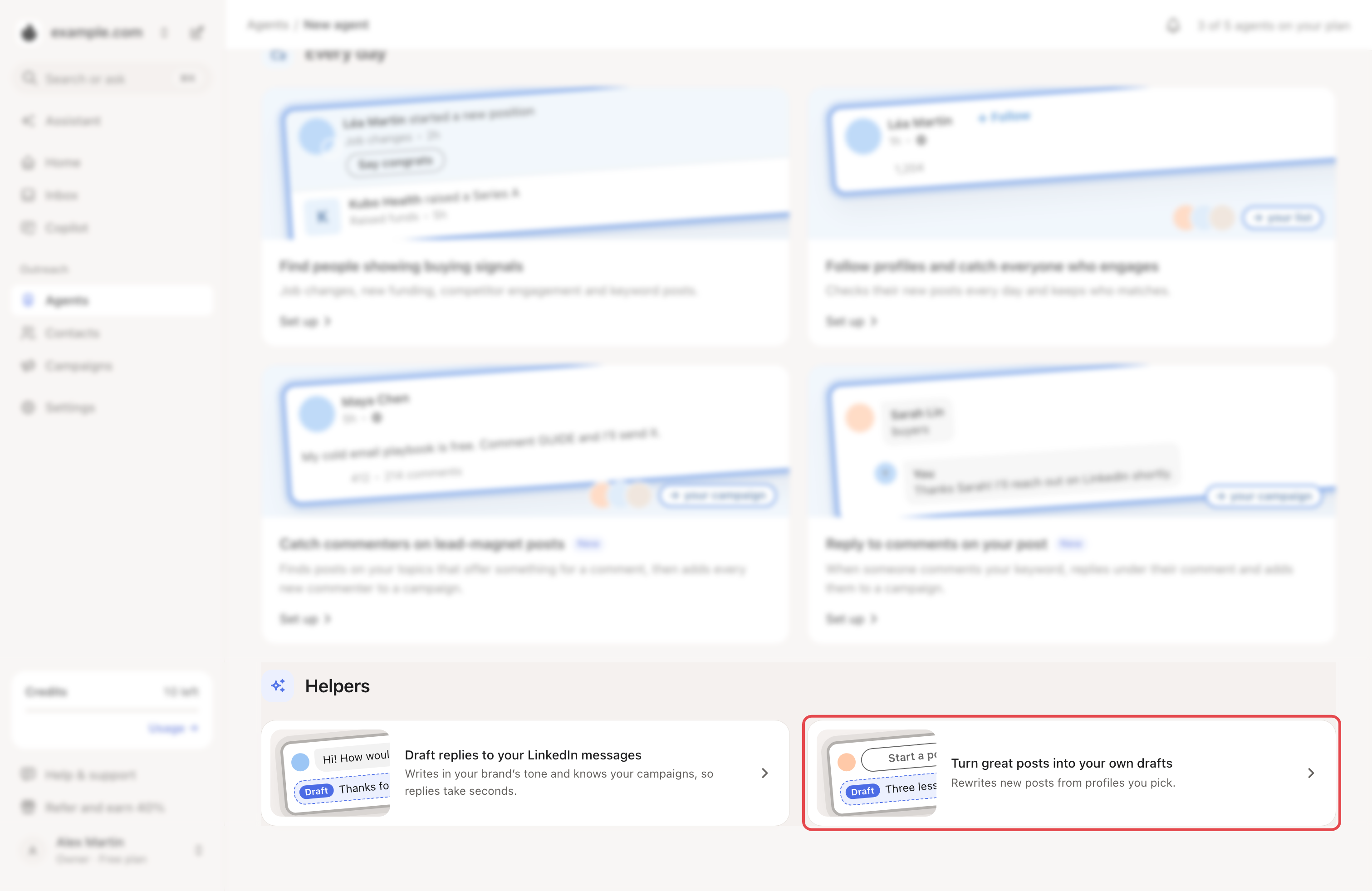
Go to Agents → New agent. Under Helpers, click Turn great posts into your own drafts. If you see all your brands, pick one.
Step 2: Add the profiles and the schedule
The set-up page is shared with following profiles. Its title is Follow profiles and catch everyone who engages.
- Under Target profiles, paste a profile link and click Add profile.
- Under Schedule, set the Timezone, the Daily run hour and the Run weekdays.
- Click Continue.
Engagement mode, ICP filtering and Post date targeting don't apply to this helper.
Step 3: Pick the LinkedIn account
On Reach future clients your way, select your account under Connected accounts. At Create draft campaign too?, choose No. Click Continue.
Step 4: Open your drafts
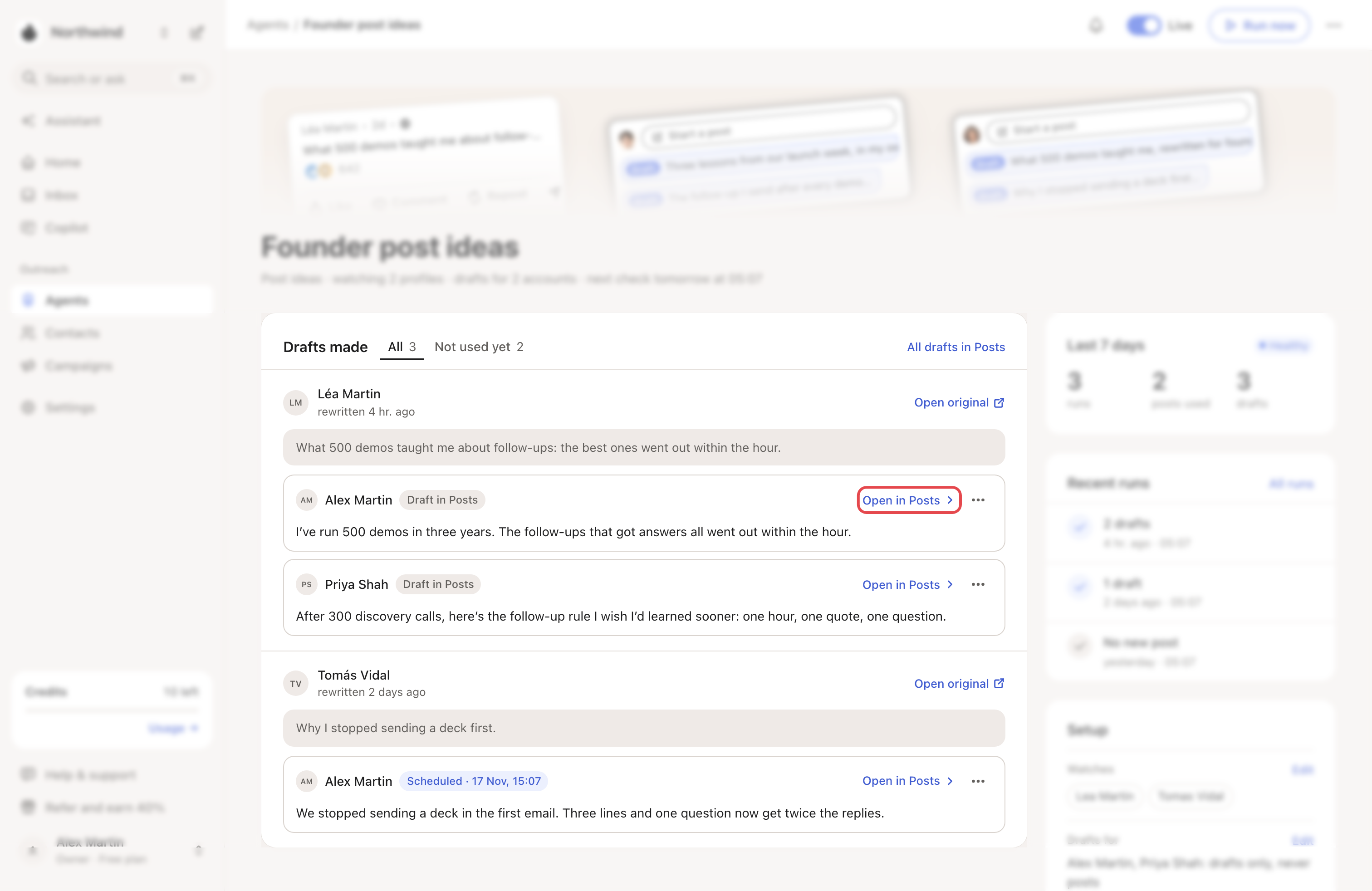
In Agents, the helper is listed as Post ideas until you rename it. Open it. Drafts made shows each post it used, with one draft for each LinkedIn account you picked. Open original opens the source post.
Click Open in Posts to edit a draft in a larger box. Then copy the text and post it yourself on LinkedIn.
What happens next
- Each run takes the newest post it hasn't rewritten yet: 1 per run by default.
- The draft keeps the original's language.
- Run now starts a run: the drafts appear in a few minutes. To get a new version of a draft, open its ⋯ and click Write it again.
- To change profiles, accounts, tone or schedule, click Edit next to a line of Setup, or ⋯ → Settings. Then click Save changes. Posts a run goes up to 5.
Check every draft before you post it. Add your own view and examples.
Costs and limits
The helper uses an agent slot, even when paused. Delete it (⋯ → Delete) to free the slot.
If something goes wrong
| What you see | Why | What to do |
|---|---|---|
| No drafts yet on its page | It hasn't run yet. | Wait for its run hour, or click Run now. |
| No new post under Recent runs | The profiles posted nothing new since the last run. | Add more profiles: click Edit next to Watches. |
| No profile to watch or No account gets the drafts | Its settings miss a profile or an account. | Click Add a profile or Pick accounts. |
| "…’s LinkedIn is signed out, so their drafts are skipped until it reconnects." | That LinkedIn account is disconnected. | Click Reconnect, then Run now. |
| A draft you scheduled in Posts never went out | Looply doesn't publish posts to LinkedIn. | Copy the text and post it yourself on LinkedIn. |
Related articles: How agents work · Follow profiles and catch everyone who engages