You can talk to your Looply workspace from Claude, ChatGPT or any AI assistant that accepts custom connectors (MCP). In plain words, ask for a campaign report, find contacts or start an agent run.
What you need: a Looply plan, and an AI assistant that supports custom connectors.
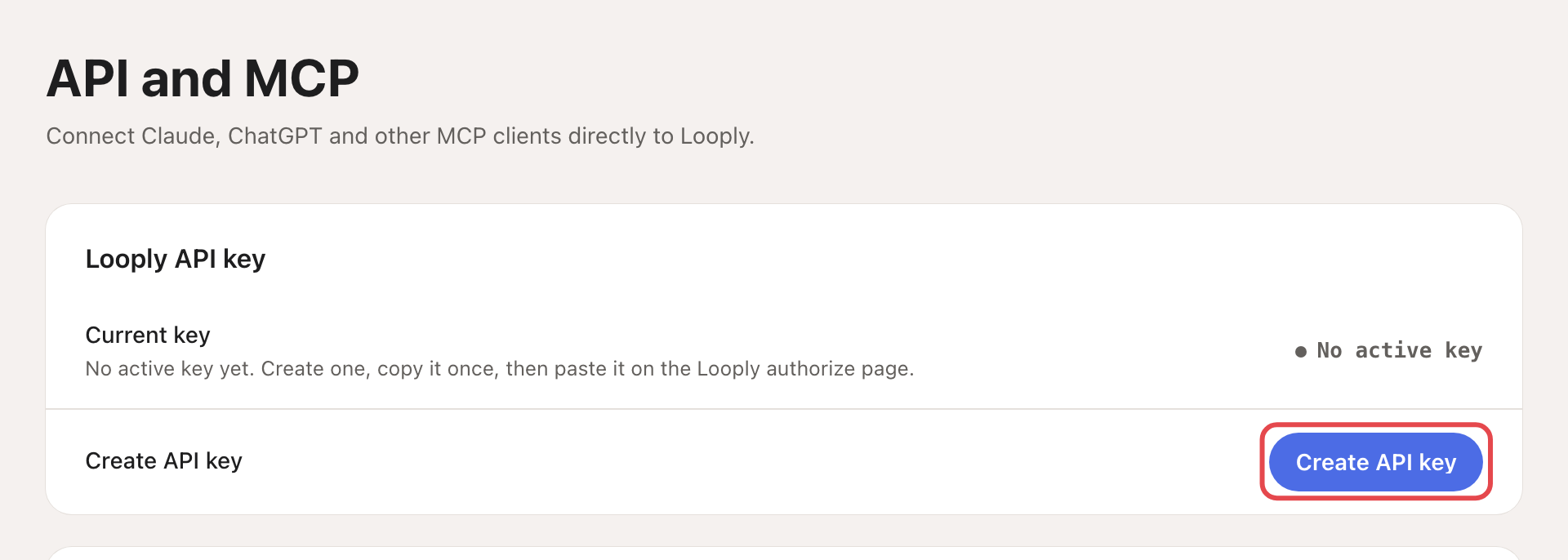
Step 1: Create an API key
In Looply, go to Settings → API and MCP and click Create API key. Copy the key right away: Looply shows it only once.
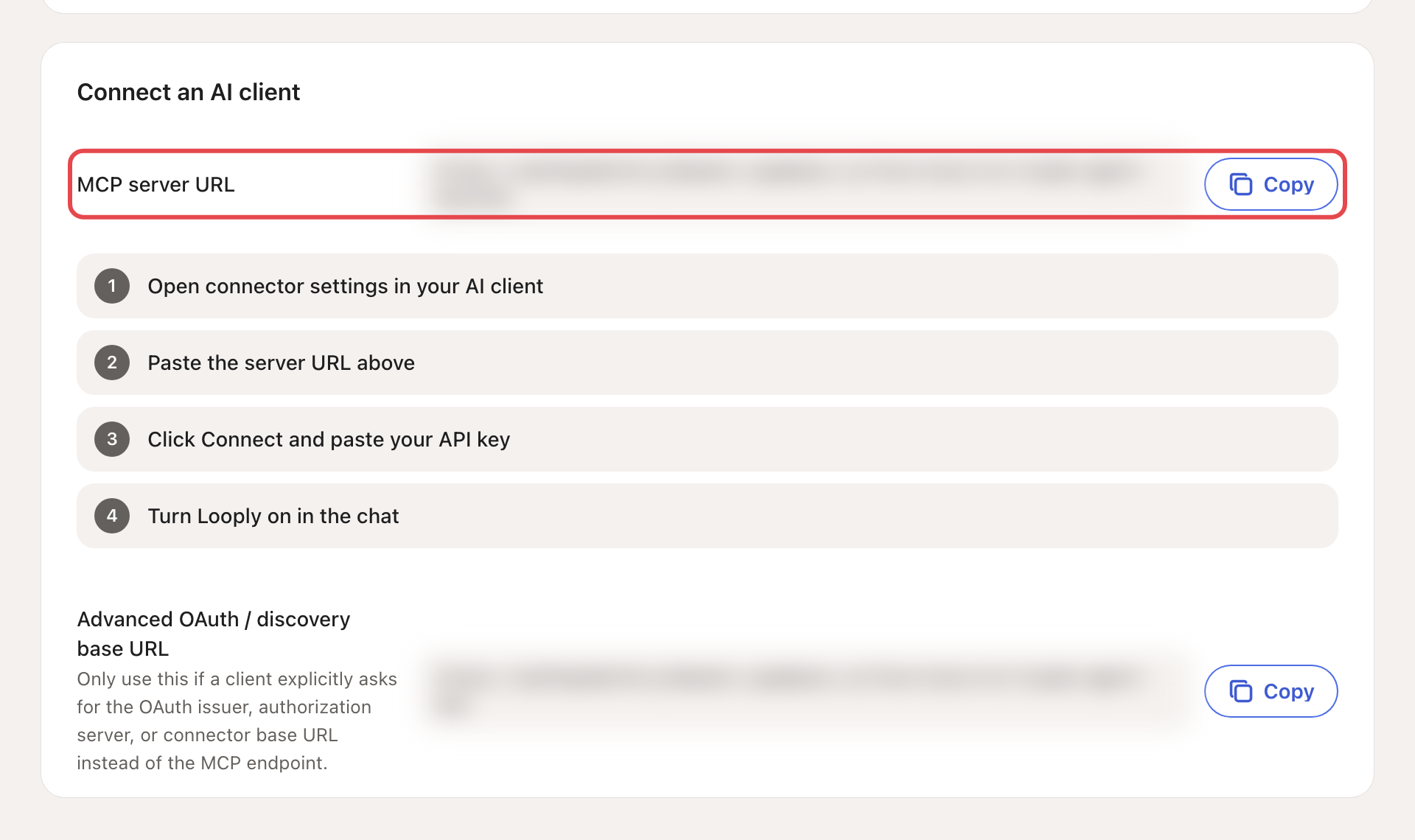
Step 2: Copy the server address
Copy the MCP server URL with its Copy button.
Step 3: Add Looply to your assistant
- In your AI assistant, open its connector settings and add a custom connector.
- Paste the server URL and click Connect.
- On the Looply page that opens, paste your API key.
- Turn Looply on in the chat.
Keep the key safe: treat the API key like a password. If it leaks, click Regenerate or Revoke on the same page.
What you can ask
| Area | What the assistant can do |
|---|---|
| Brands | List your brands. |
| Contacts and lists | Find, read, add and update contacts; create lists. |
| Campaigns | Read campaigns and their results; create and edit draft campaigns. It cannot launch them. |
| Agents | List your agents, see their next runs and results, create a keyword agent, and run an agent now. Running a paused agent turns it back on, and emails it finds cost credits. |
| Inbox | Draft a reply to a LinkedIn conversation. It does not send it. |
For example:
- "Which campaign got the most replies this month?"
- "Run my buying-signals agent now and tell me who it found."
- "Draft a campaign for the people in my 'Webinar' list."
The old address mcp.joinlooply.com no longer works. Always copy the address shown in Settings → API and MCP.